
Detailed Description
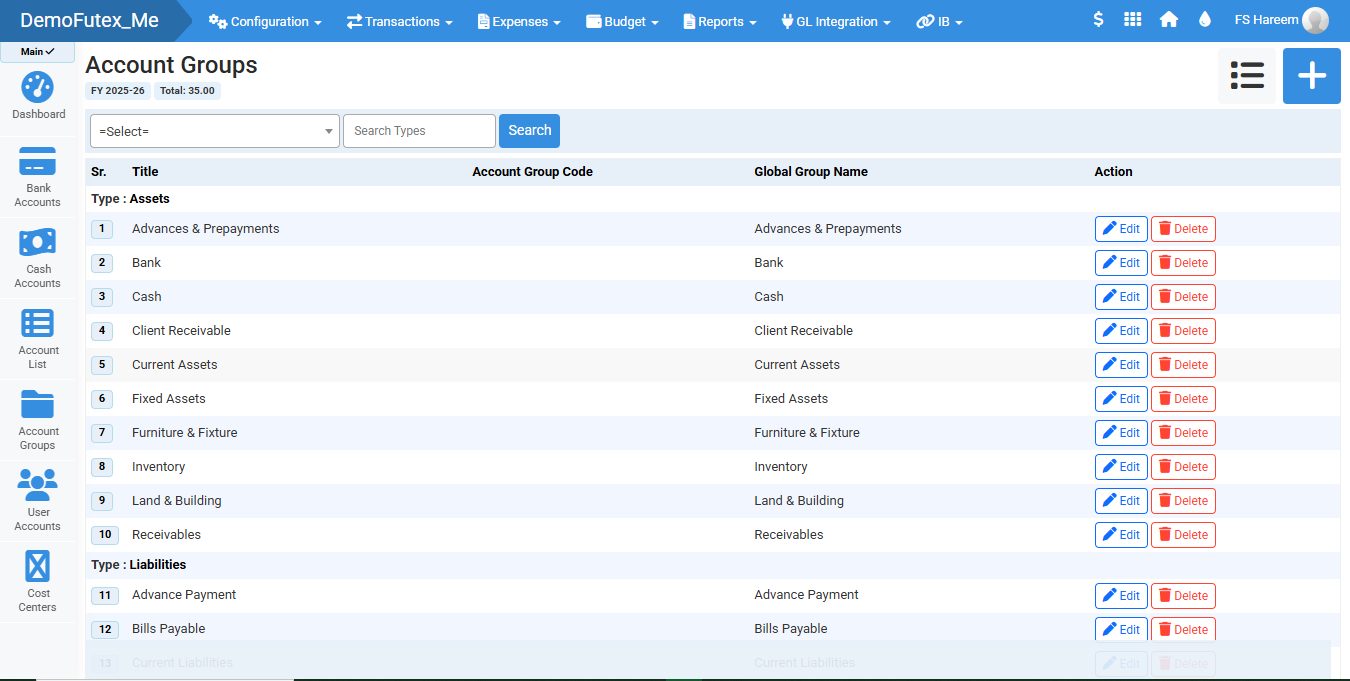
Account Groups is a well-structured chart of accounts and improves overall financial organization in the system. It helps you group similar accounts under global groups such as assets, liabilities, income, expenses, and receivables, making financial tracking and reporting more efficient.
Account groups are used when you are categorizing your Accounts List.
- Login to Futex Books
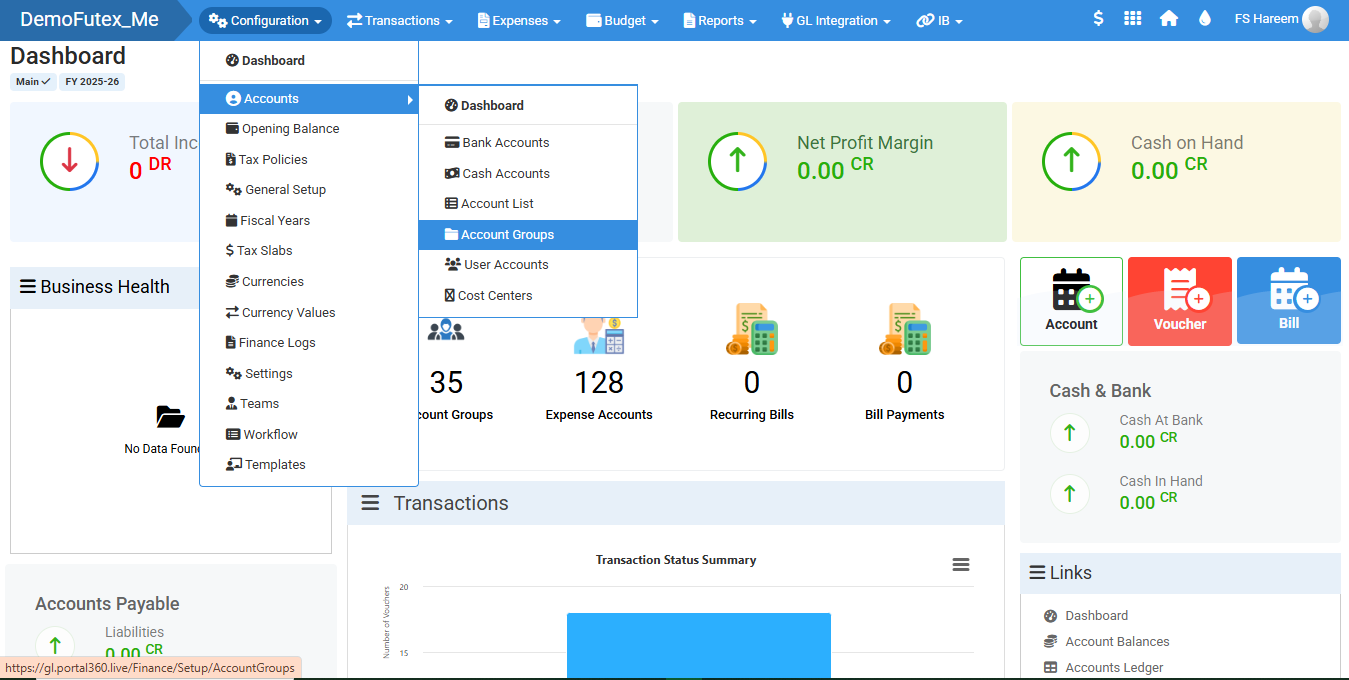
- Click Configuration from the top menu > Select Accounts > Choose Account Groups
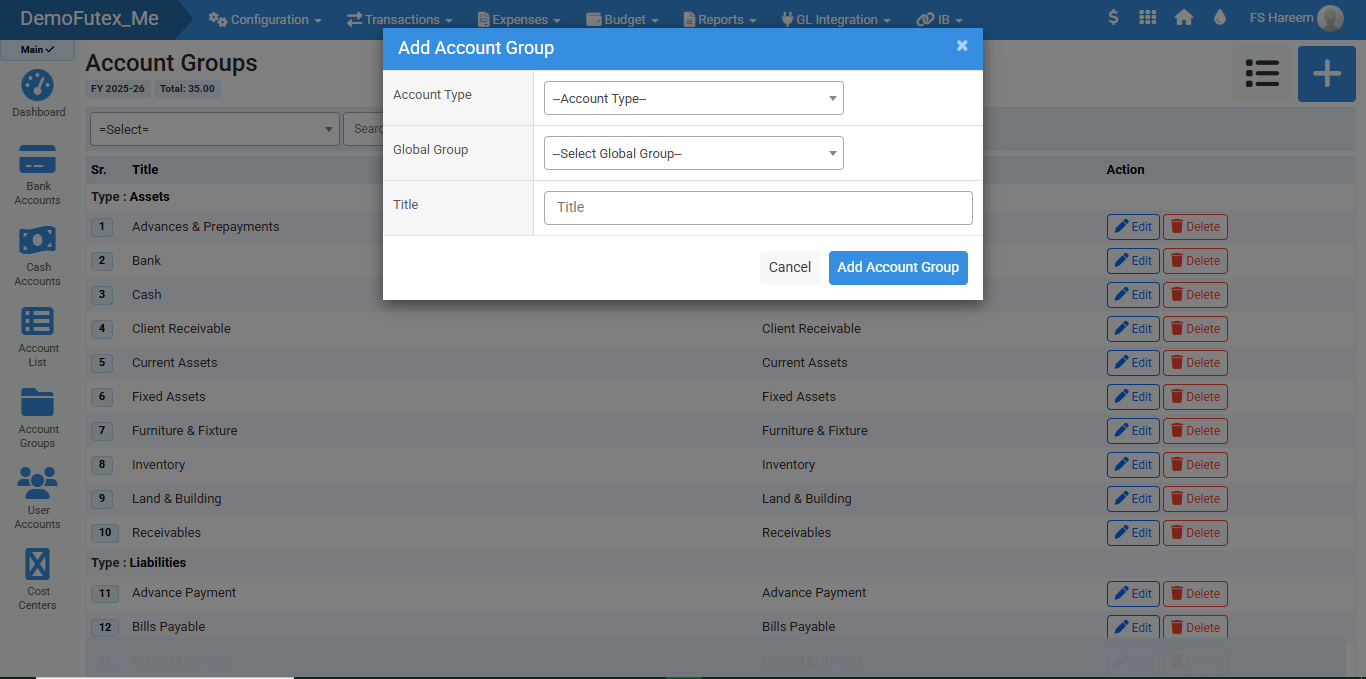
- Click the Plus (+) button on the top right, a popup titled Add Account Group will appear
- Fill in the details to create a new group
- Click Add Account Group to save, The group will appear in the Account Groups List
- To edit, find the group in the list and click ' Edit ' in the action column, To remove a group Click Delete.
Visual Walkthrough
No video tutorial available.
No related articles found in this category.