
Detailed Description
A well organized Account List/Chart of Accounts Management supports transactions, reporting, and financial analysis. It provides a structure where businesses can define assets, liabilities, income, expenses, and control accounts for accurate financial management.
- login to Futex Books
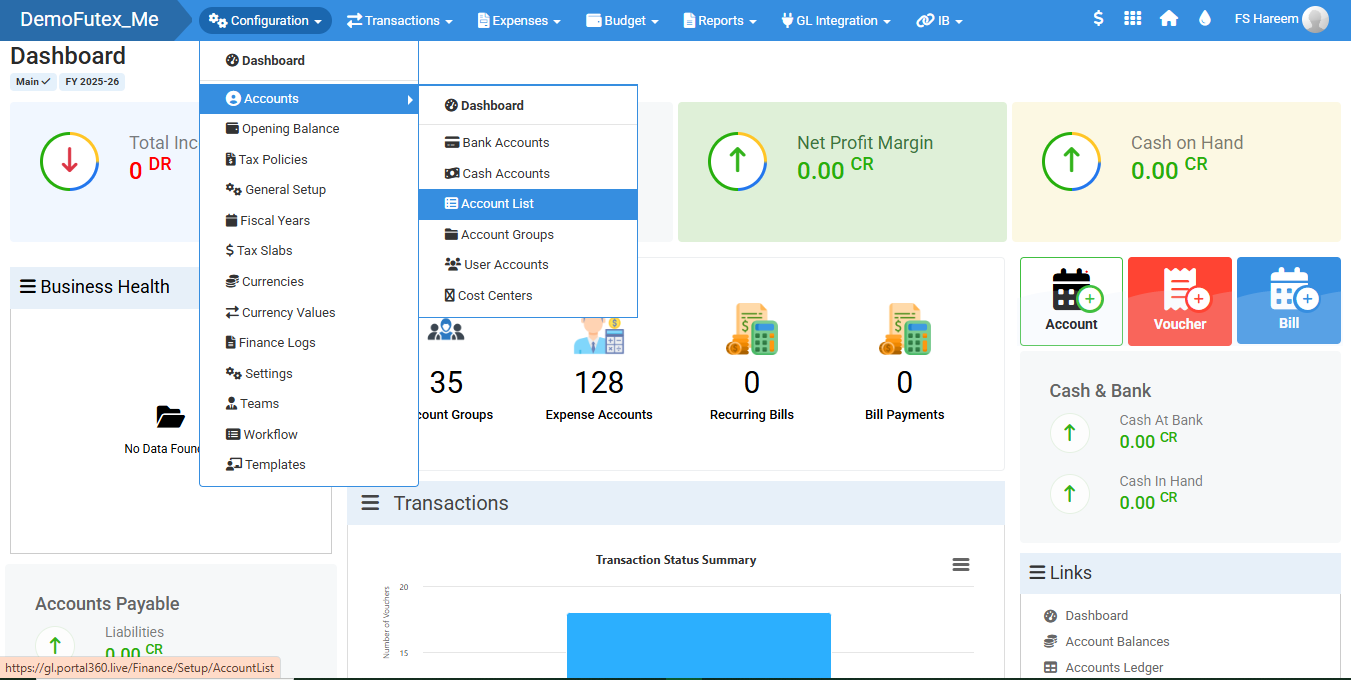
- Select Configuration form top menu > select Accounts > click Accounts List
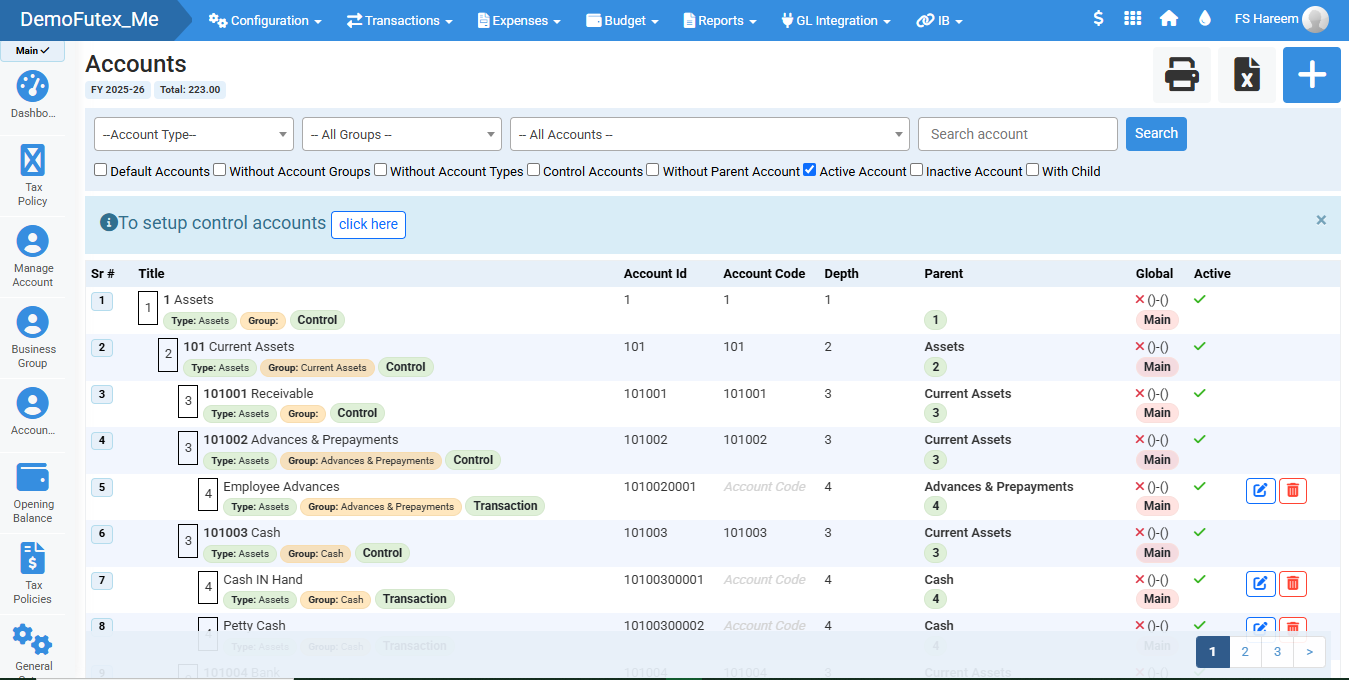
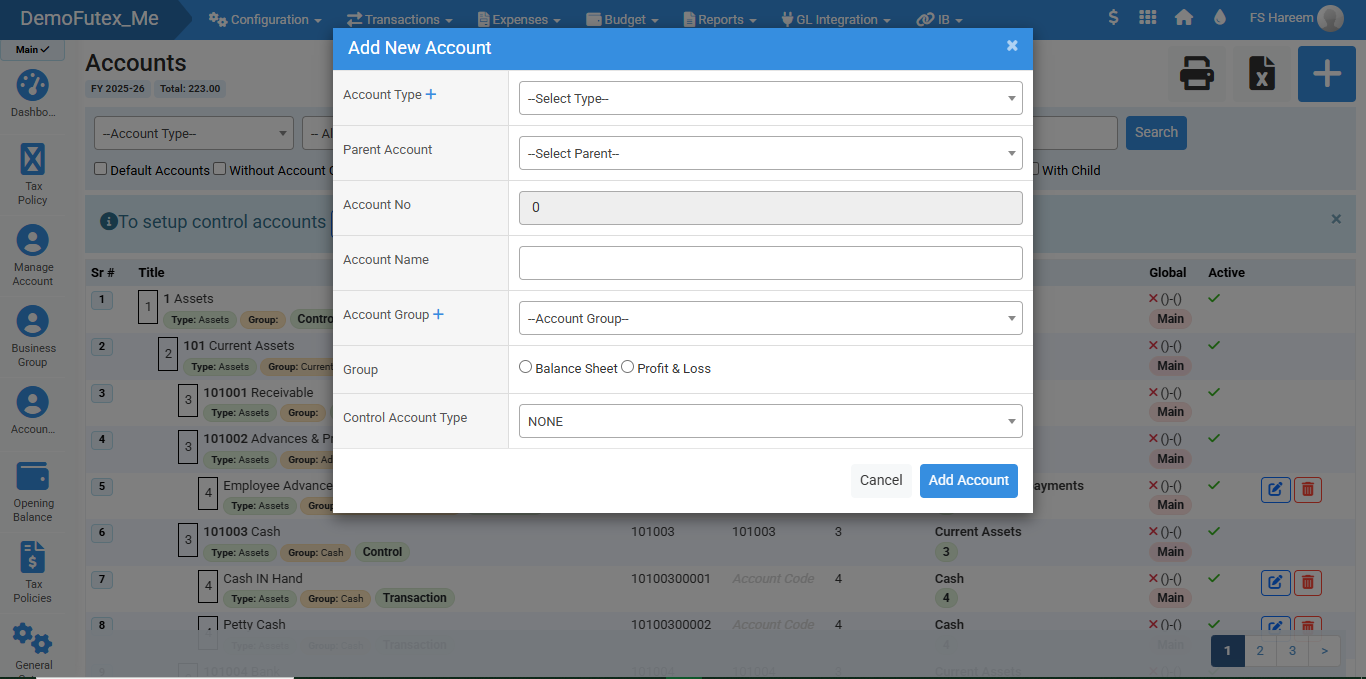
- Click the plus (+) button on the top right, a popup titled Add New Account will appear
- Enter all the details required to create a new account
- Click Add Account to save the account ( the account will appear in the Account List )
- The Account List will display all your accounts in a structured hierarchy
- Use Search Bar to find a specific account
- Filter Accounts by checking on the account type
- To edit an account click the Edit Icon present at the end of the row of your desired account, you can also Delete an account if you no longer need one
Visual Walkthrough
No video tutorial available.
No related articles found in this category.