
Detailed Description
The Futex Books Bank Account module provides a structured way to manage banking details, cheque books, and financial records.
By following the steps below, you can easily create, manage, and track bank accounts within the system.
- Login to Futex Books
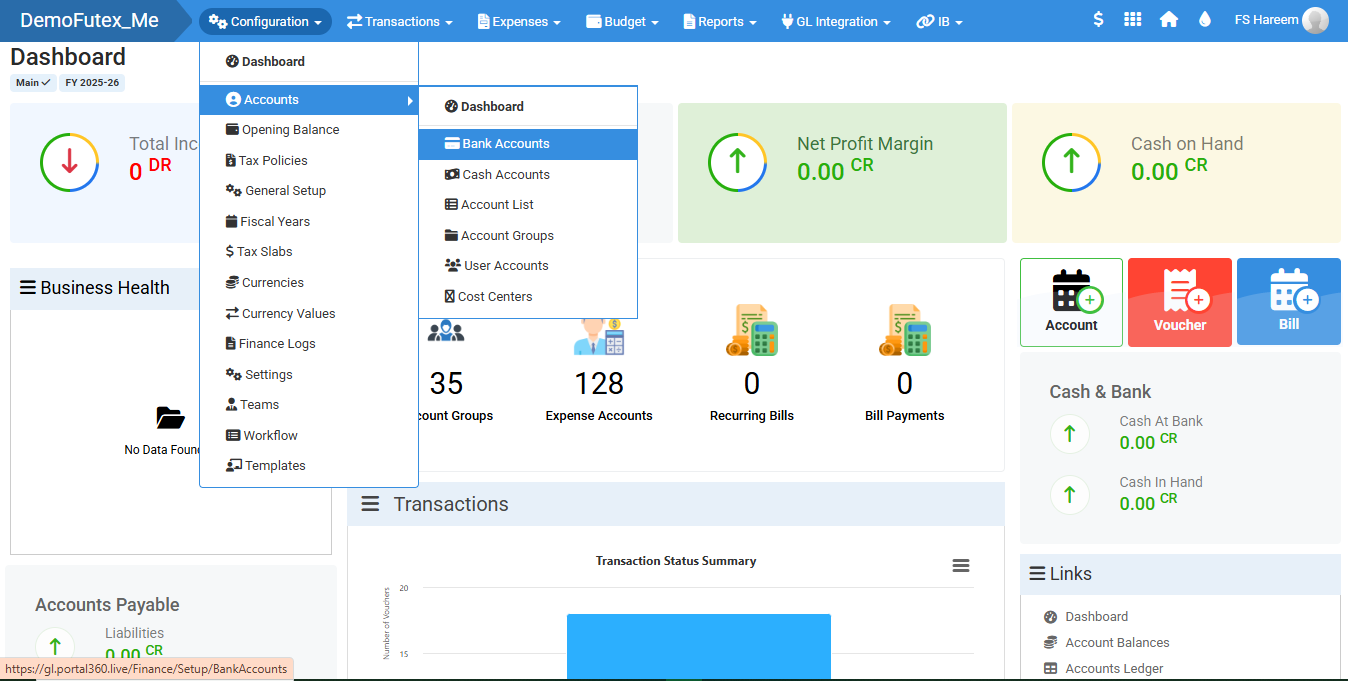
- Go to Configuration > Accounts > and click Bank Accounts
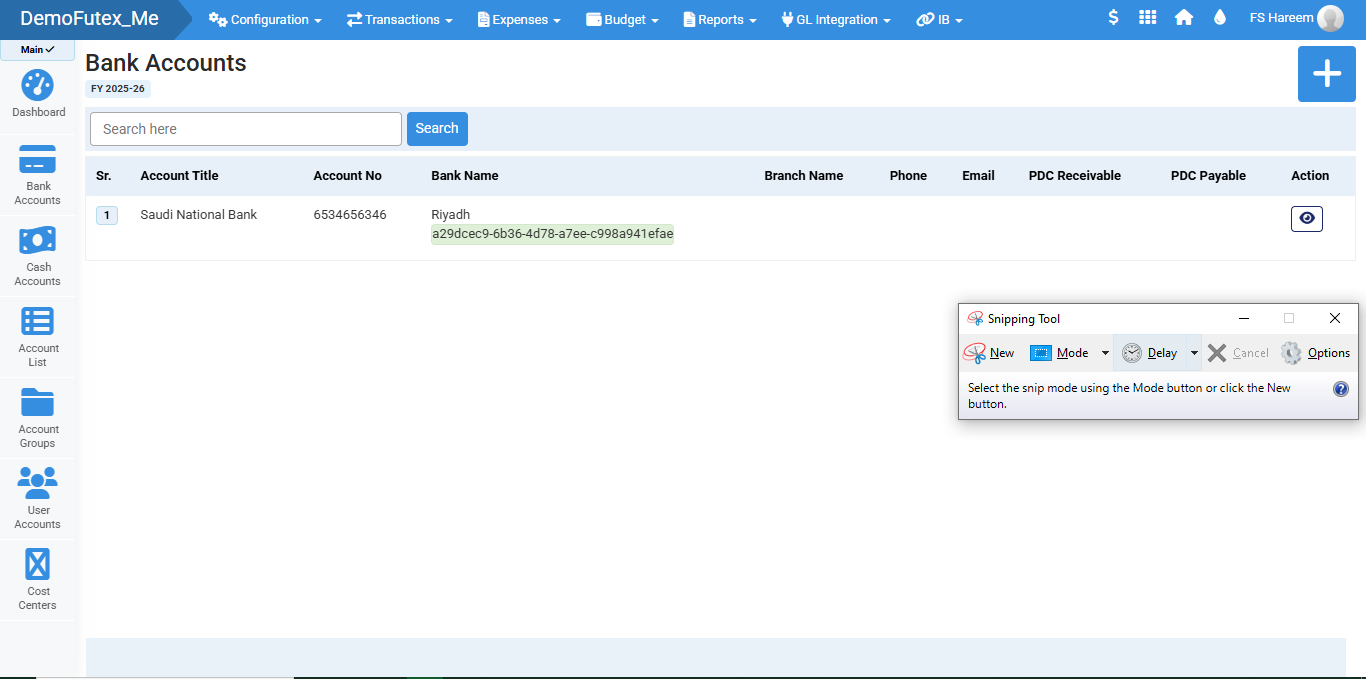
- Click ' + ' Icon to Add New Bank Account
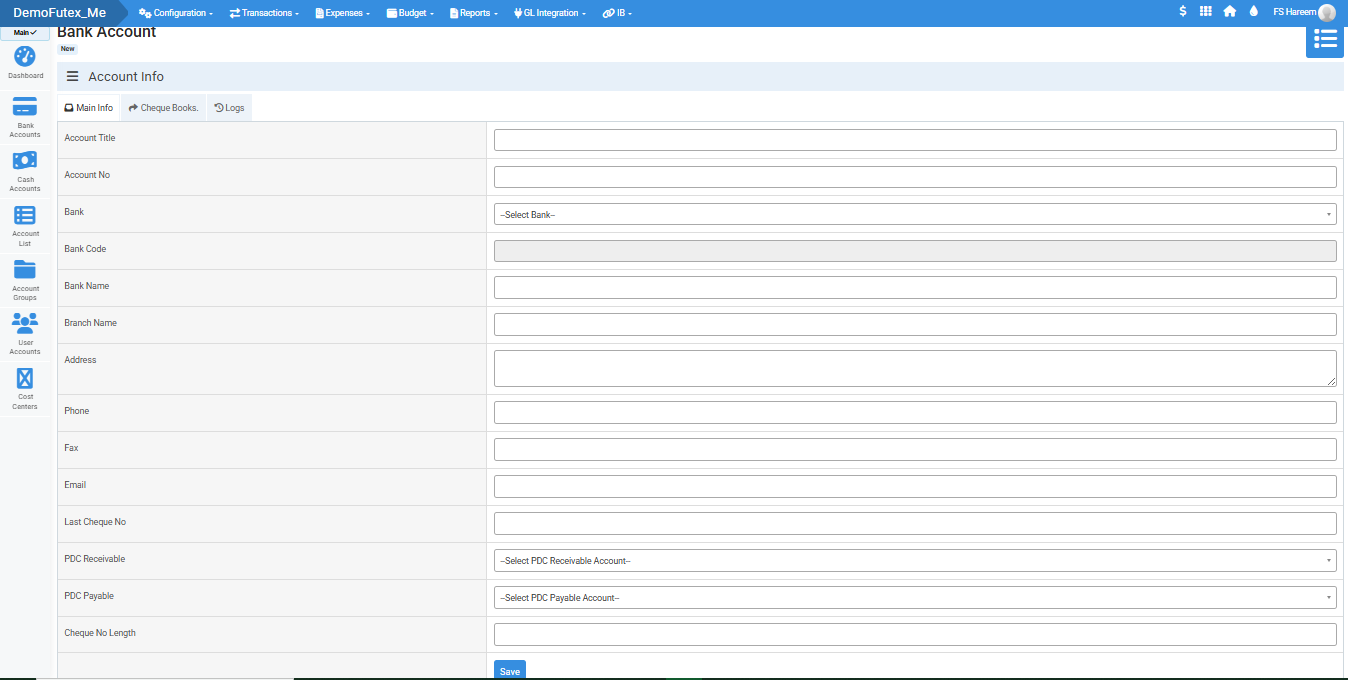
- Fill In The Information carefully.
- Enter your cheque details in the form
- Click ' Save ' Button at the bottom.
- Click Cheque Books Tab & Add Cheque Book
- The Log tab allows you to track user activity and system updates.
- Click the eye icon in the Action column next to your desired bank to view or edit its details.
Visual Walkthrough
No video tutorial available.
No related articles found in this category.