
Detailed Description
The Cost Centers / Groups module allows business organizations allocate expenses, monitor operational costs, and control financial activities across various business groups.
- Login to your futex books account
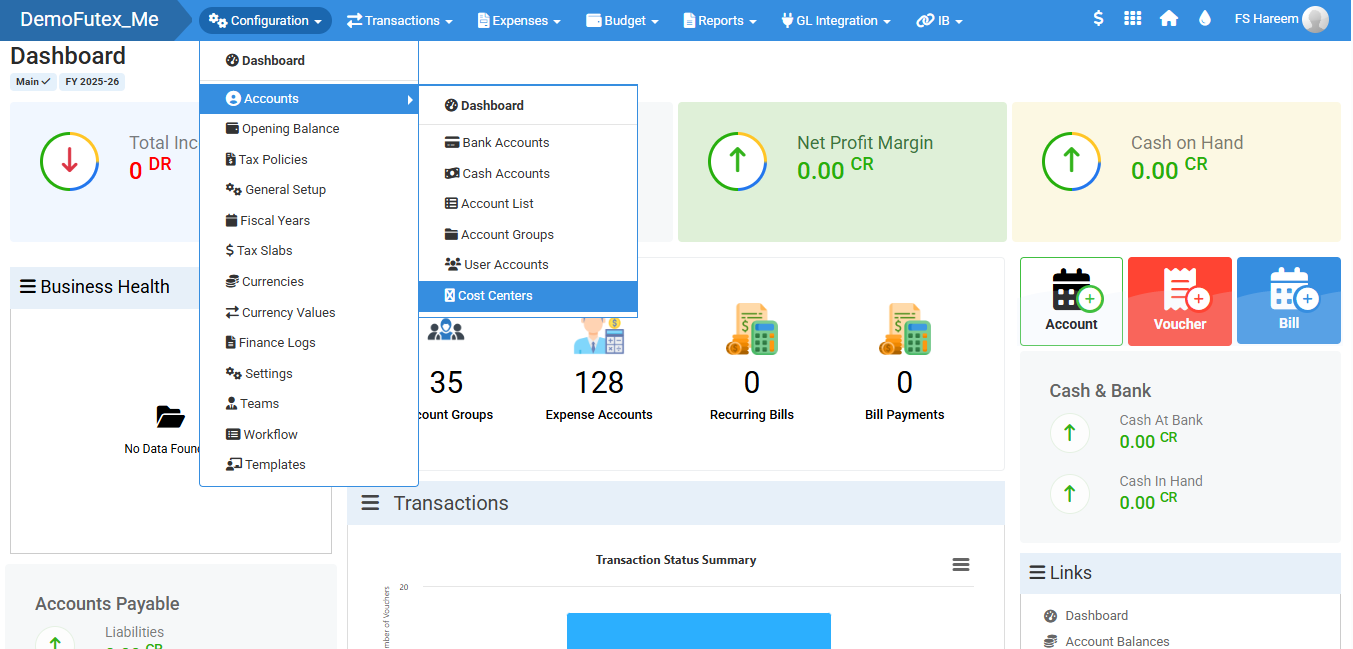
- Click Configuration from the top menu > select Accounts > choose Cost Centers
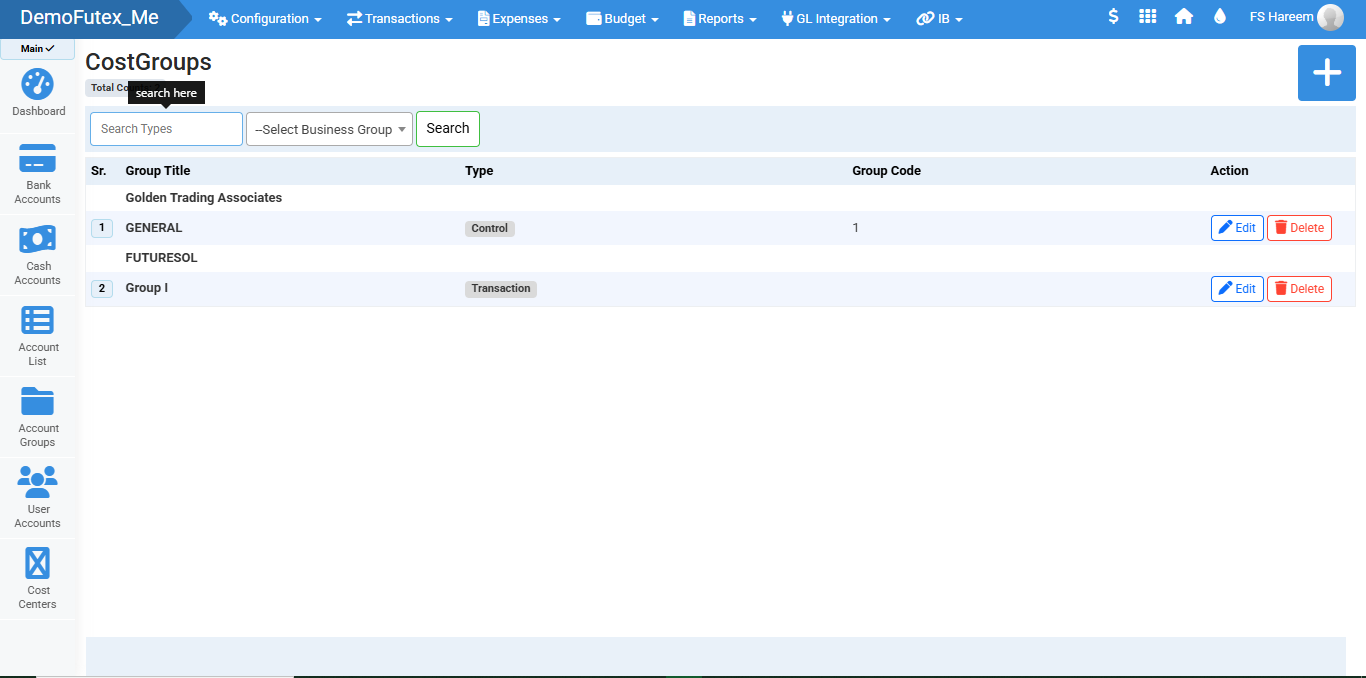
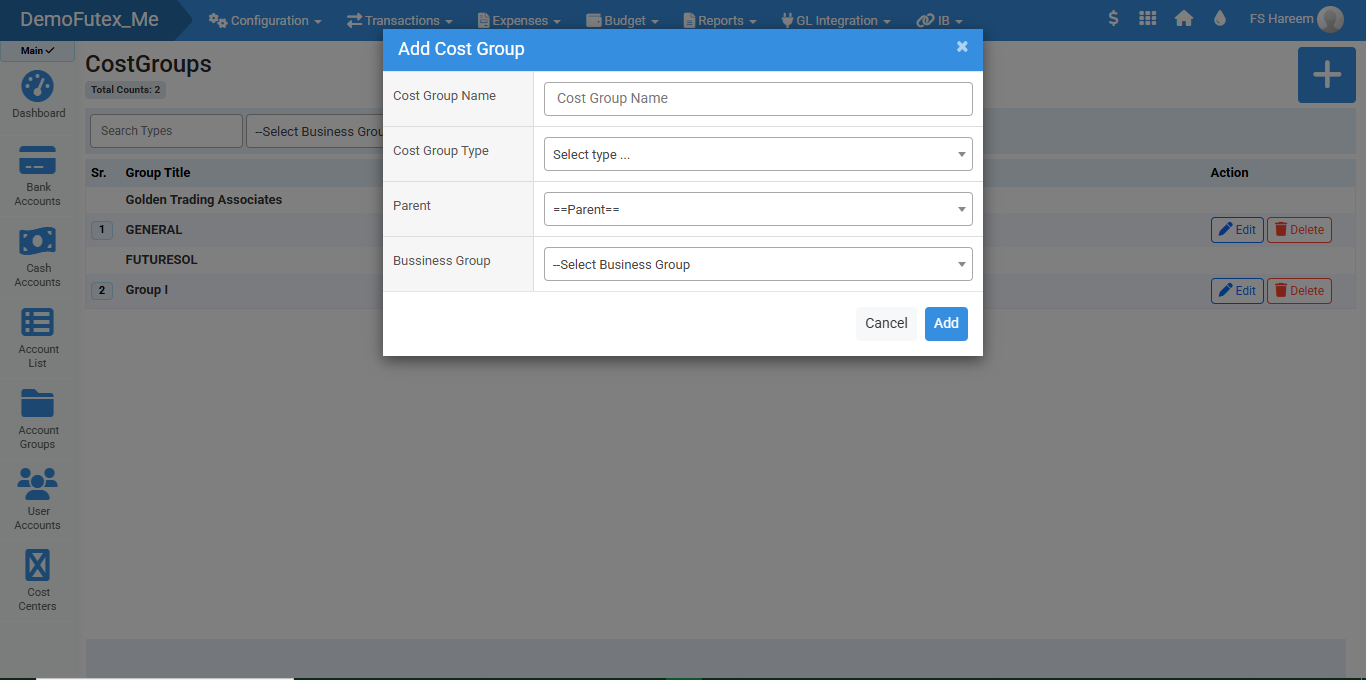
- Click the Plus (+) button on the top right, A popup titled Add Cost Group will appear.
- Enter your required details required and click Add, The system will save the cost group and will appear in the list.
- To update a cost group you can find edit and delete button in Action column in front of your desired group.
- Use Search Bar to filter and find your group by Type or Title
Visual Walkthrough
No video tutorial available.
No related articles found in this category.