
Detailed Description
You can add new currencies, define symbols, and manage active or default currencies within the system.
The Currencies module in Futex Books allows you to create and manage different currencies used in financial transactions. It helps businesses handle multi-currency operations, maintain accurate records, and support international transactions.
- Login to your Futex Books account.
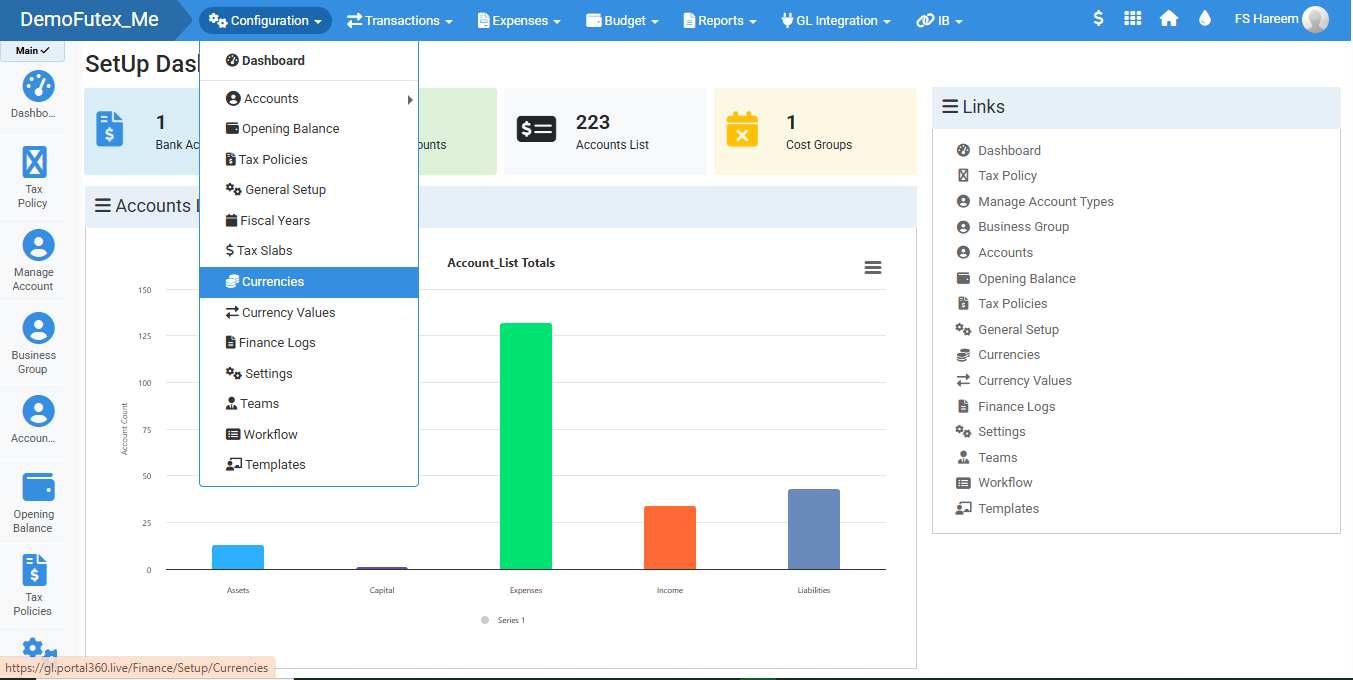
- Click Configuration and select Currencies.
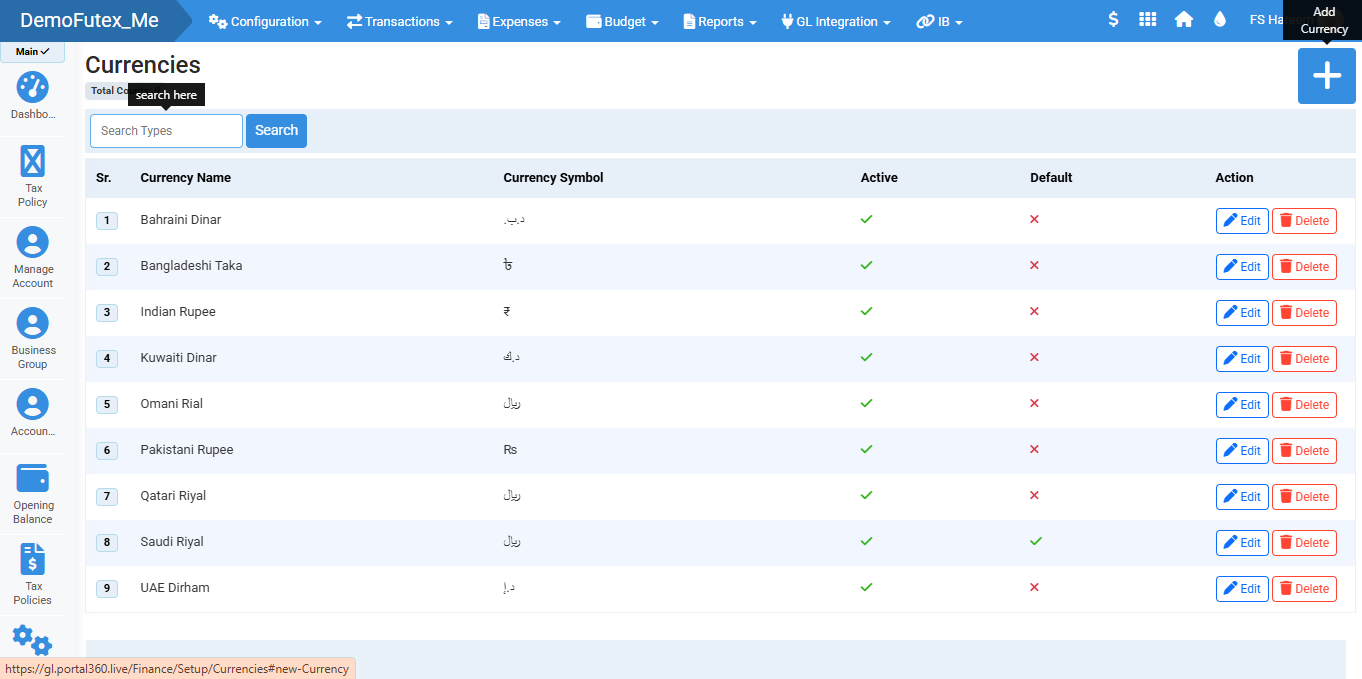
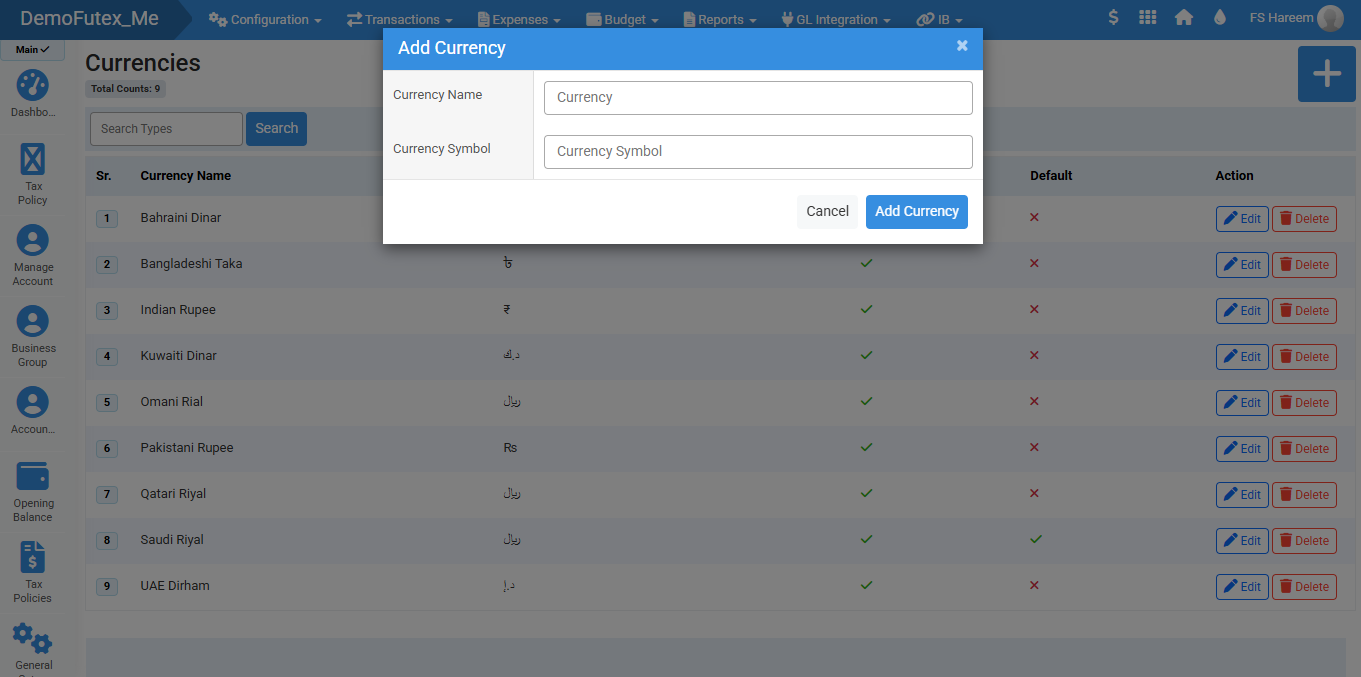
- Click the Add (+) button on the top right, A popup will appear.
- Enter currency details and click Add to save, it will appear in the list.
- Only one currency can be set as Default. Default currency is used for primary transactions.
- You can search your currency by name, you can Edit and Delete your currency from action column.
Visual Walkthrough
No video tutorial available.
No related articles found in this category.
