
Detailed Description
The Currency Values Management module in Futex Books allows you to define and update exchange rates for different currencies. This feature is essential for handling multi-currency transactions, ensuring accurate conversions, and maintaining reliable financial records.
You can record currency values based on dates, branches, and specific time ranges.
- Login to your Futex Books account.
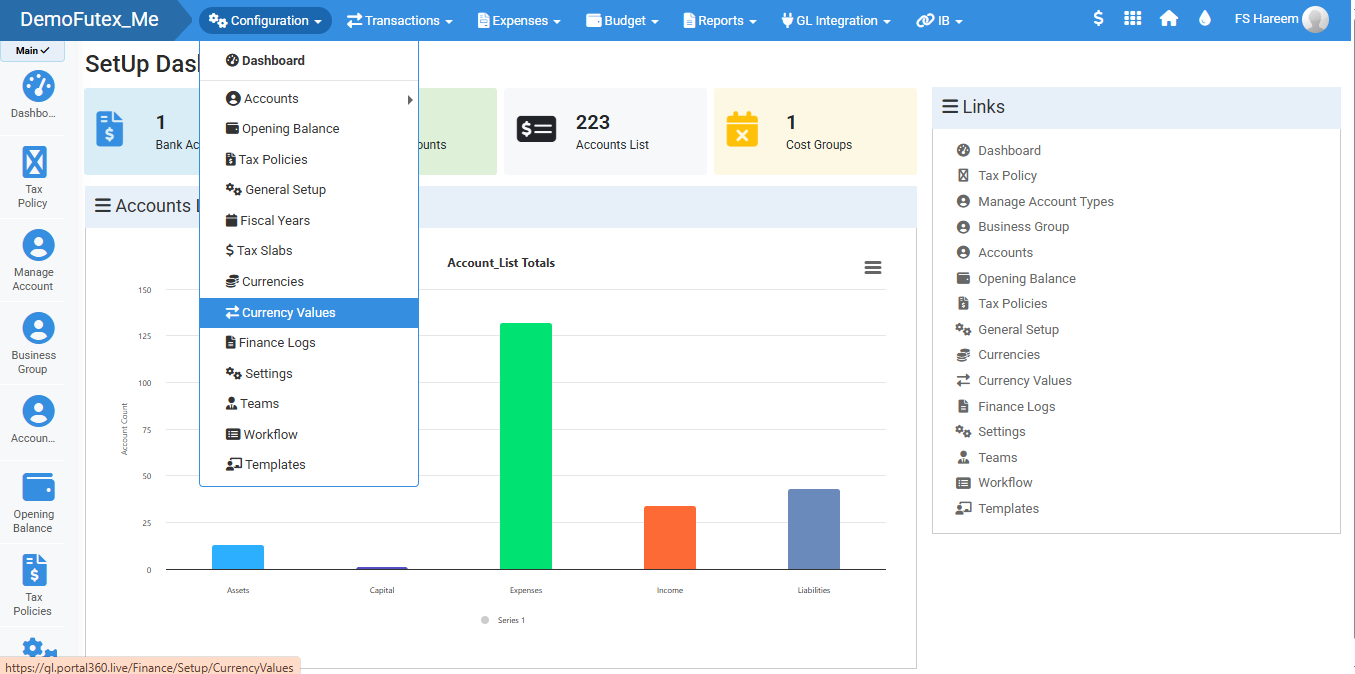
- Click Configuration and select Currency Values.
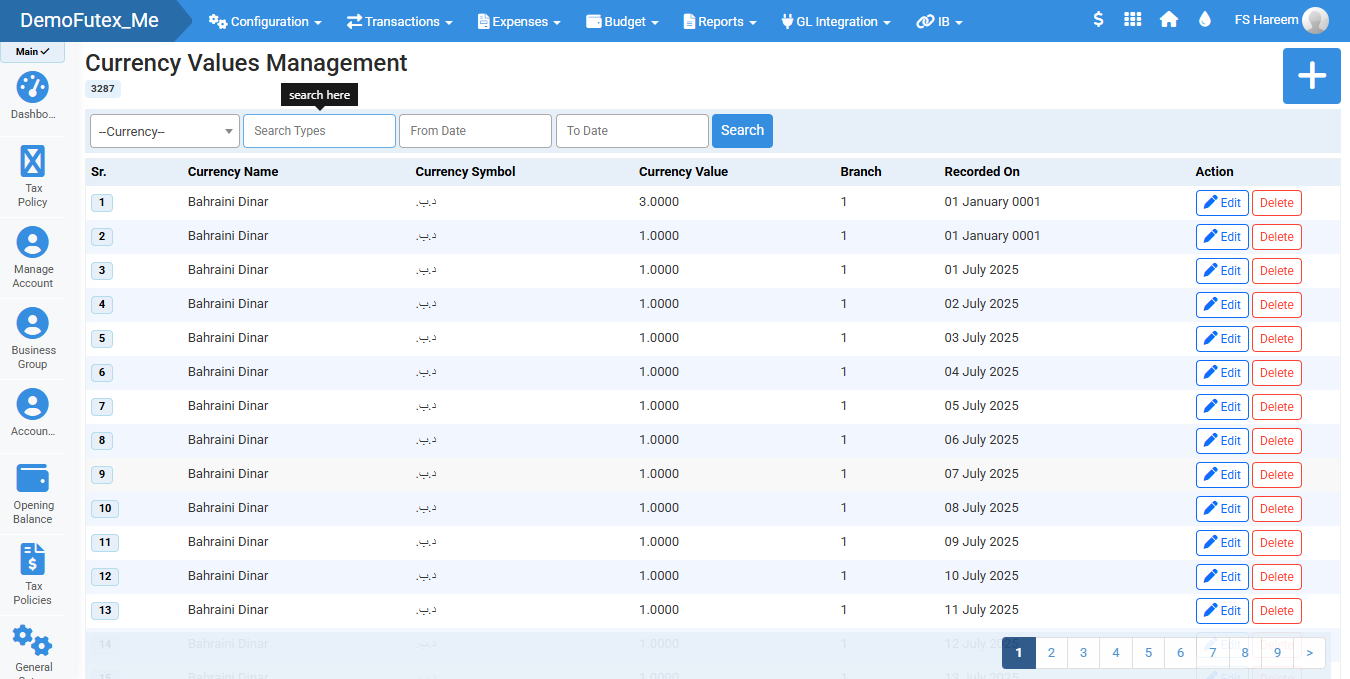
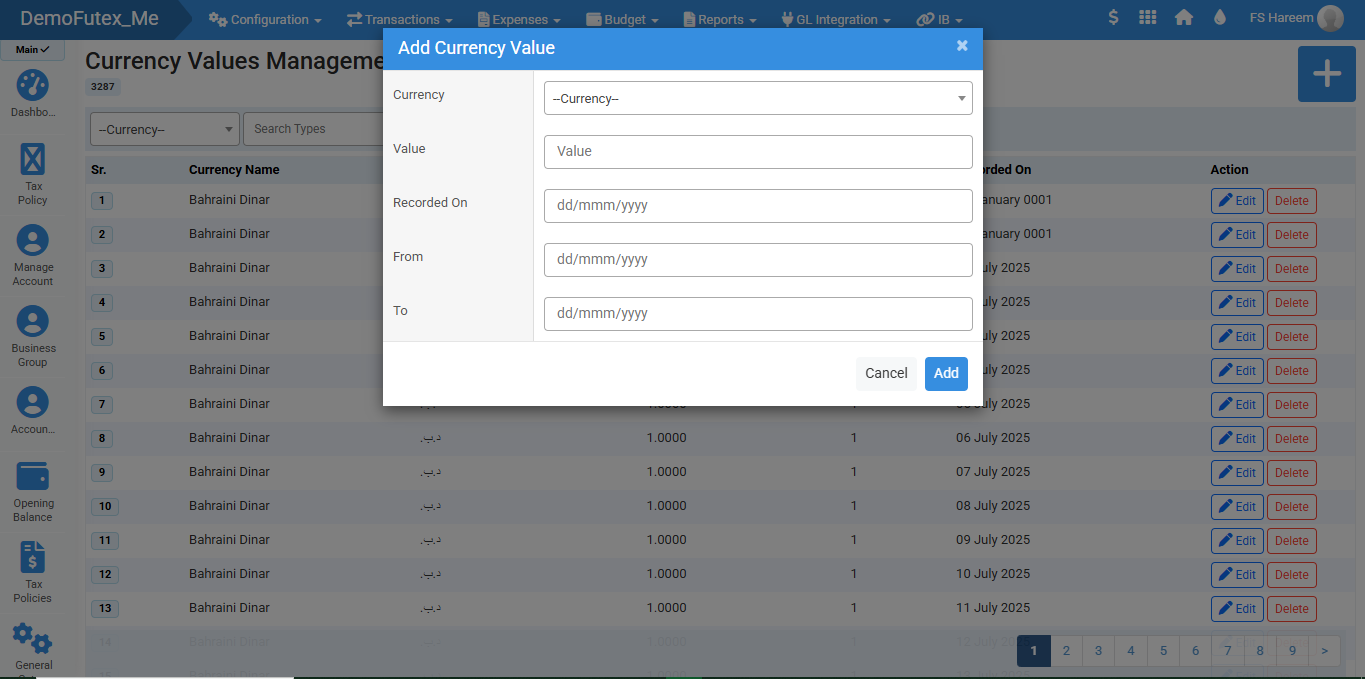
- Click the Add (+) button on the top right, the popup will appear.
- Enter details and click Add to save, it will appear in the list.
- Edit or Delete from action column.
- Search your specific currecy value by Name, Type or Date.
Visual Walkthrough
No video tutorial available.
No related articles found in this category.
