
Detailed Description
You can create, manage, and control fiscal years to ensure proper accounting and reporting.
The Fiscal Years module in Futex Books allows you to define financial periods for your business. It helps in organizing transactions, generating reports, and maintaining accurate financial records based on specific timeframes.
- Login to Futex Books.
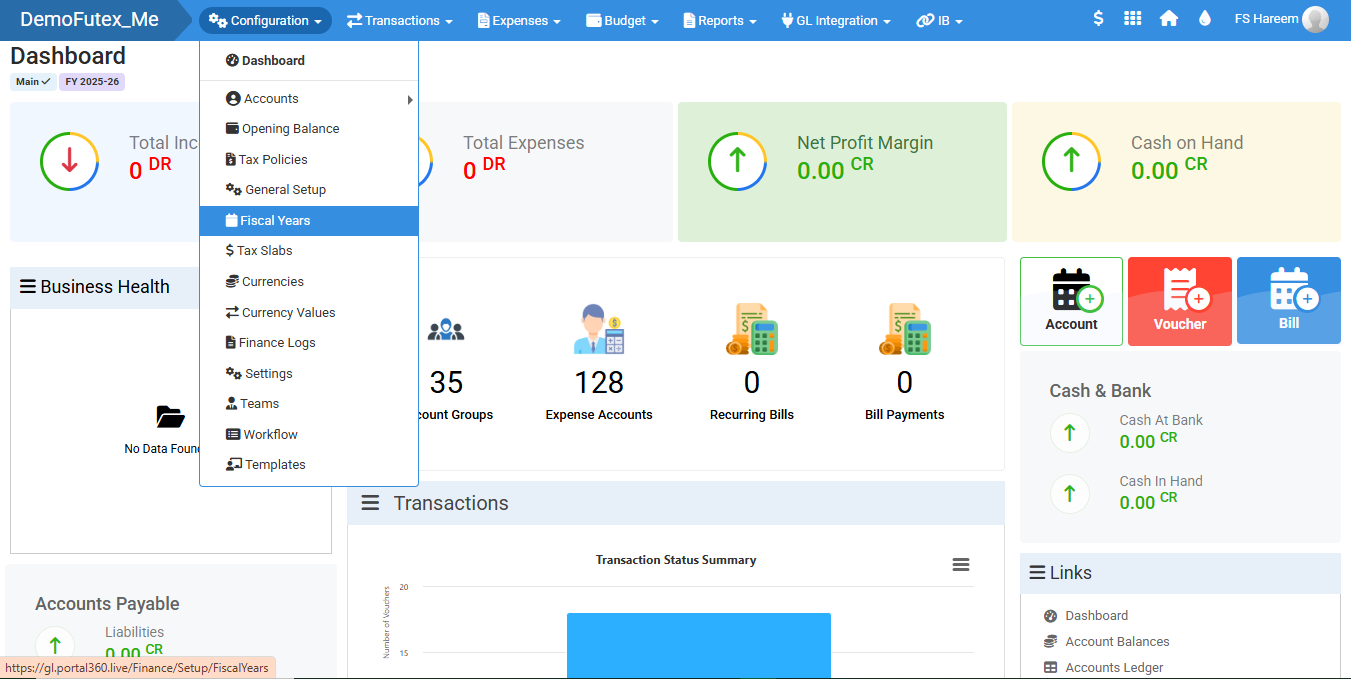
- Click Configuration and select Fiscal Years.
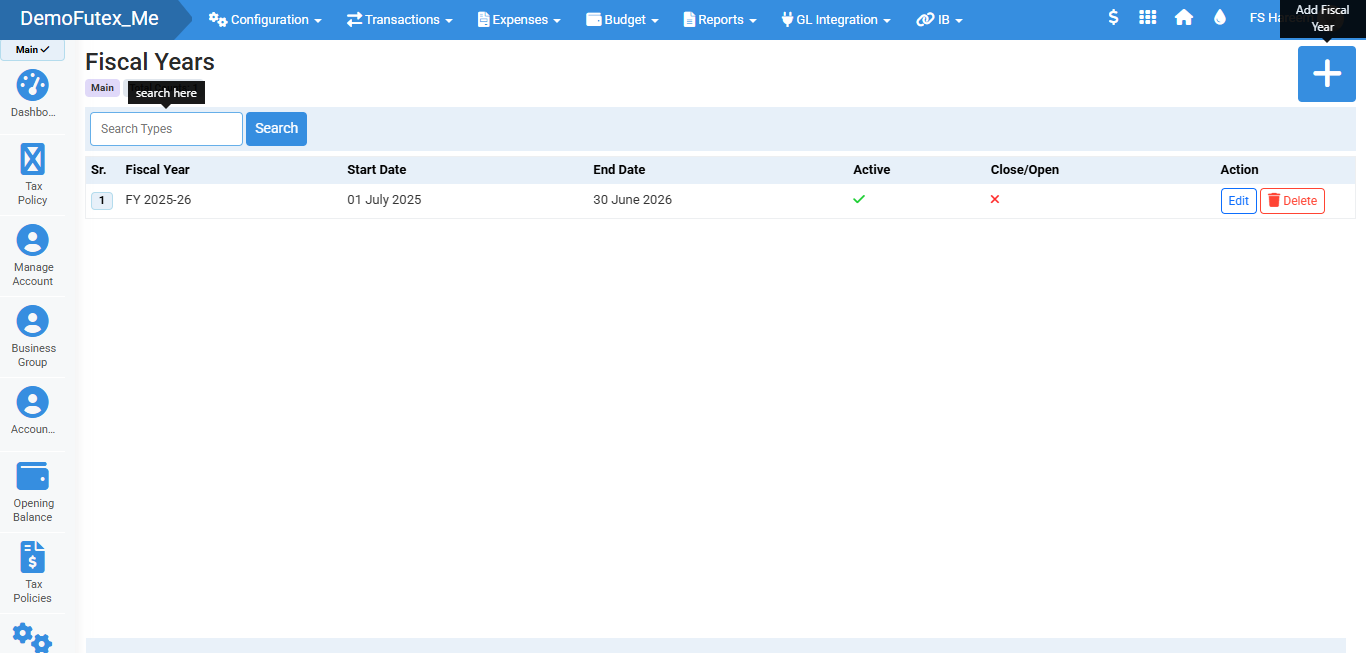
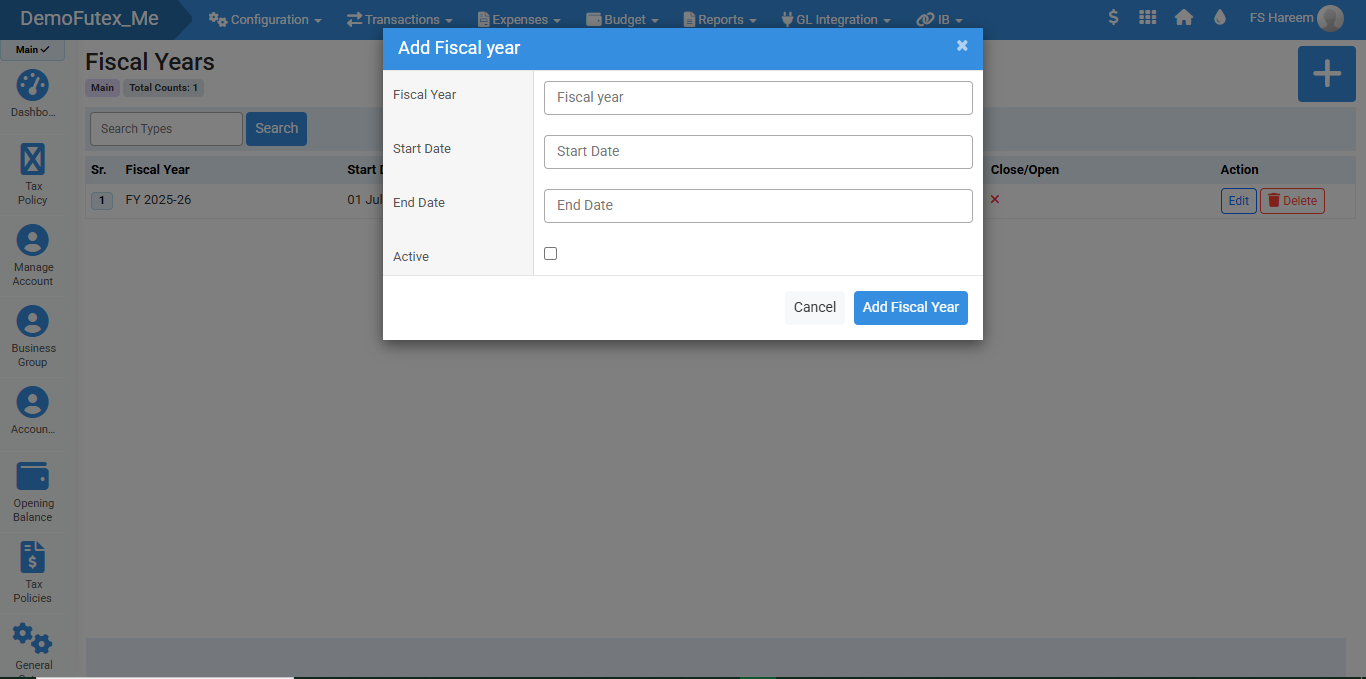
- Add new fiscal year by clicking (+) button on the top right and a popup will appear.
- Add details and click Add Fiscal Year to save.
- You can Edit and Delete from action column.
Visual Walkthrough
No video tutorial available.
No related articles found in this category.
