
Detailed Description
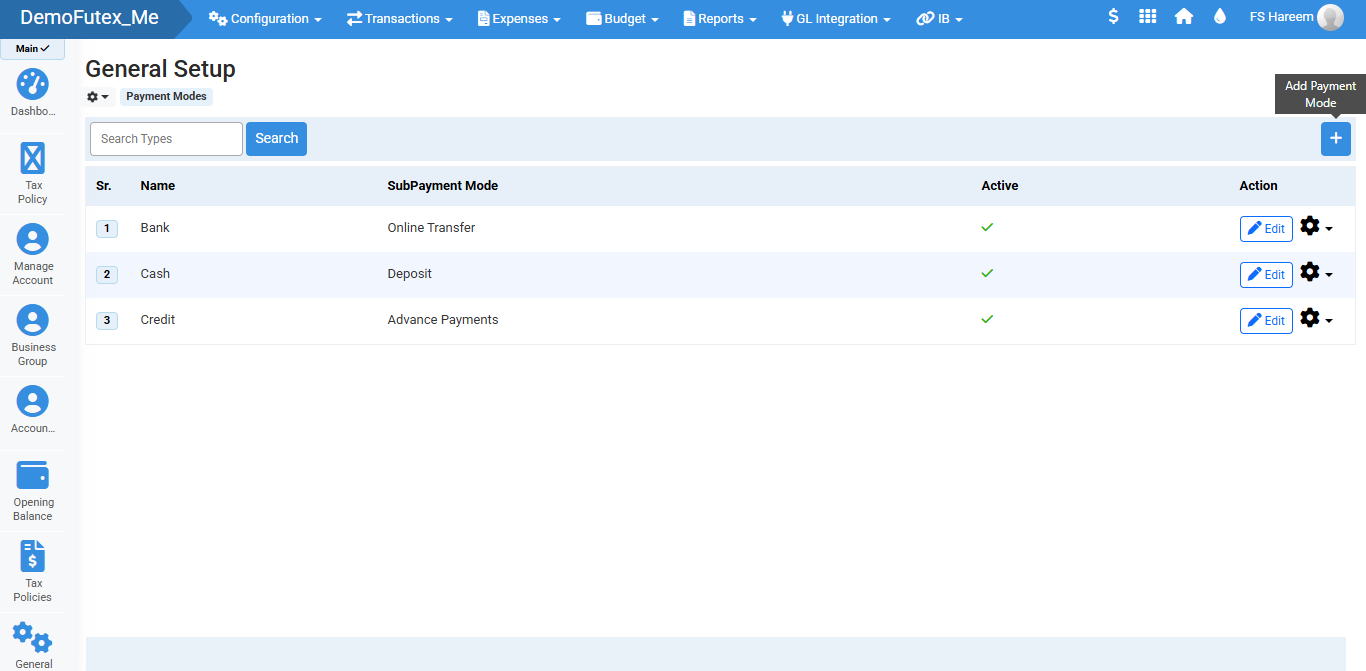
The General Setup module in Futex Books allows you to configure payment modes and sub-payment methods used in financial transactions. This module helps businesses define how payments are processed, such as Bank, Cash, and Credit, and link them with accounts for proper financial tracking.
- Login to Futex Books.
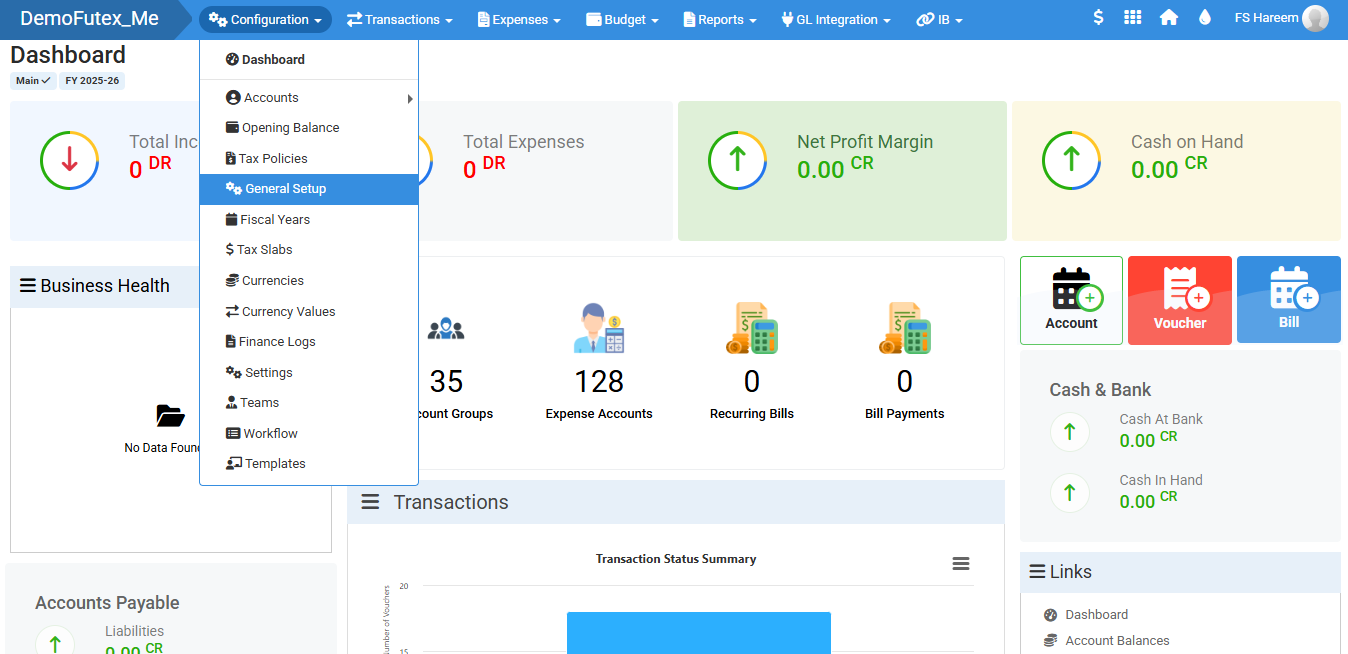
- Click Configuration > and select General Setup.
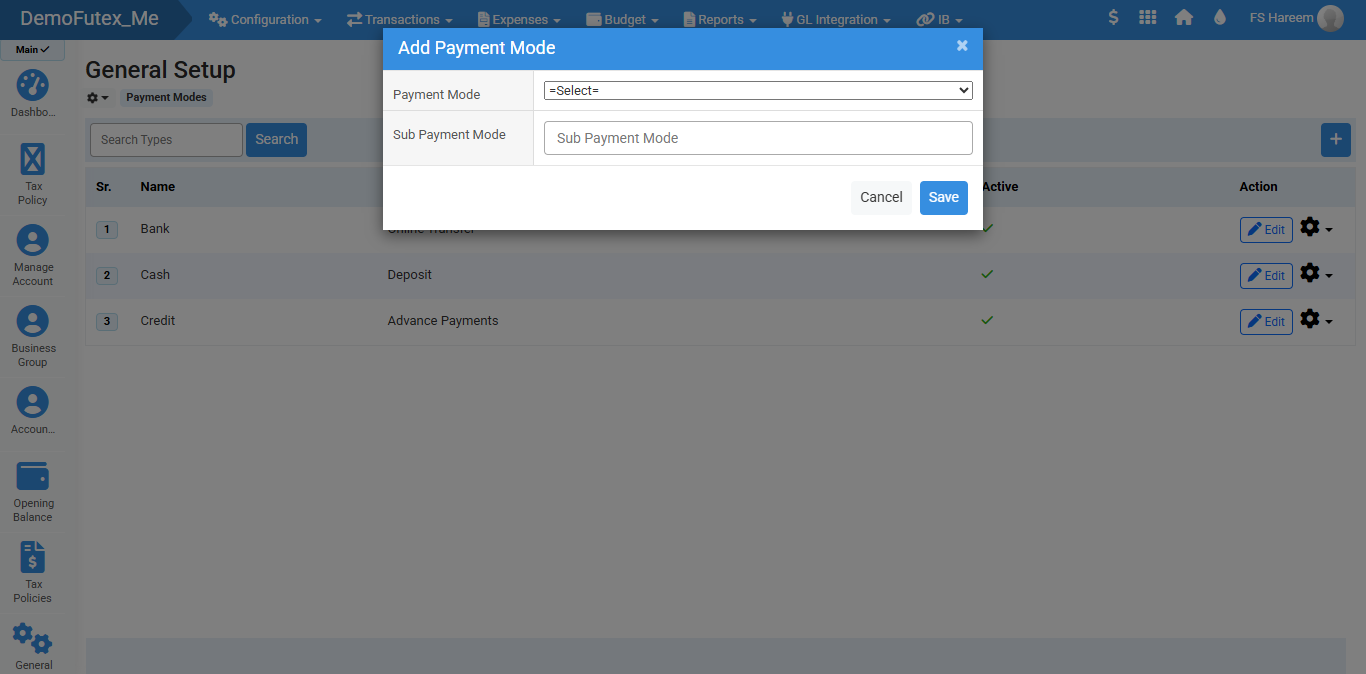
- To add Payment Mode, click (+) button, a popup will open.
- Add payment mode and click Save to add a payment mode.
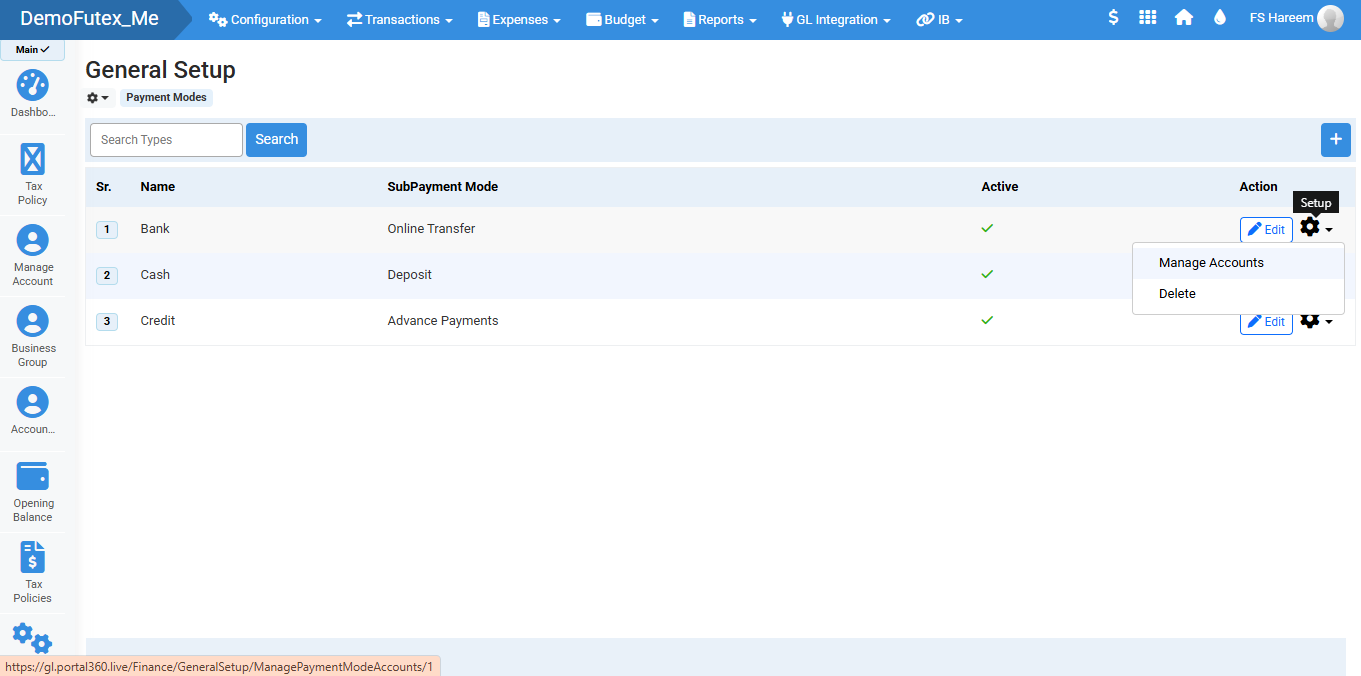
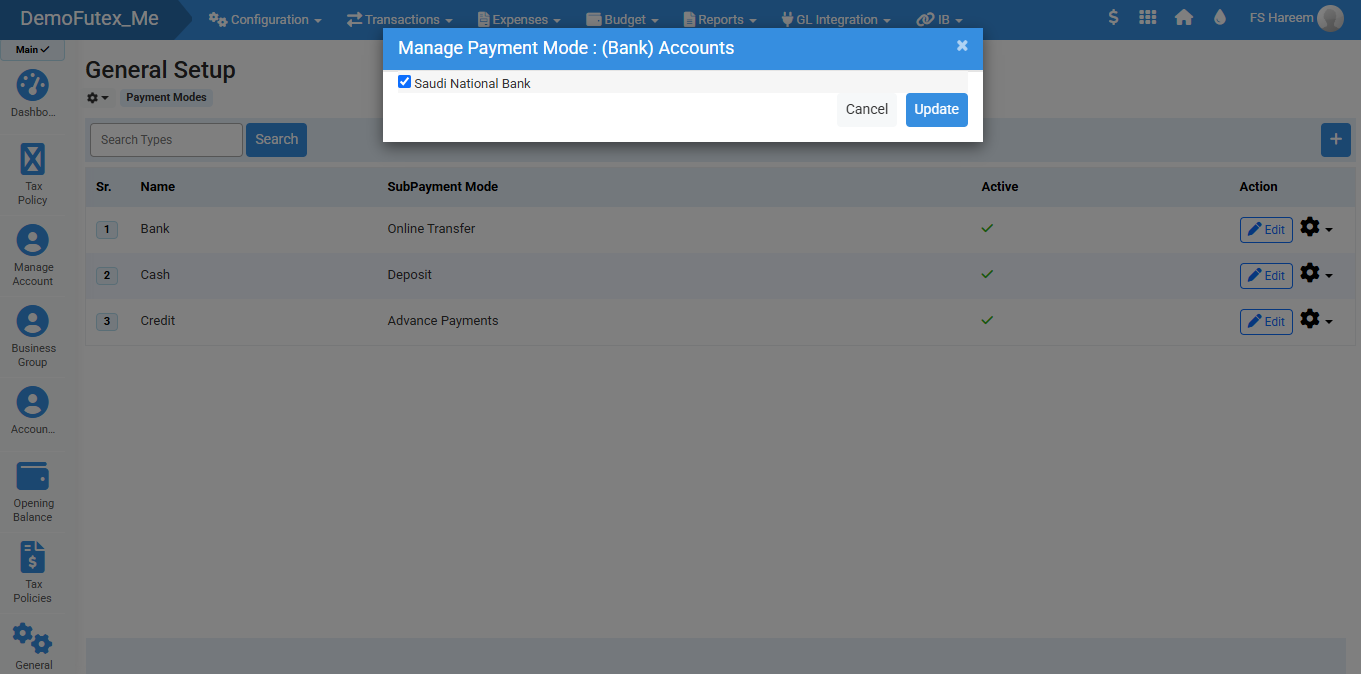
- Select Settings icon and click Manage Account, select a Bank Account to link your payment mode.
- You can use Search Bar to find your desired setup type.
- Edit and Update your mode from edit button in action column
Visual Walkthrough
No video tutorial available.
No related articles found in this category.
