
Detailed Description
The Futex Books Opening Balance helps businesses properly configuring opening balances so that organizations can ensure accurate financial reporting and smooth accounting operations from the beginning of the fiscal year.
This module is essential for initializing the accounting system and maintaining correct financial data from the start of a new fiscal period.
- Login to Futex Books
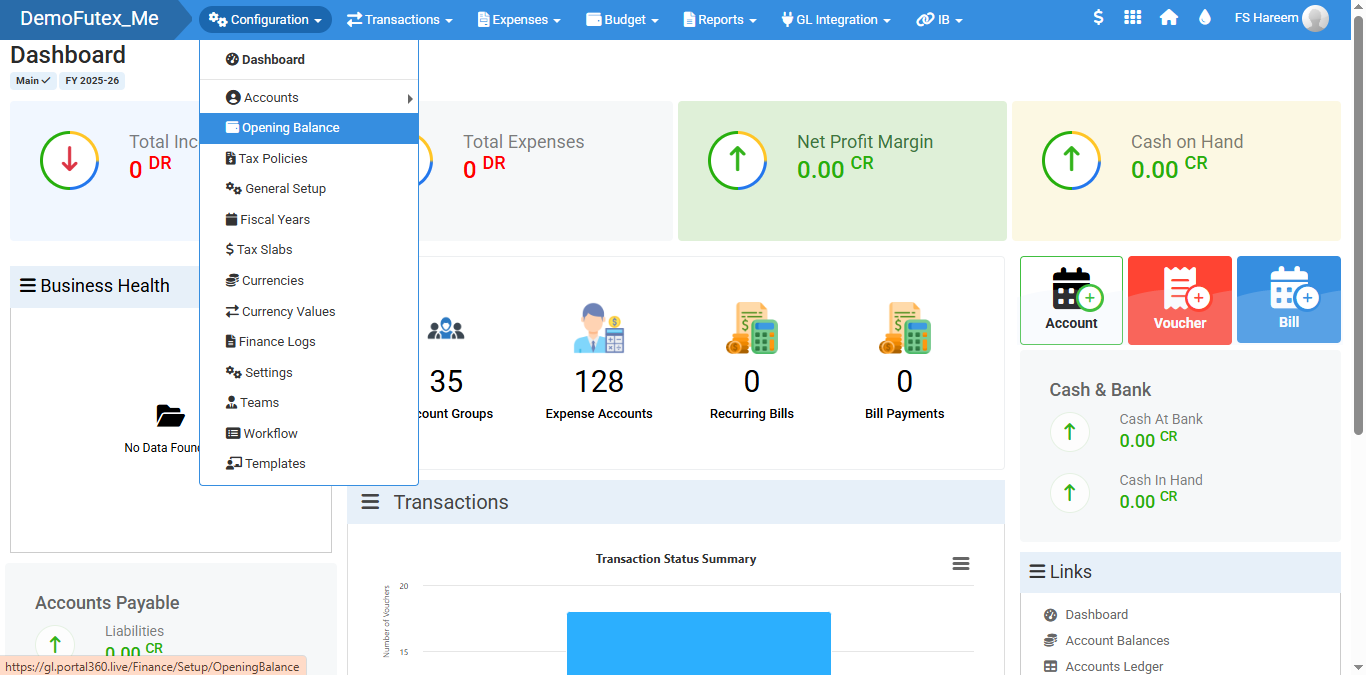
- Click Configuration from top menu and select Opening Balance
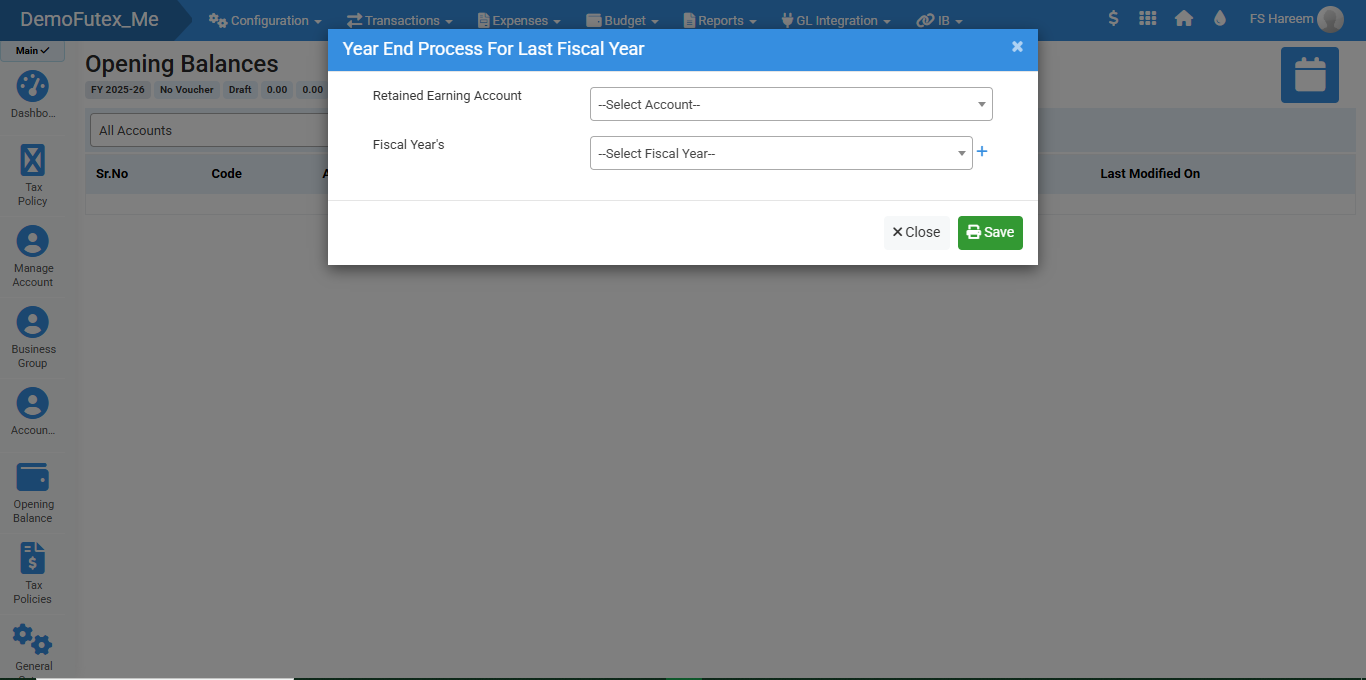
- Click the button on the top right to add Year End Process
- Once you enter the details and click Save, the record will appear in the list.
- Find your desired account in the Search Bar.
Visual Walkthrough
No video tutorial available.
No related articles found in this category.