
Detailed Description
The Tax Policies module in Futex Books helps organizations define tax policies, apply tax rates, and maintain compliance with financial and regulatory requirements.
By defining tax policies properly, organizations can compliance with accounting standards.
- Login to your Futex Books.
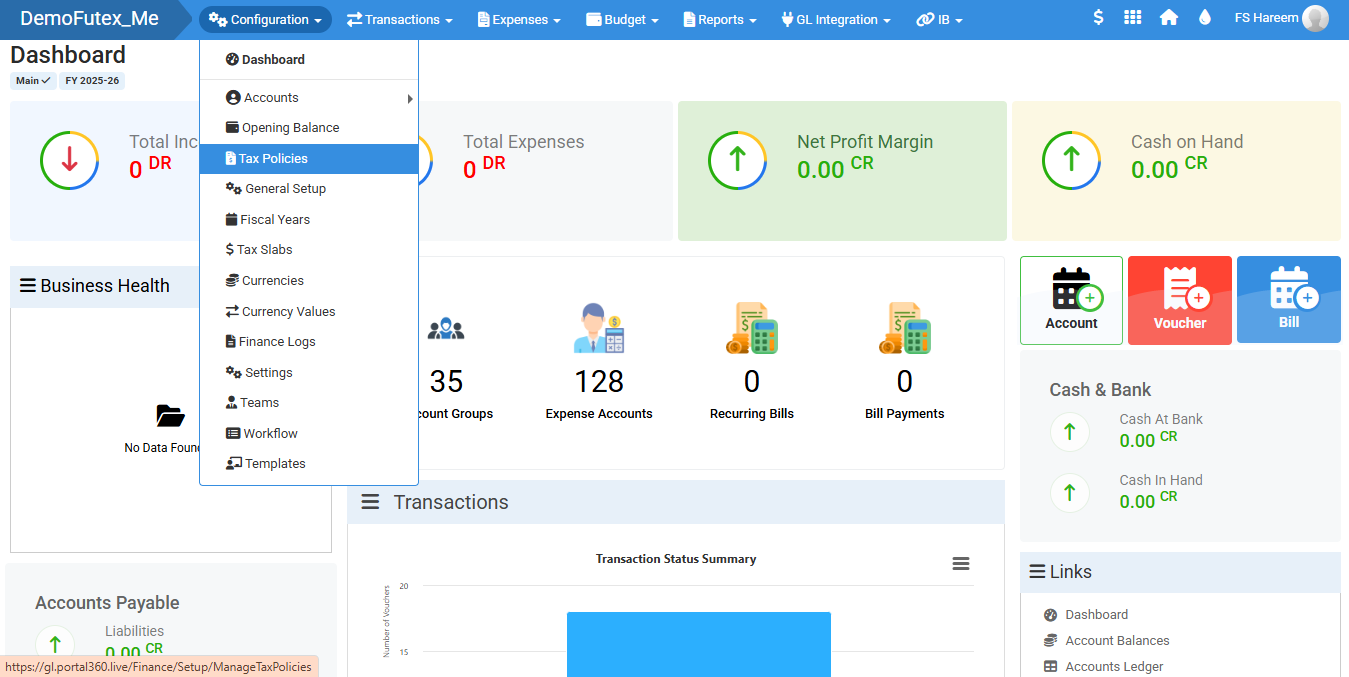
- Click Configuration from the top menu > click Tax Policies.
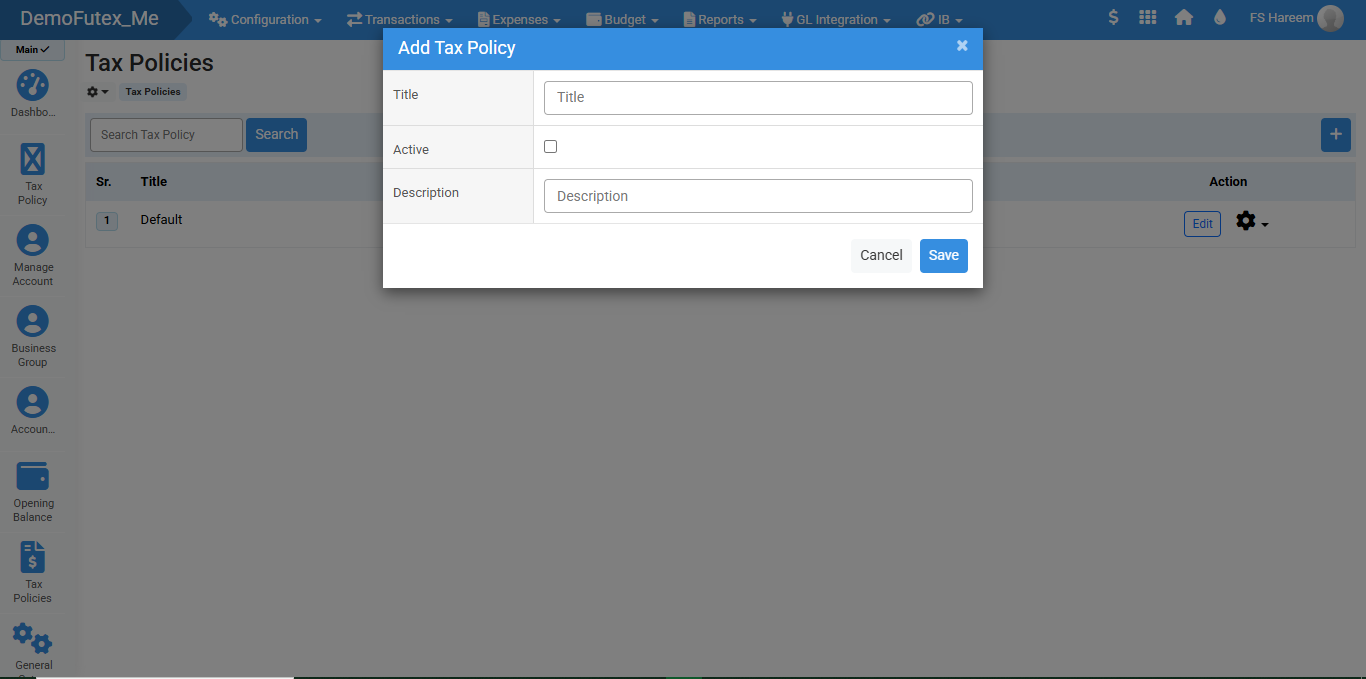
- Click the Add Tax Policy (+) button on the top right, A popup titled Add Tax Policy will appear.
- Enter your title, description, and check the checkbox to activate your policy
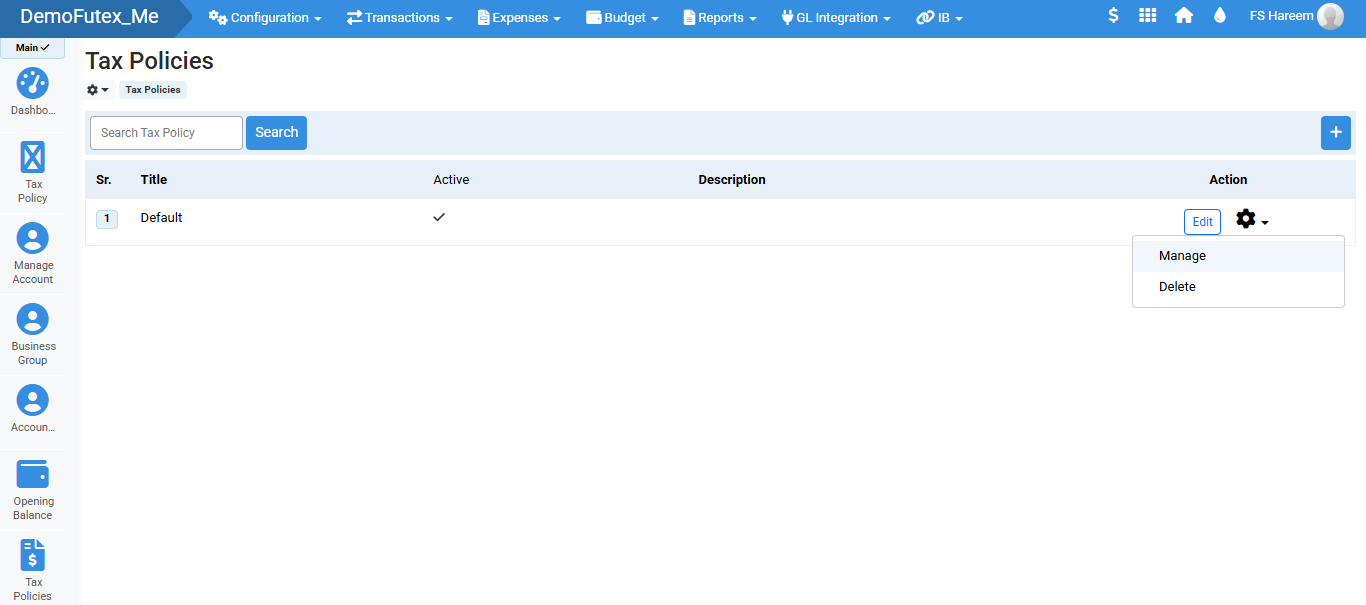
- Click Save, the system will store the tax policy in the Tax Policies List.
- To update a tax policy cllick Edit button in action column and save
- After creating a Tax Policy, the next step is to add Tax Items and percentages inside that policy so it can be used in transactions.
- Click 'Setting' icon in action column and select Manage, a new page will open.
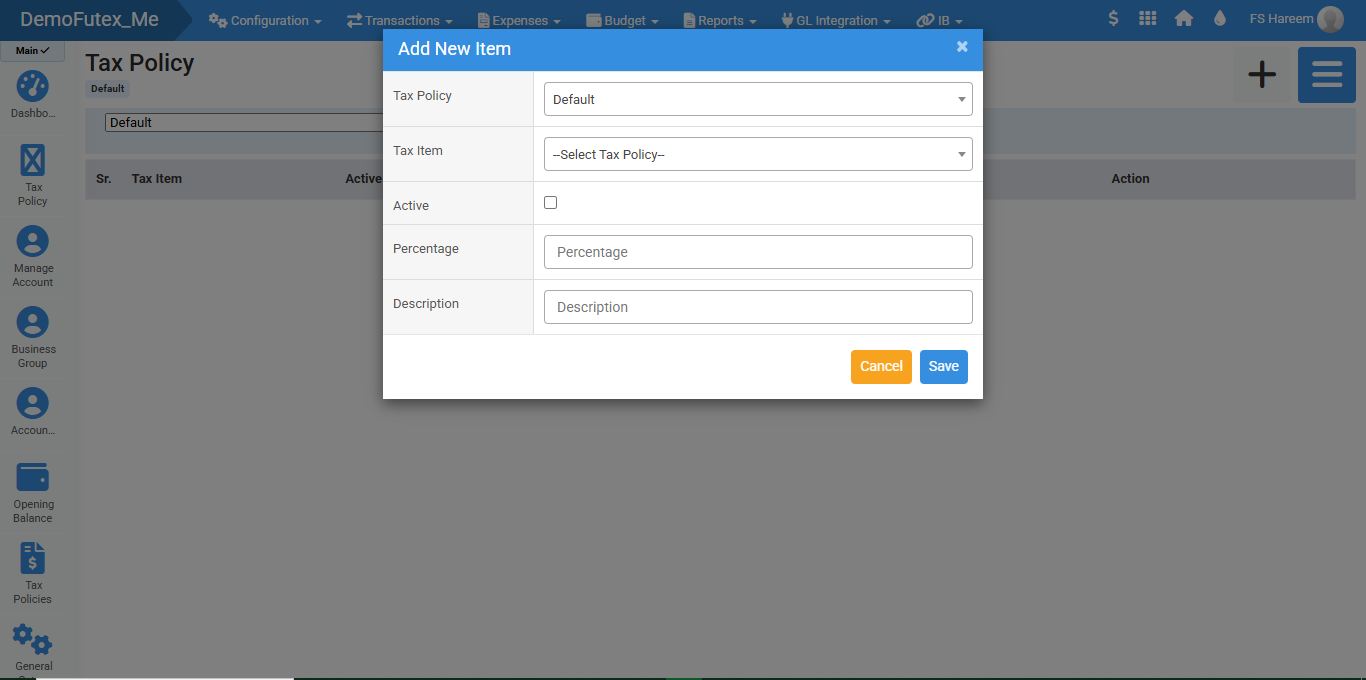
- Click the Add (+) button on the top right, A popup Form will appear.
- Enter your details, Activate Checkbox and Save.
- You can add your tax policy list from button next to Plus sign.
- You can edit or delete your Tax Item.
- Your tax policy is now fully configured and the system will automatically apply the tax percentage to your items.
Visual Walkthrough
No video tutorial available.
No related articles found in this category.
