
Detailed Description
This module is essential for managing progressive tax systems, salary taxation, and financial compliance.
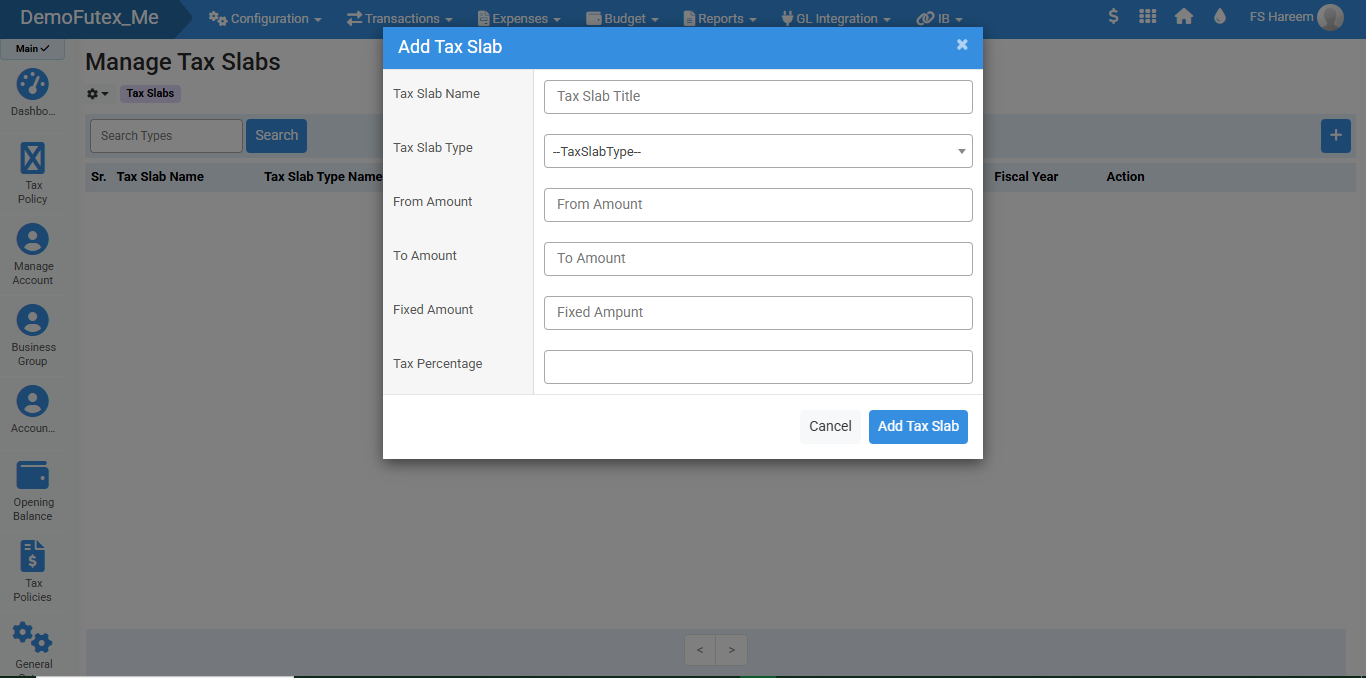
The Tax Slabs module in Futex Books allows businesses to define tax ranges and percentages based on income or transaction amounts. It helps in applying accurate tax calculations automatically by setting from/to ranges, fixed amounts, and tax percentages.
- Login to your Futex Books account.
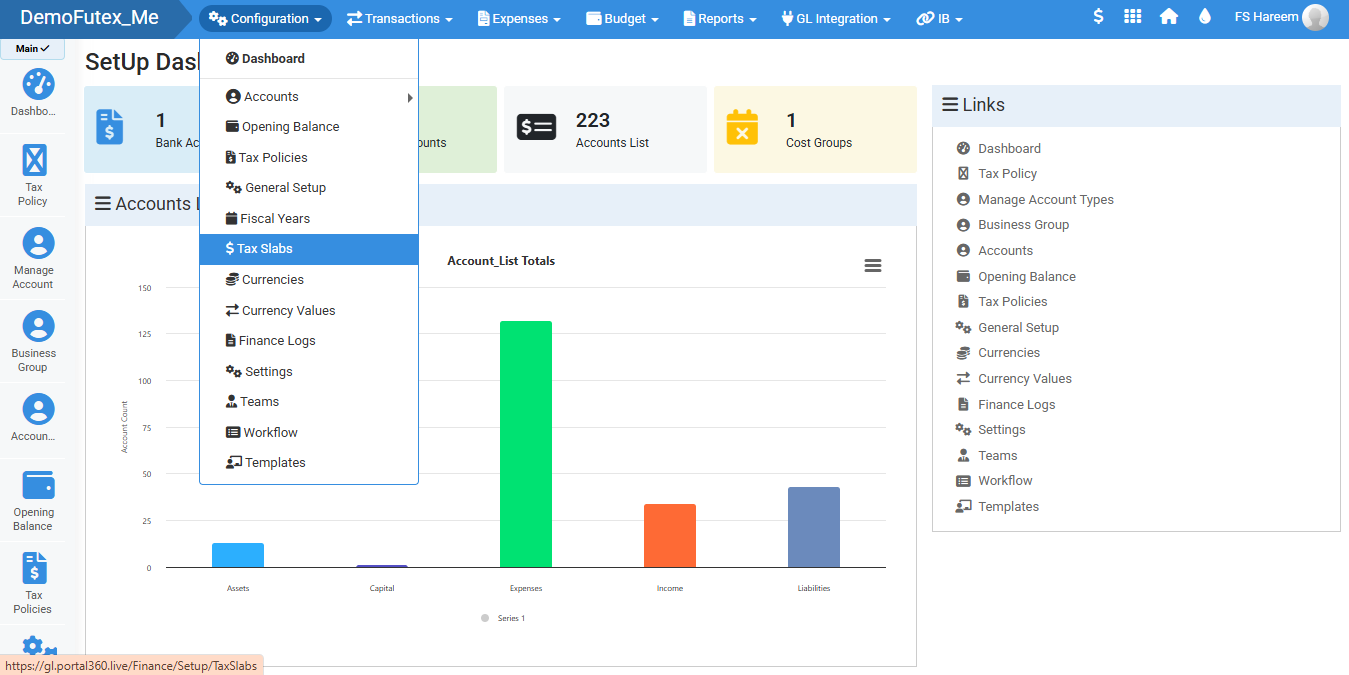
- Click Configuration and select Tax Slabs.
- Click the Add (+) button on the top right to open the popup.
- Enter Tax Slab Details and save, it will appear in the list.
- Edit or Delete from action column
Visual Walkthrough
No video tutorial available.
No related articles found in this category.
