
Follow the steps below to create a new lead:
-
Navigate to the Leads module
-
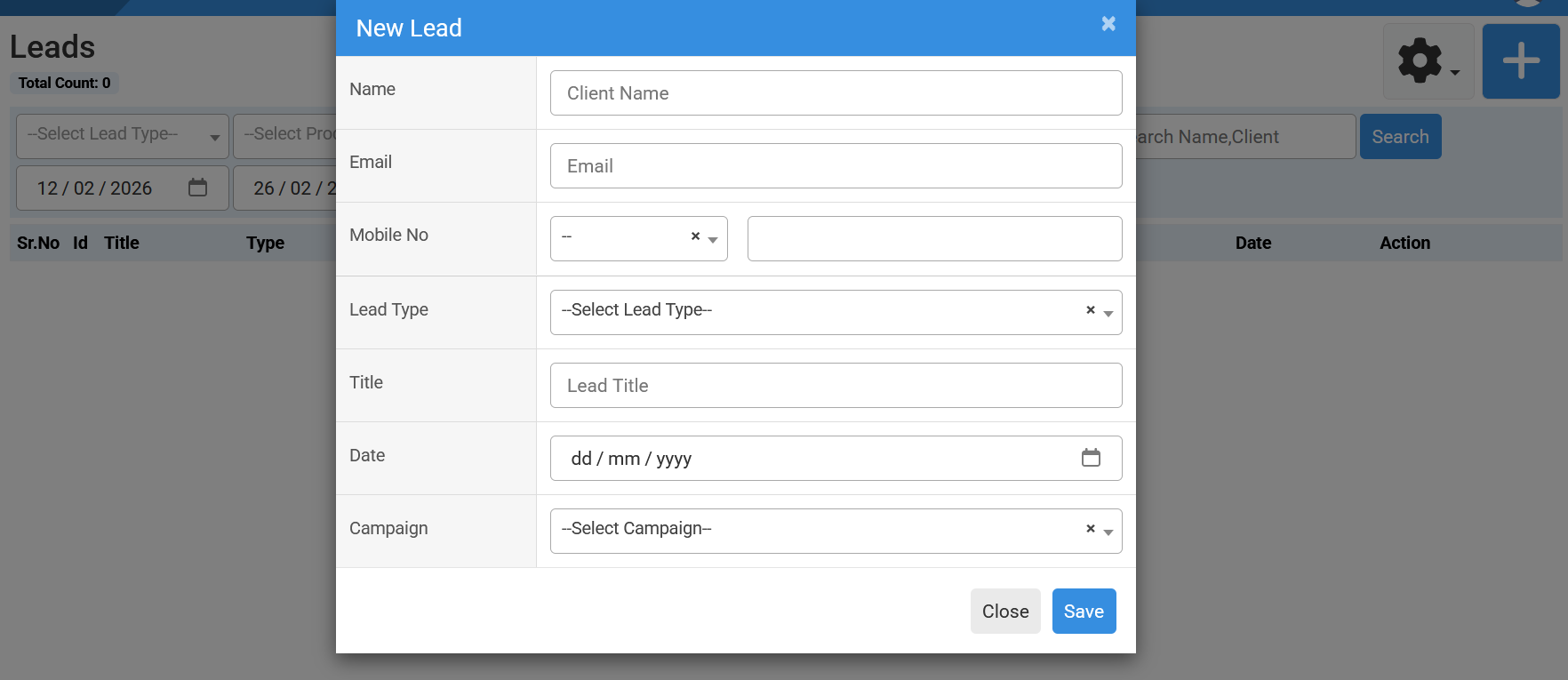
Click on the “+” (Add New) button
-
Enter the Lead Name
-
Provide the Email Address
-
Enter the Mobile Number
-
Choose the appropriate Lead Type
-
Select the Lead Date
-
Choose the related Campaign
-
Click on Add
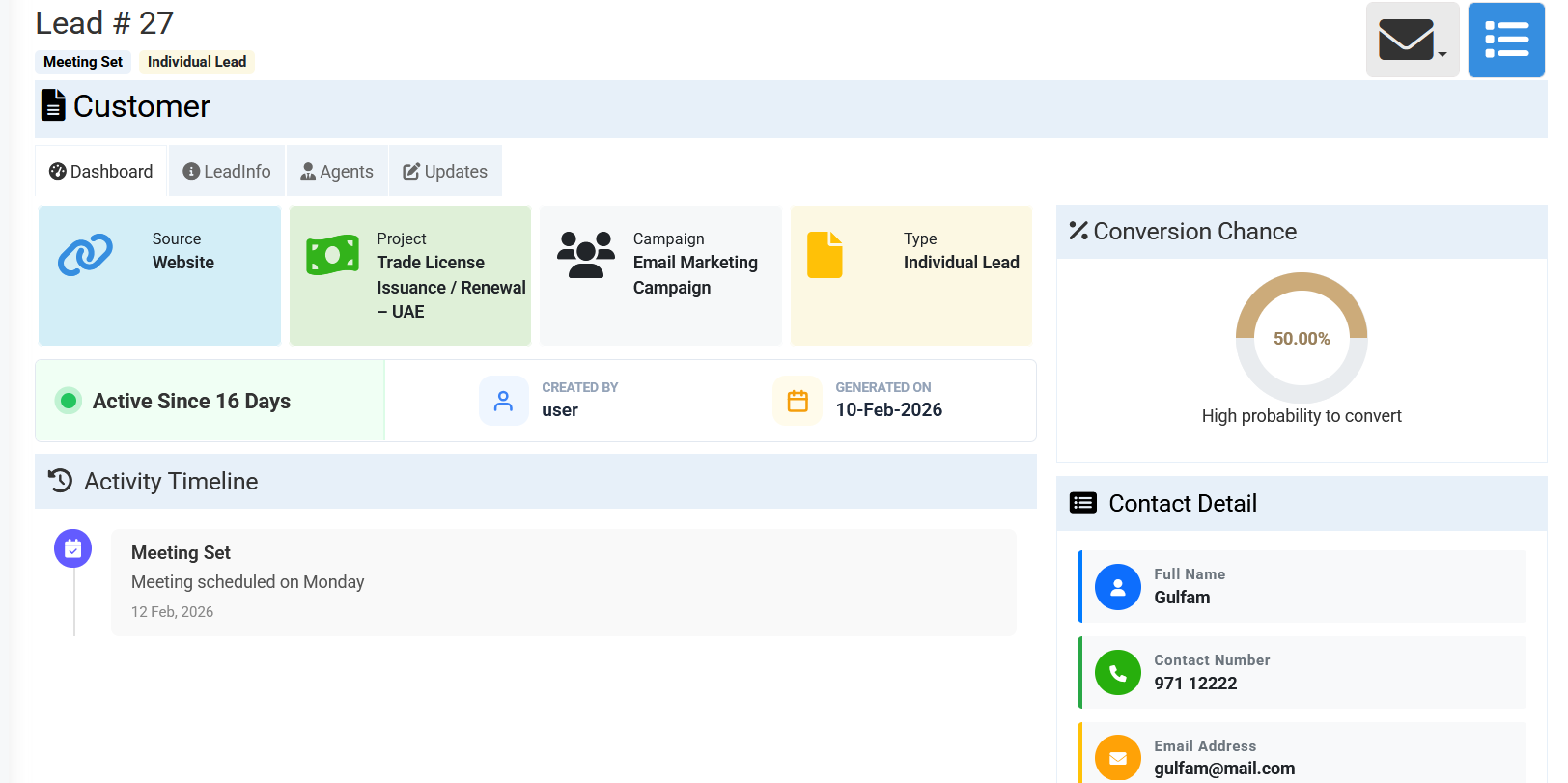
✔ The lead will be successfully created. ✔ After creation, the Lead Dashboard will automatically open.
How to Update Lead InformationOnce the lead dashboard opens, follow these steps:
1️⃣ Lead Info Tab-
Go to the Lead Info tab
-
Assign a Product to the lead
-
Set the expected Closing Date
-
Save the changes
-
Open the Agents tab
-
Select and assign the responsible Agent
-
Save your selection
-
Navigate to the Updates tab
-
Click to add a new update
-
Enter notes or follow-up details related to the lead
-
Save the update
To change the lead status:
-
Open the lead record
-
Locate the Status field
-
Select the new status (e.g., New, In Progress, Converted, Closed, etc.)
-
Save the changes
This helps track the progress of each lead throughout the sales cycle.
No related articles found in this category.