
Detailed Description
How to Add a Vehicle in Futex Logix
- Go to Fleet → Vehicles.
- Click “+” button for adding new.
- Enter or select Vehicle Information
- Select Vehicle Type.
- Registration Number.
- Select Make.
- Select Model.
- Manufacturing year
- Select Generation.
- Click Add button.
Visual Walkthrough
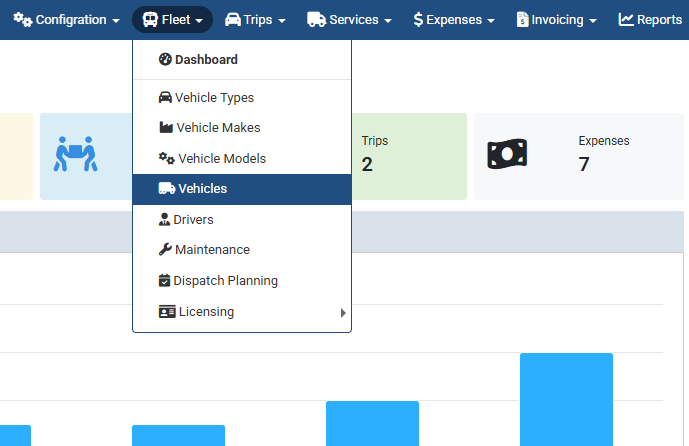
Add a New Vehicle :
Go to Fleet → Vehicles.
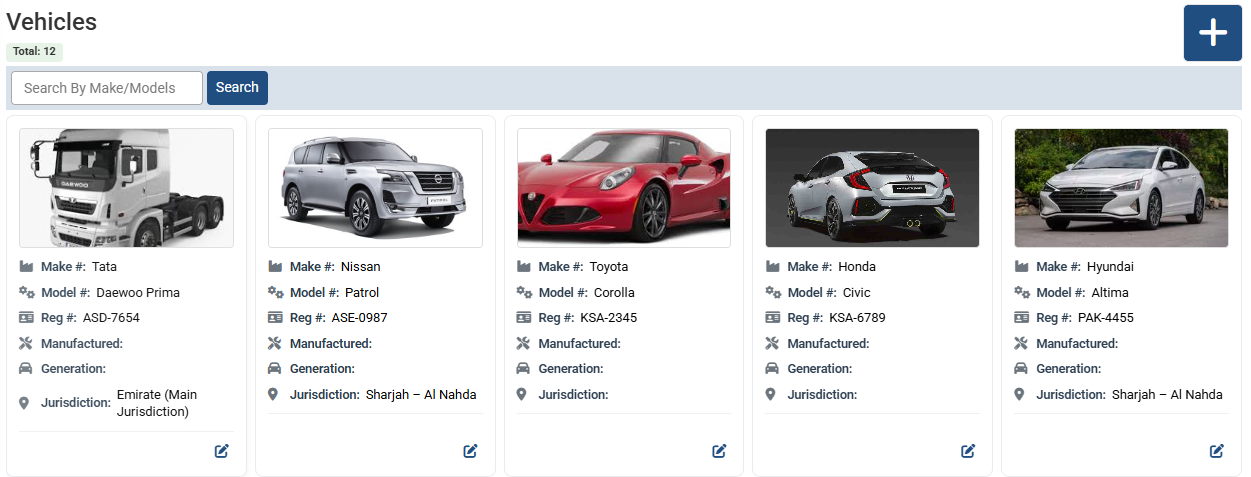
Add a New Vehicle :
Click “+” button for adding new.
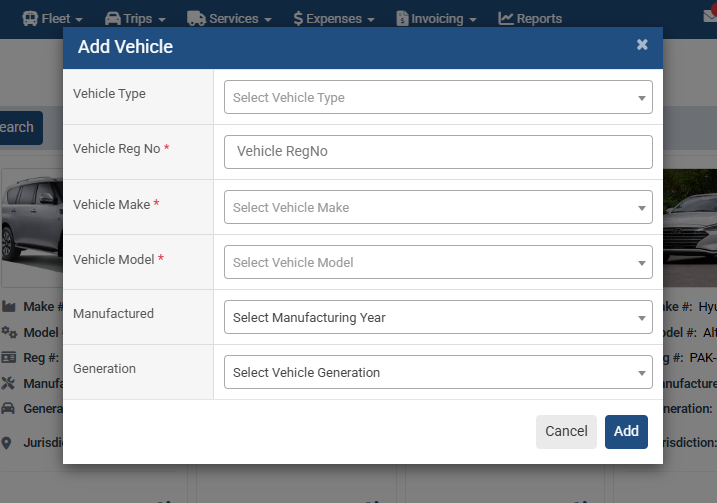
Add a New Vehicle :
Enter or select Vehicle Information
- Select Vehicle Type.
- Registration Number.
- Select Make.
- Select Model.
- Manufacturing year
- Select Generation.
- Click Add button.
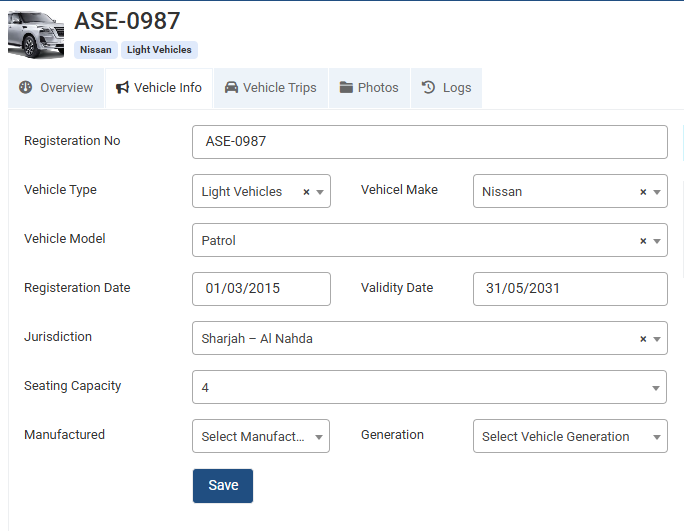
Add a New Vehicle :
Update or Modify Vehicle details from here.
No video tutorial available.
No related articles found in this category.
