
Detailed Description
Steps to Create a Contract in Futex ERP
- Access your Futex ERP dashboard using authorized credentials.
- Service Module → Contract List.
- Click Plus button for adding new Contract.
- Open the contract creation form.
- Fill in required fields.
- Configure Billing Details like (Monthly / Quarterly / Yearly).
- Add service scope, agreement clauses, renewal policy, and special notes.
- Click Save to create the contract.
Visual Walkthrough
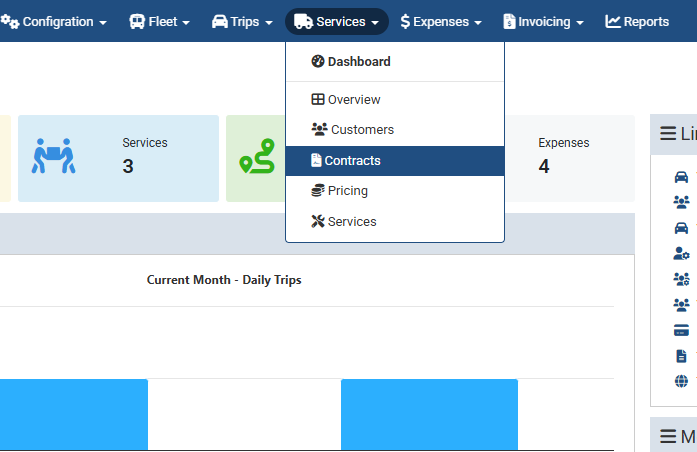
Add New Contract :
Service Module → Contract List
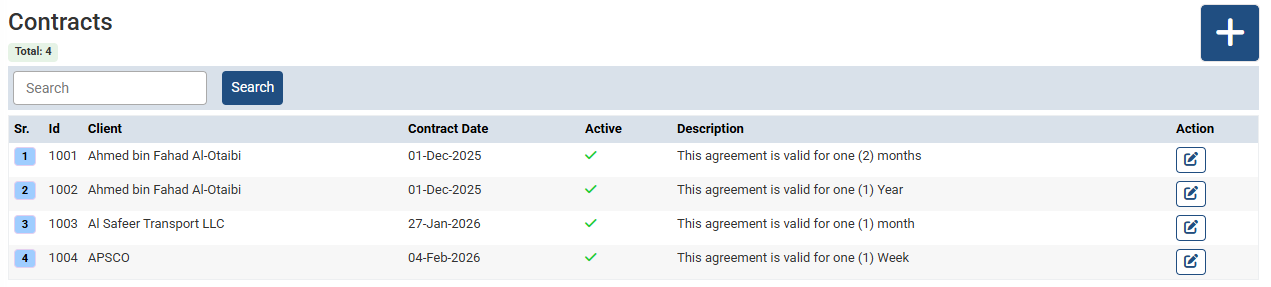
Create a Contract in Futex ERP :
- Service Module → Contract List.
- Click Plus button for adding new Contract.
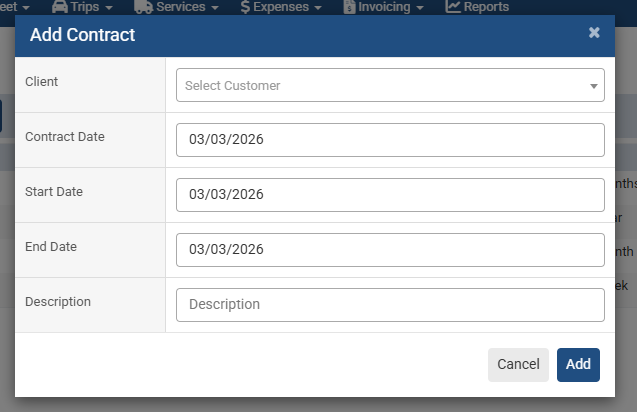
Create a Contract in Futex ERP :
- Open the contract creation form.
- Fill in required fields.
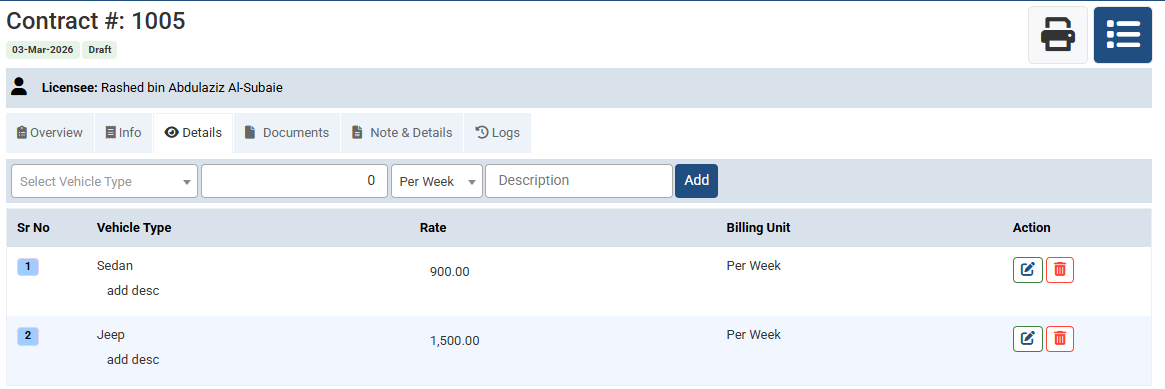
Create a Contract in Futex ERP :
- Select Vehicle type.
- How much is the rate per day, per month, etc.
- The billing unit may be set as Daily, Weekly, or Monthly.
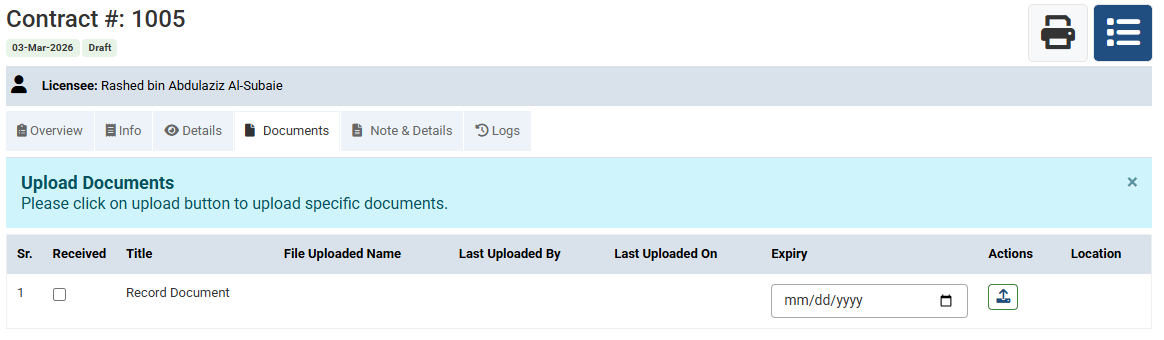
Create a Contract in Futex ERP :
You can upload the contract document from here.
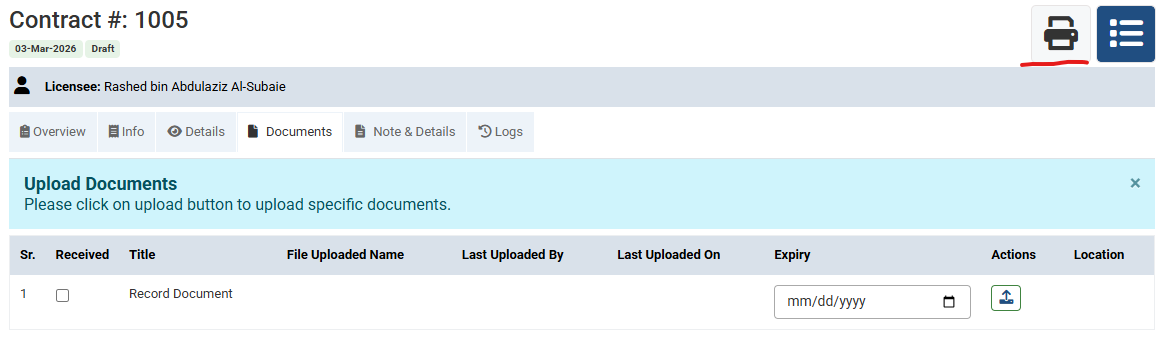
Create a Contract in Futex ERP : You can Print the contract document from here.
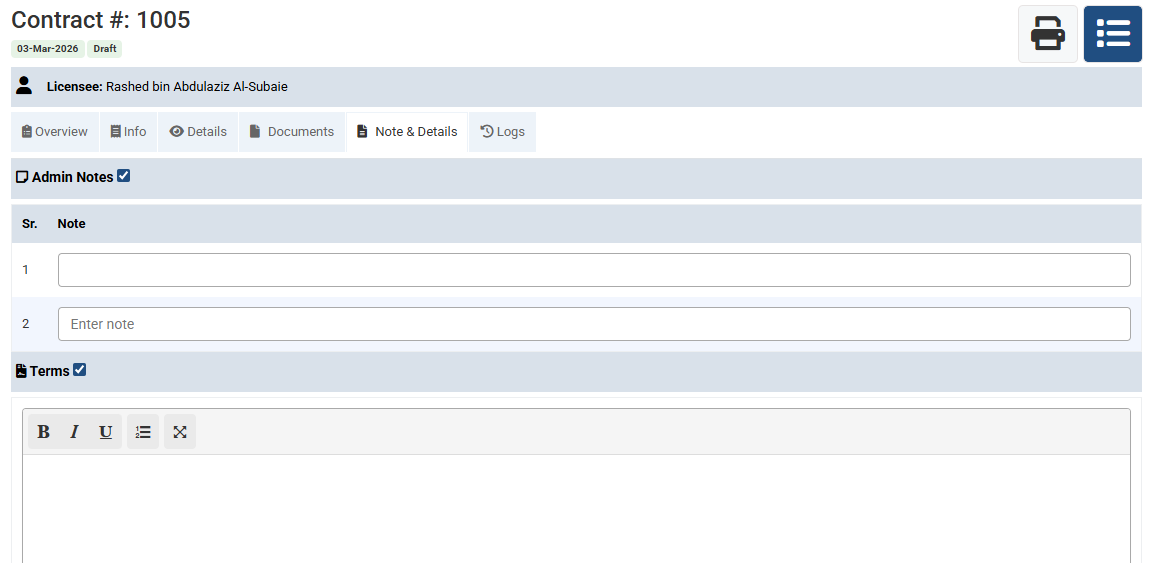
Create a Contract in Futex ERP : Add service scope, agreement clauses, renewal policy, and special notes.
No video tutorial available.
No related articles found in this category.
