
Detailed Description
How to Add a New Customer in Futex ERP
Adding a new customer in Futex ERP helps you manage sales, invoices, receivables, and CRM activities efficiently. Follow the steps below:
- Login to Futex ERP dashboard.
- Go to Services Module → Click on Customers.
- Press the Add New Customer button to open the customer registration form.
- Select Customer Type Like Individual or Organization, some basic info & click Save button.
- add some other Enter Basic Information.
- Click Save to create the customer profile.
The customer is now successfully added and ready for transactions like quotations, sales orders, and invoices.
Visual Walkthrough
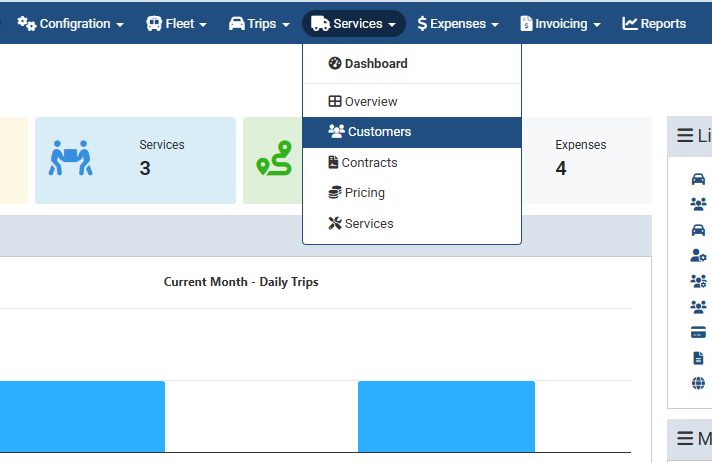
Add New Customer :
Login to Futex ERP dashboard.
Go to Services Module → Click on Customers.
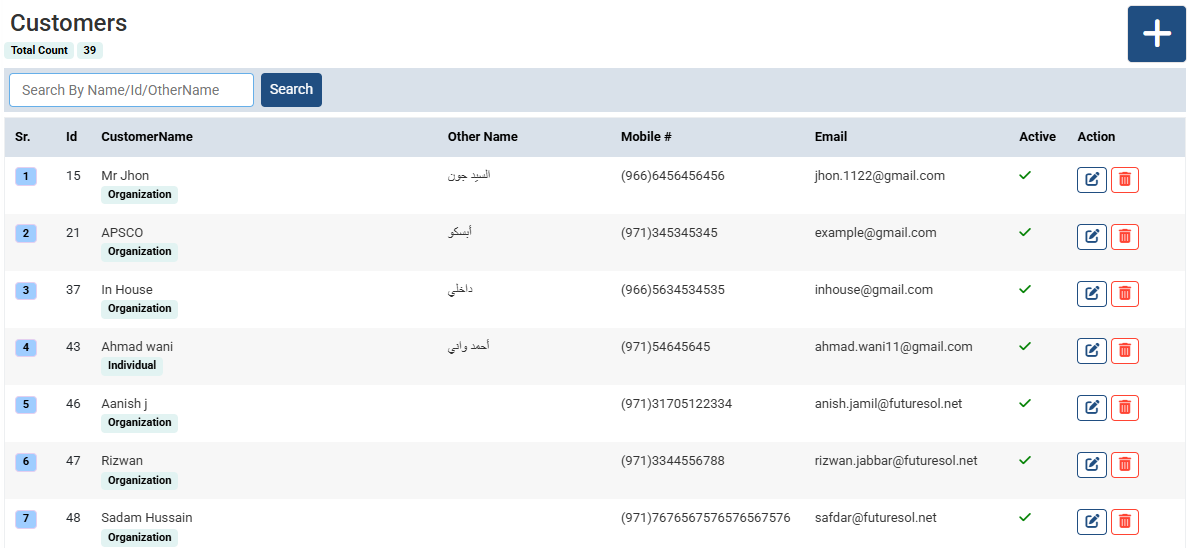
Add New Customer :
Click Plus button for adding new.
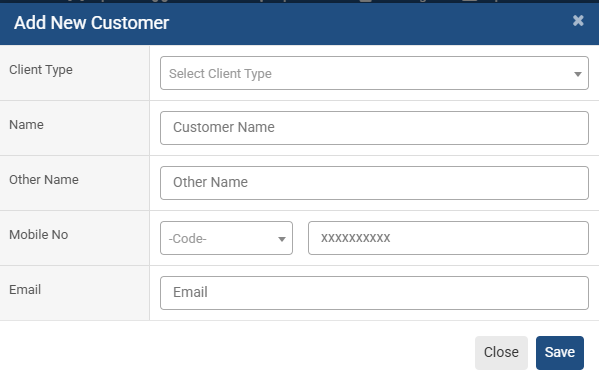
Add New Customer : email
Select Customer Type Like Individual or Organization,
Name
other name
Mobile #
& click Save button
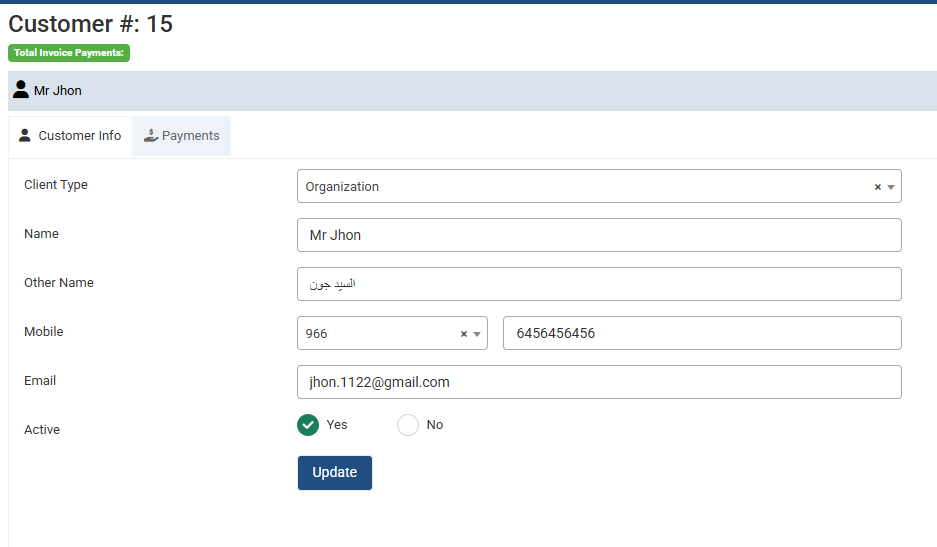
Add New Customer :
add or Modified some info from here.
No video tutorial available.
No related articles found in this category.
