
Detailed Description
Steps to Add Day-Based Pricing
- Select Vehicle Type:
- Choose the vehicle for which you want to set the pricing.
- Example: Truck, Mini Van, Car, Bus, etc.
- Specify the From Date and To Date during which this pricing will be applicable.
- Ensure the date range does not overlap with existing pricing for the same vehicle.
- Enter the Rate
- Input the price to be charged for the selected time unit.
- Example: 50/day, 300/week, 1200/month.
- Choose the billing unit: Daily, Weekly, or Monthly.
- This defines how the system calculates the total cost for the booking or rental period.
- Save the Pricing
Visual Walkthrough
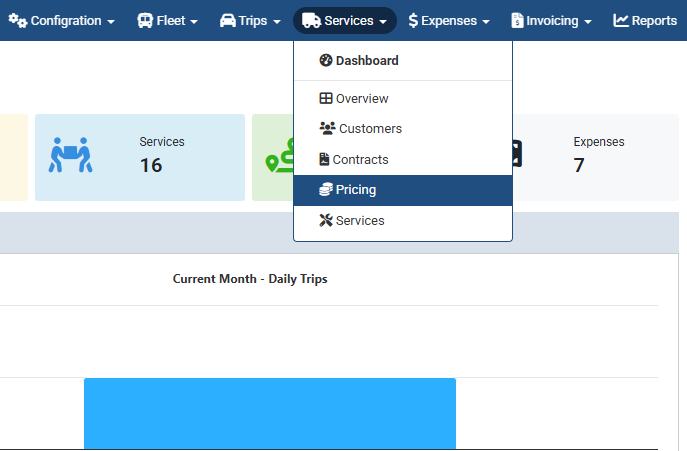
Add Day-Based Pricing : Pricing Feature → Pricing List
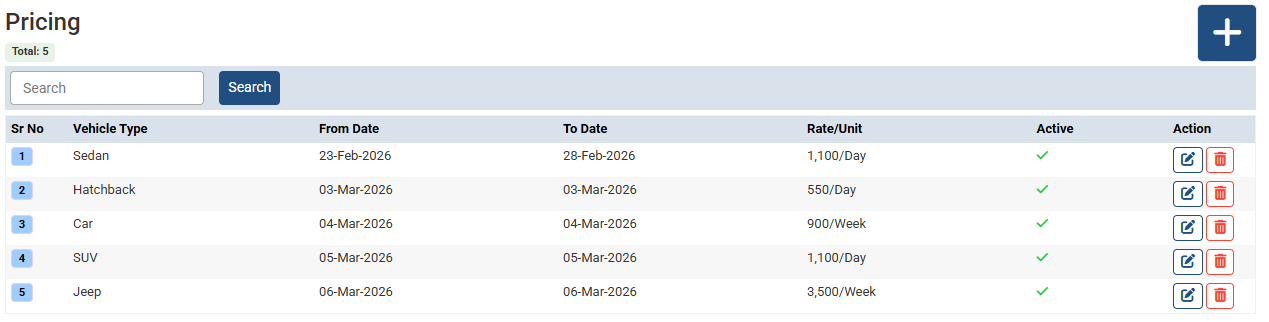
Add Day-Based Pricing :
Click + buttong for adding new.
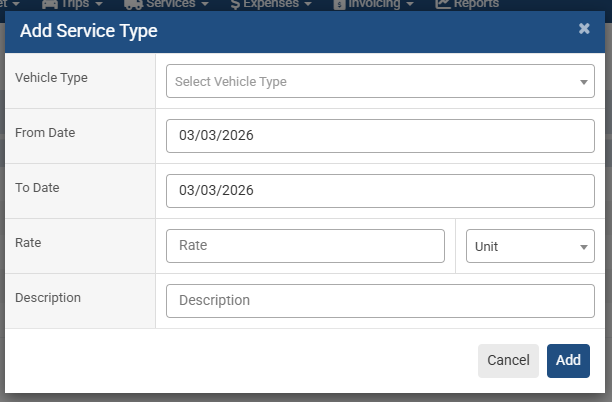
Add Day-Based Pricing :
- Select Vehicle Type
- Choose the vehicle for which you want to set the pricing.
- Example: Truck, Mini Van, Car, Bus, etc.
- From Date and To Date
- Input the price to be charged for the selected time unit.
- Example: 50/day, 300/week, 1200/month.
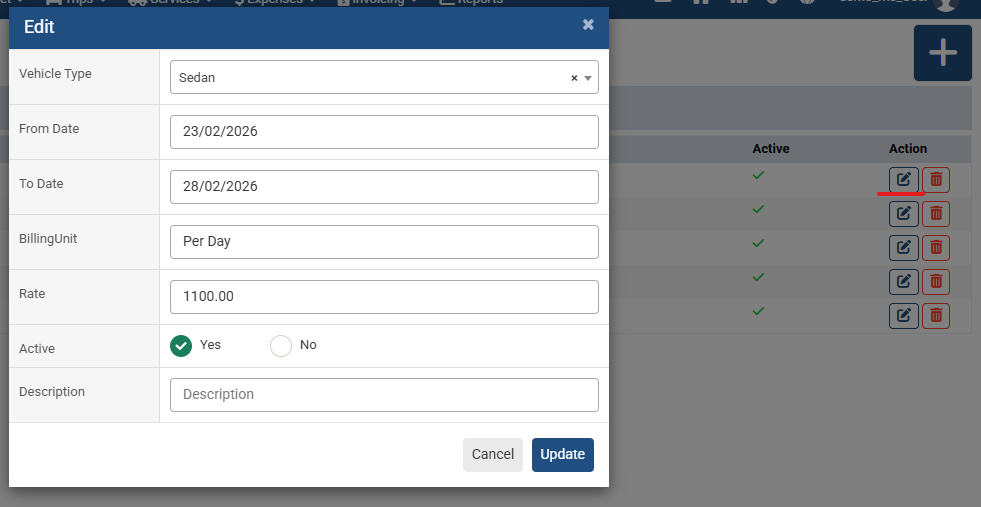
Add Day-Based Pricing :
Update or modify changes from here
Video Tutorial
No related articles found in this category.
