
Detailed Description
Create New Trip
- While creating a trip, you can:
- Select Vehicle
- Assign Driver
- Select Trip from & to Date
- Add Purpose / Description of Trip (Guest pickup, Internal meeting, etc.)
Trip Management
- Users can manage:
- Trip Schedule
- Vehicle Allocation
- Driver Assignment
- Add Trip Expenses like Fuel, Toll, maintenance
- Special Instructions
- Notes & Remarks
- Documents
- Trip Photos
Visual Walkthrough
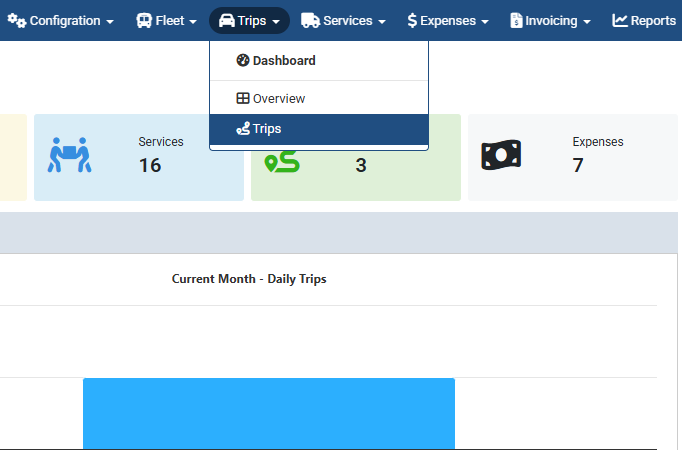
While creating a trip :
Trip → Trips → Add New
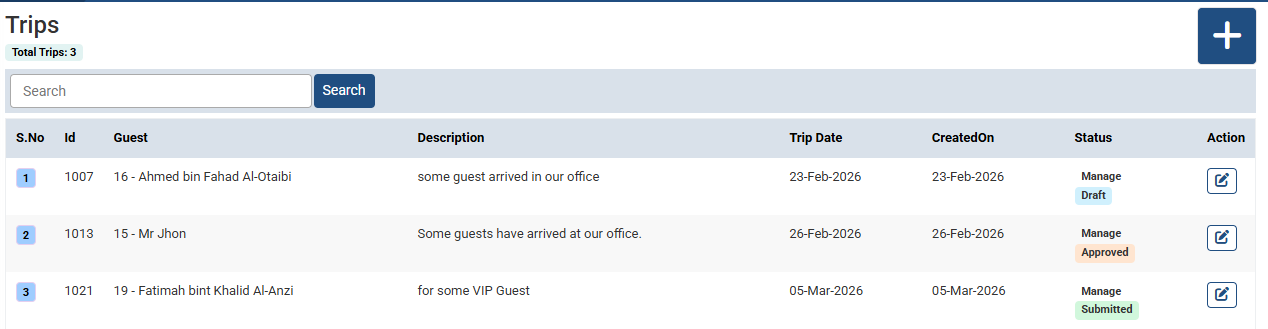
While creating a trip :
Click “+” to create a new trip.
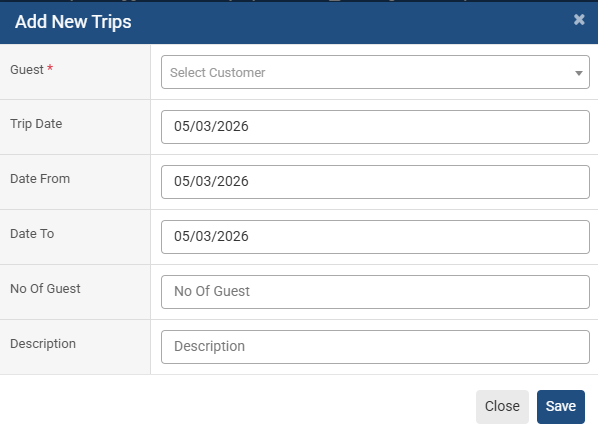
While creating a trip :
- Select customer
- Select Trip from & to Date
- Add Purpose / Description of Trip (Guest pickup, Internal meeting, etc.)
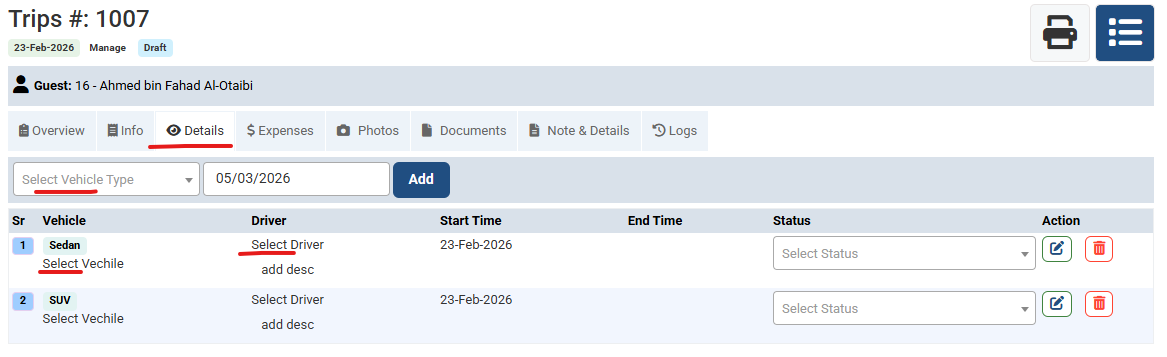
While creating a trip :
- Trip Schedule
- Vehicle Allocation
- Driver Assignment
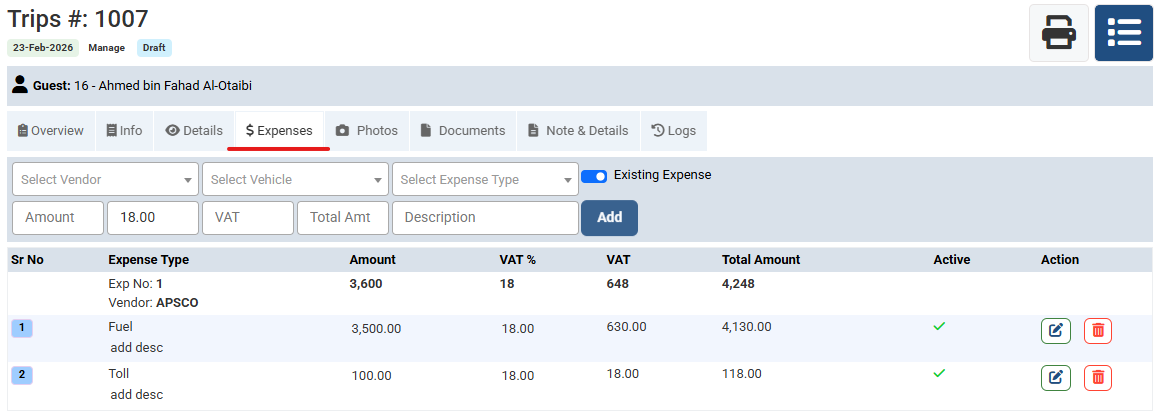
While creating a trip :
Add Trip Expenses like Fuel, Toll, maintenance
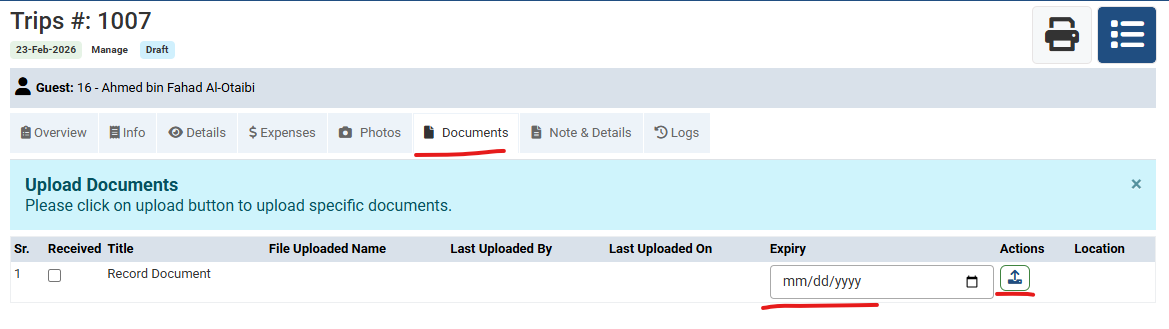
While creating a trip :
Upload documents from here like trip expense invoice
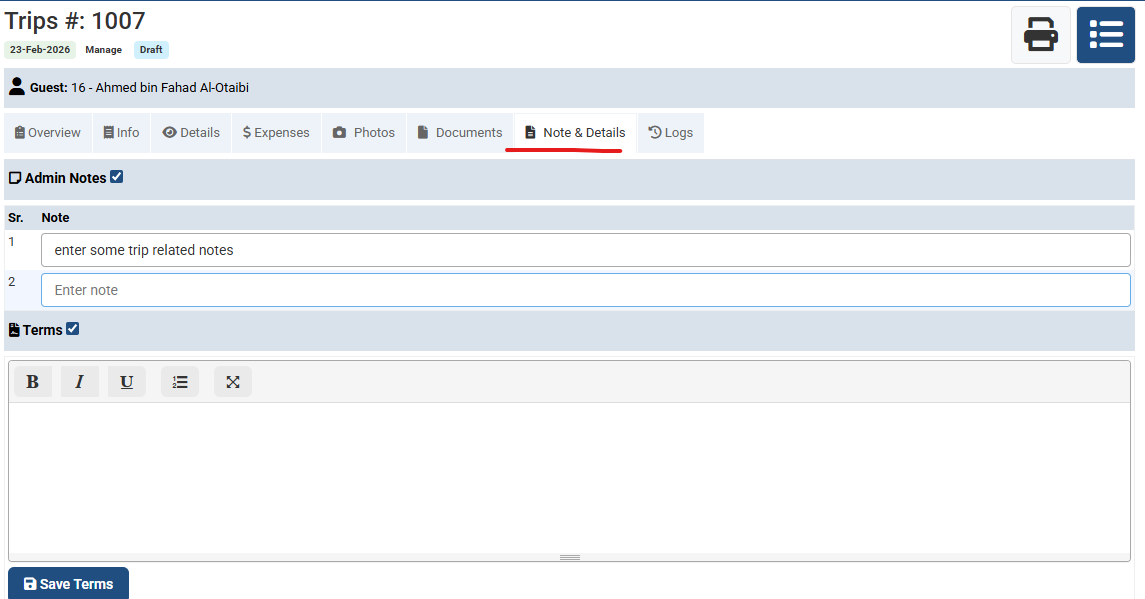
While creating a trip :
- Add special Instructions
- Notes & Remarks
No video tutorial available.
No related articles found in this category.
