
Detailed Description
- Easily add new exam date sheets in the LMS. Schedule exams, assign dates, Print and share timetables with students and staff.
· Go to the Exams module → Date Sheet Management → Create Date Sheet.
- · Select the appropriate Stage or class level for the exam.
- · Choose the Term (e.g., Term 1, Term 2).
- · Pick the Exam Type (e.g., Midterm, Final, Quarterly).
- · Select the Exam Sub Type if applicable (e.g., Practical, Theory).
- · Choose a Grading Template to define marks, grades, or evaluation criteria.
- · Pick the Assessment Type (e.g., Written, Oral, Project).
- · Select the DateSheet Type (e.g., Class-wide, Section-wise).
- · Enter From Date and To Date to set the exam period.
- · Review all selections, then click Save to create the date sheet.
- Easily add new exam date sheets in the LMS. Schedule exams, assign dates, Print and share timetables with students and staff.
Visual Walkthrough
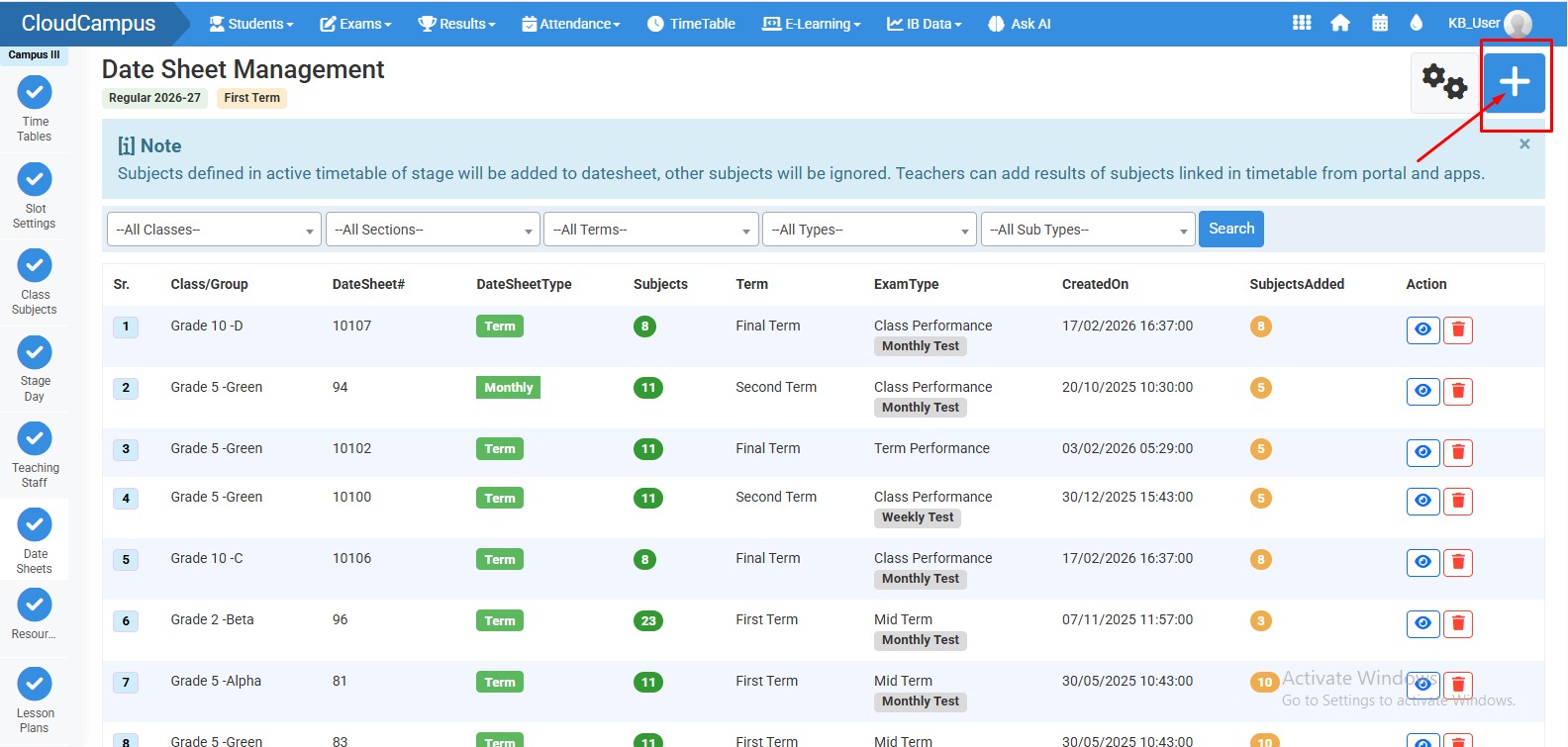
How to create Datesheet :
Click "+" icon to create Datesheet.
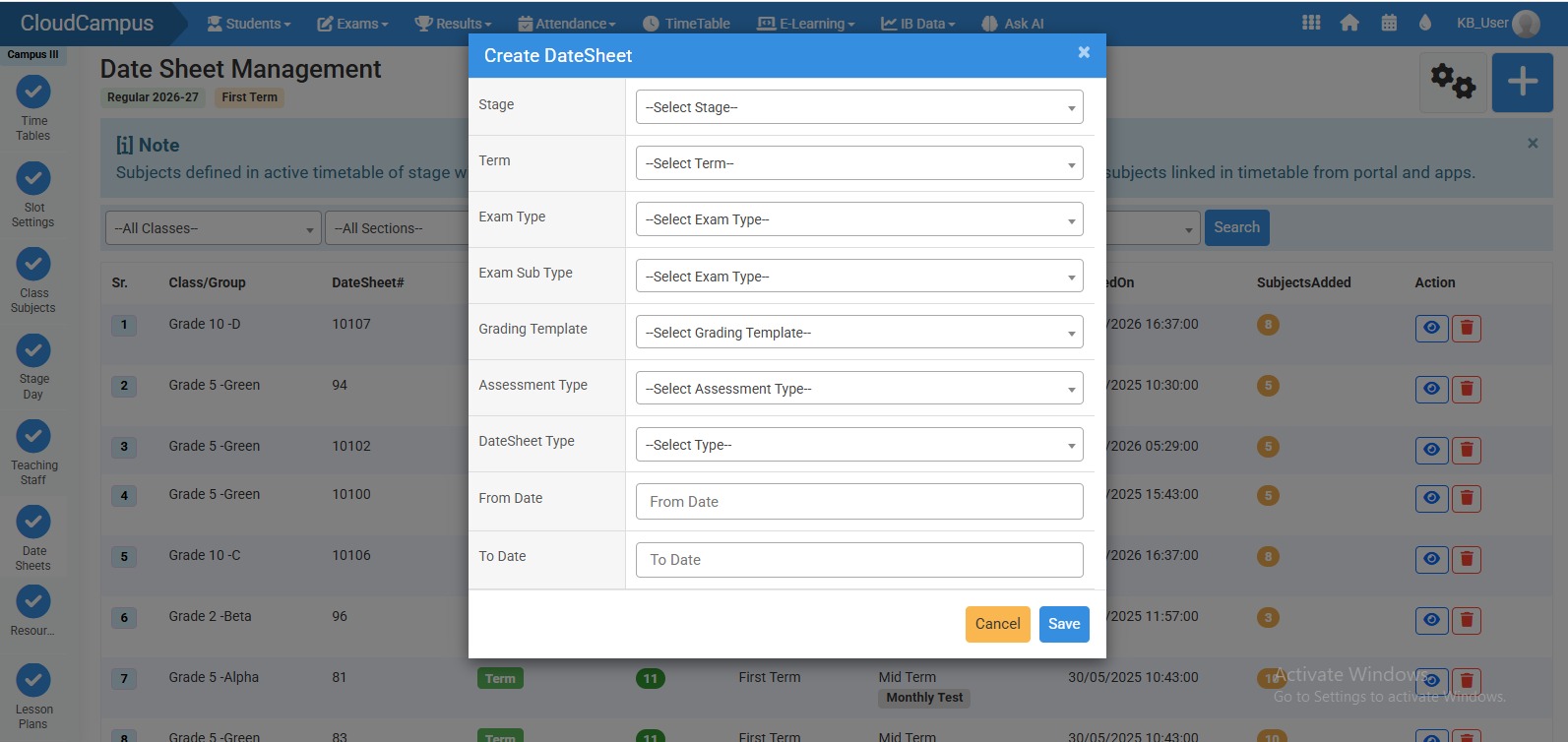
How to Create Datesheet :
- Fill all required options.
- Then click "Save".
No video tutorial available.
No related articles found in this category.