
Detailed Description
A powerful tool to create,manage,Print and distribute exam date sheets within the LMS platform with ease and accuracy.
- · Go to the Exams module → Date Sheet Management → Select an existing Date Sheet.
- · Edit each option to update the date sheet details.
- · Modify Subject Type, Exam Dates,Maximum Marks, Exam start/end Time and select Room as needed.
- · Generate or Select Exam Papers for each subject in the date sheet.
- · Click Save to apply and update the date sheet successfully.
- · You can also enter Results linked with the respective exams.
Visual Walkthrough
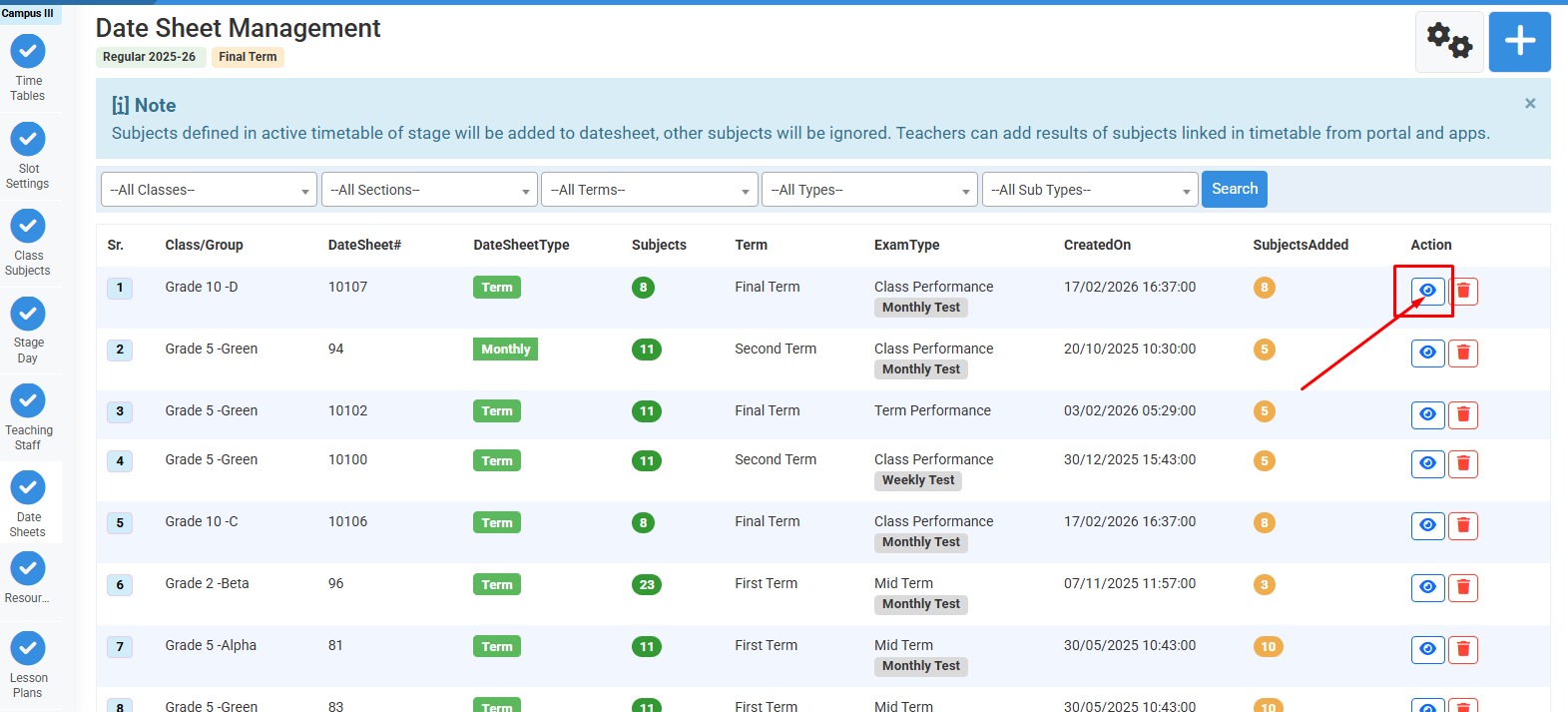
How to update or modify the datesheet :
Click on the existing date sheet.
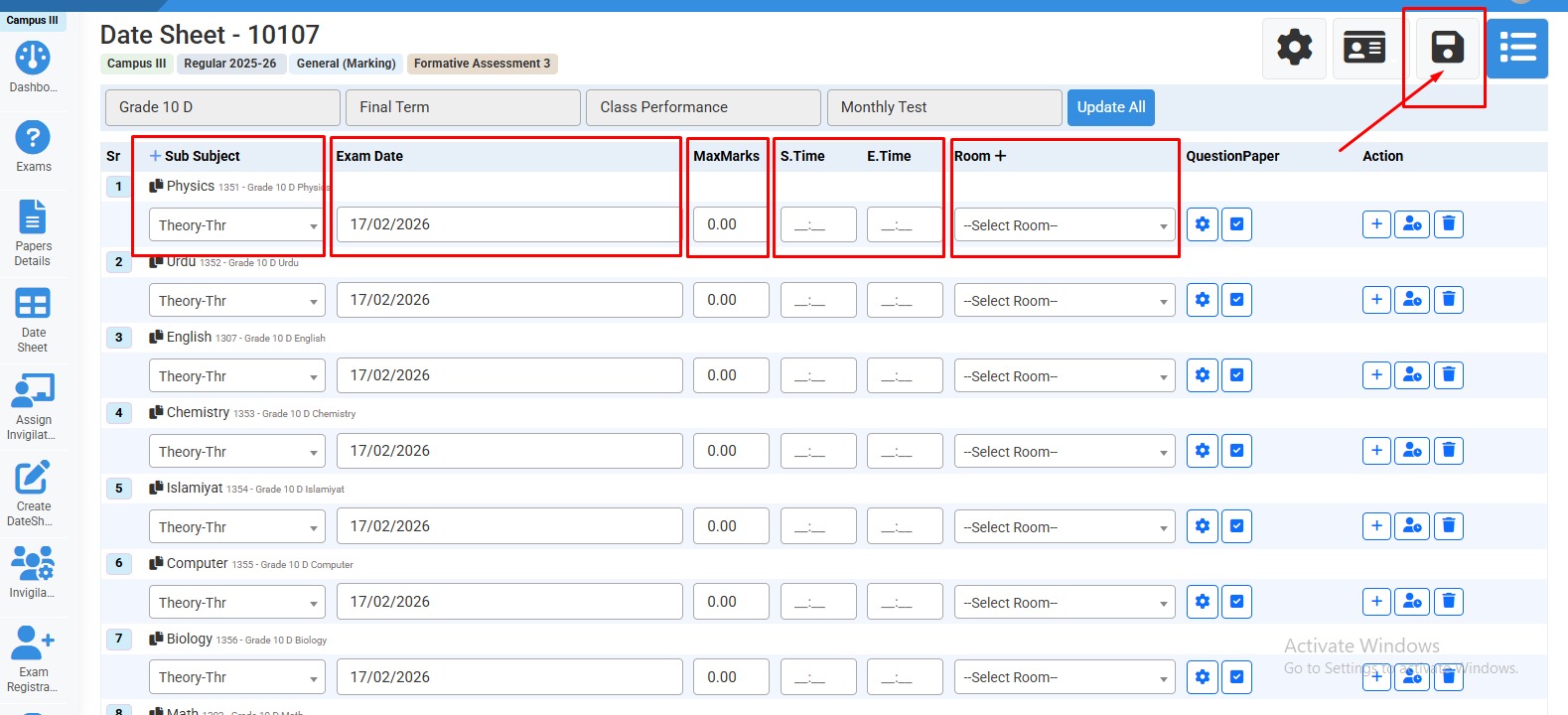
How to update or modify date sheet :
Update all this information and click on "save".
No video tutorial available.
No related articles found in this category.