
Detailed Description
Guide & explain student setup in the LMS. Configure sessions & settings options efficiently.
1. Navigate to Student > Setup > Settings
2. You will see a list of available options with checkboxes. Each option represents a specific feature.
3. Review each setting carefully and check the options you want to enable or uncheck the ones you want to disable.
4. Once you have selected the desired settings the system will update instantly, and the selected configurations will be applied to the student module.
Visual Walkthrough
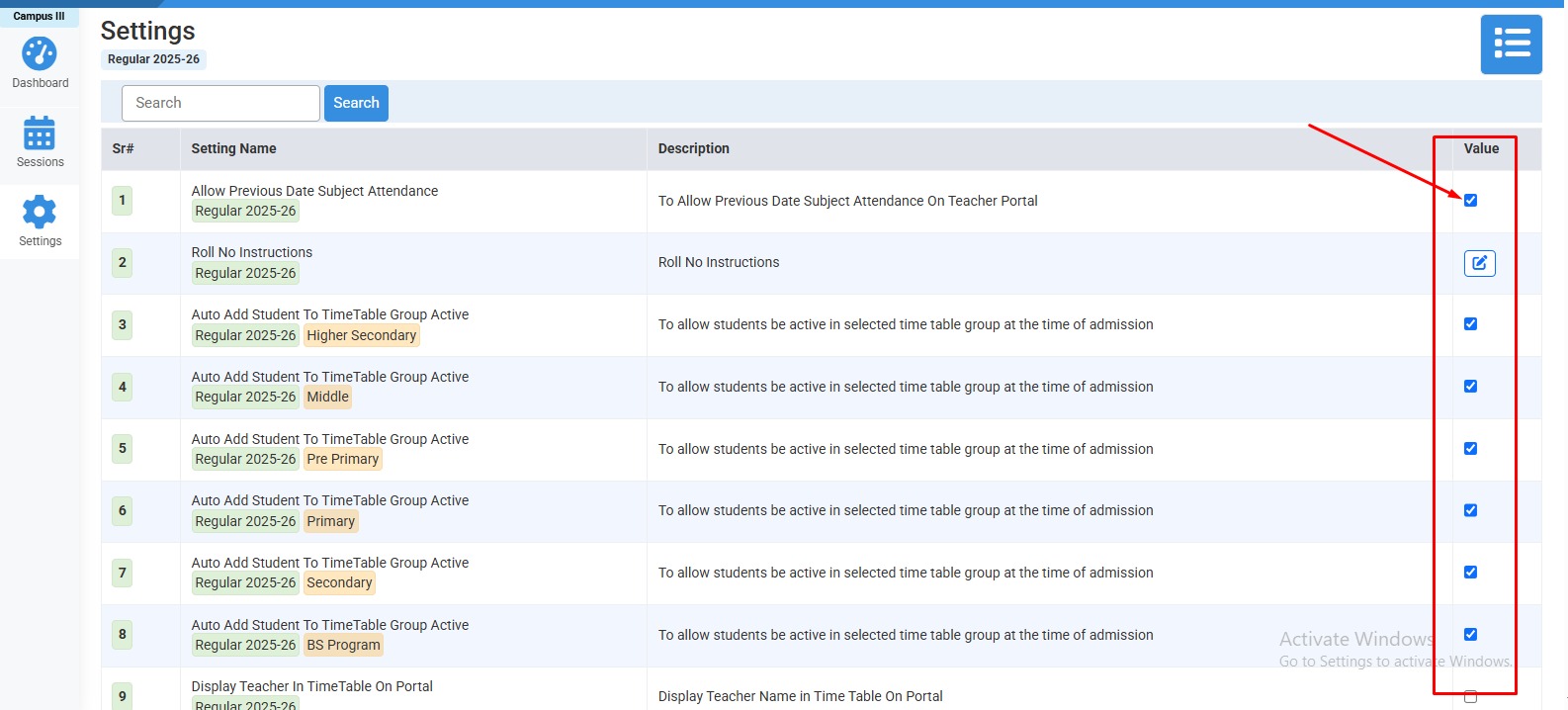
How to update settings :
Check or Uncheck desired options.
No video tutorial available.
No related articles found in this category.