Detailed Description
    • The Student Profile stores student information including personal & academic details. It allows easy tracking of subjects, results, and overall performance.

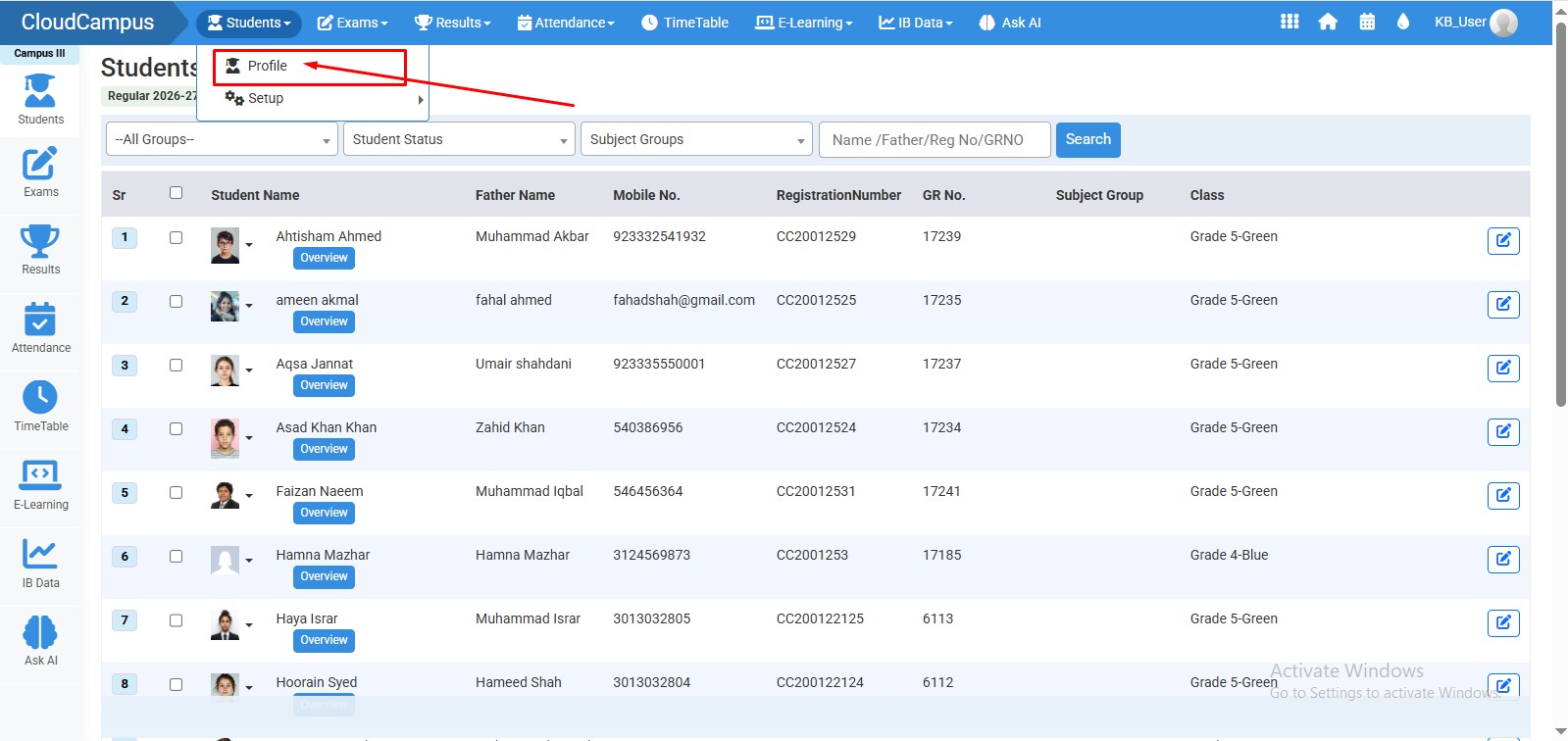
  • Go to Student > Profile from the main menu.
  • The Profiles page will open where all student records are listed.
  • Inside the profile, you can view Student Overview (basic & enrollment details).
  • You can also check Result Details and other academic information.
  • Click on  Edit Option to make changes.
  • In edit mode, you can Assign Subject Groups only (other details are not editable).
  • After assigning subject group, click on Save to update the record.
  • No video tutorial available.

    No related articles found in this category.