
Manage Attendance Rule allows users to view, update, and modify specific attendance logic, including weekend overtime settings, sandwich deduction rules, and duration-based deductions.
Click on Attendance > Settings > Attendance Rule. Identify the rule you wish to modify and click on the Edit icon under the Actions column. Update Rule Details (e.g., Leave Deduction Days, Rates) and click on the Update Button. Verify the updated details in the Attendance Rule list.
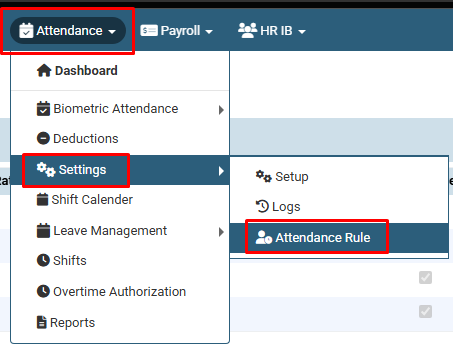
Click on Attendance > Settings > Attendance Rule.
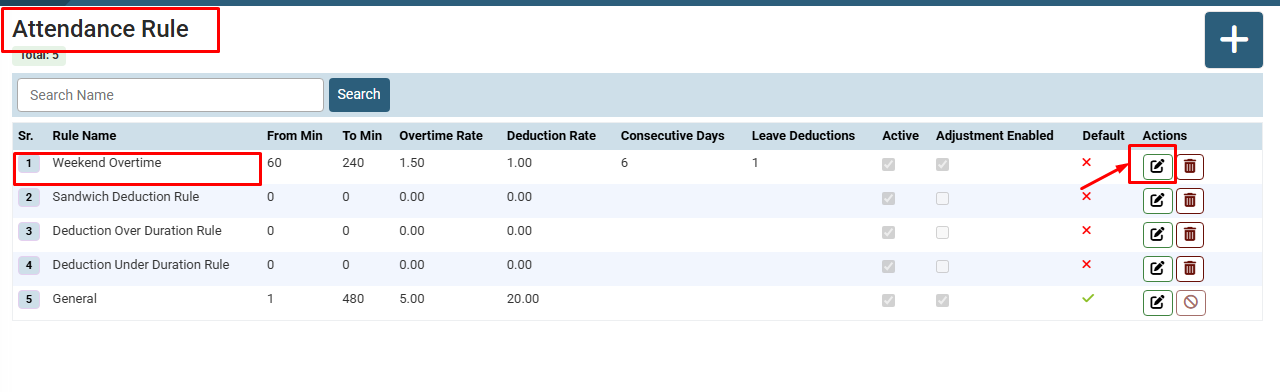
Identify the rule you wish to modify and click on the Edit icon under the Actions column.
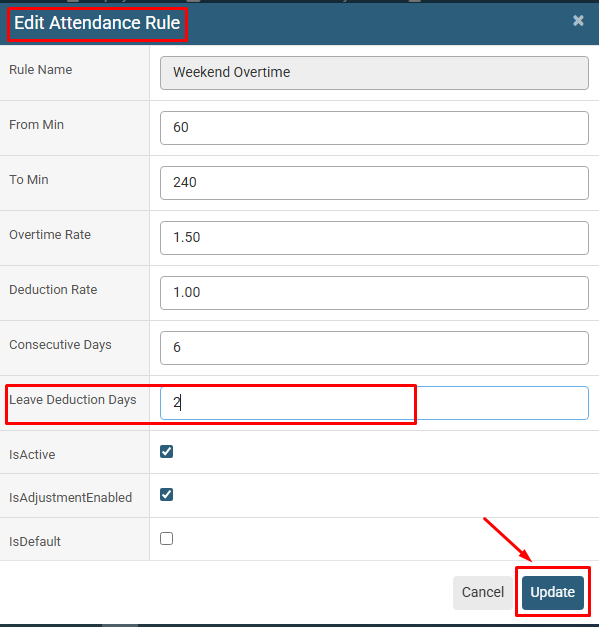
Update Rule Details (e.g., Leave Deduction Days, Rates) and click on the Update Button.
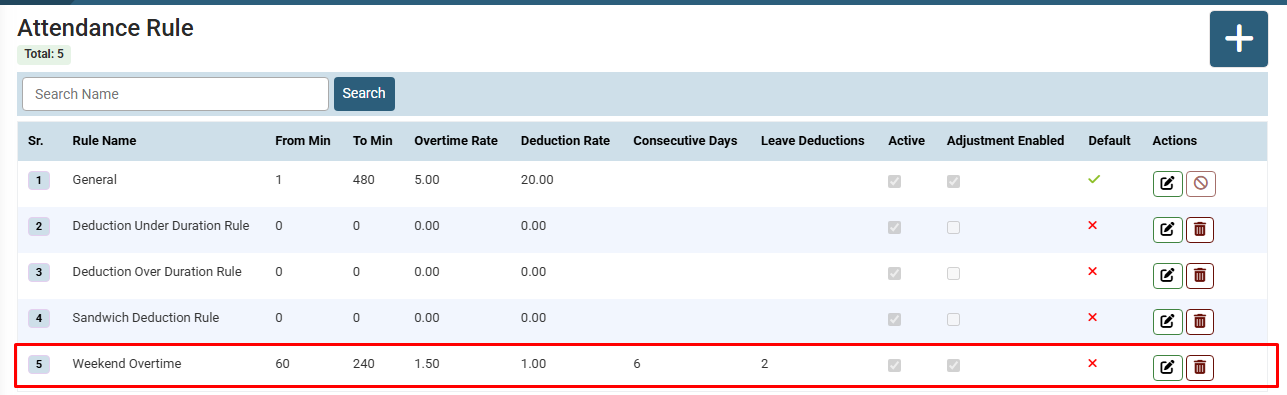
Verify the updated details in the Attendance Rule list.
No video tutorial available.
No related articles found in this category.
