
Manage Shifts allows users to create and configure various work schedules, including time-based shifts with specific start and end times, break deductions, and overtime settings.
Click on Attendance > Shifts. Click on the "+" icon (Add button) at the top right of the screen. Enter Shift Name, Start & End Time, and other configuration details, then click on the Save Shifts button. Verify that the newly created shift is successfully added to the Shifts list.
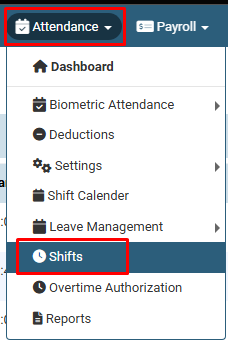
Click on Attendance > Shifts.
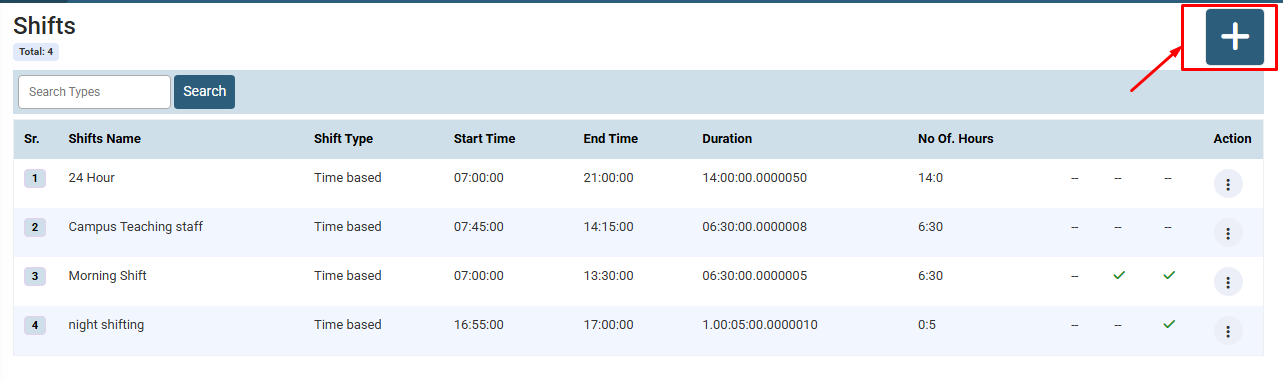
Click on the "+" icon (Add button) at the top right of the screen.
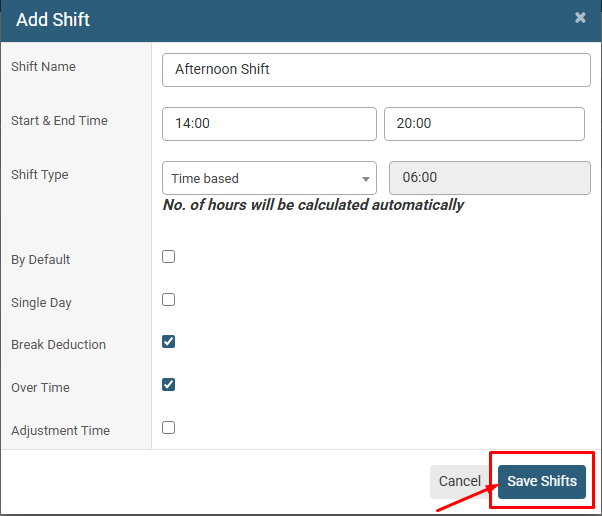
Enter Shift Name, Start & End Time, and other configuration details, then click on the Save Shifts button.
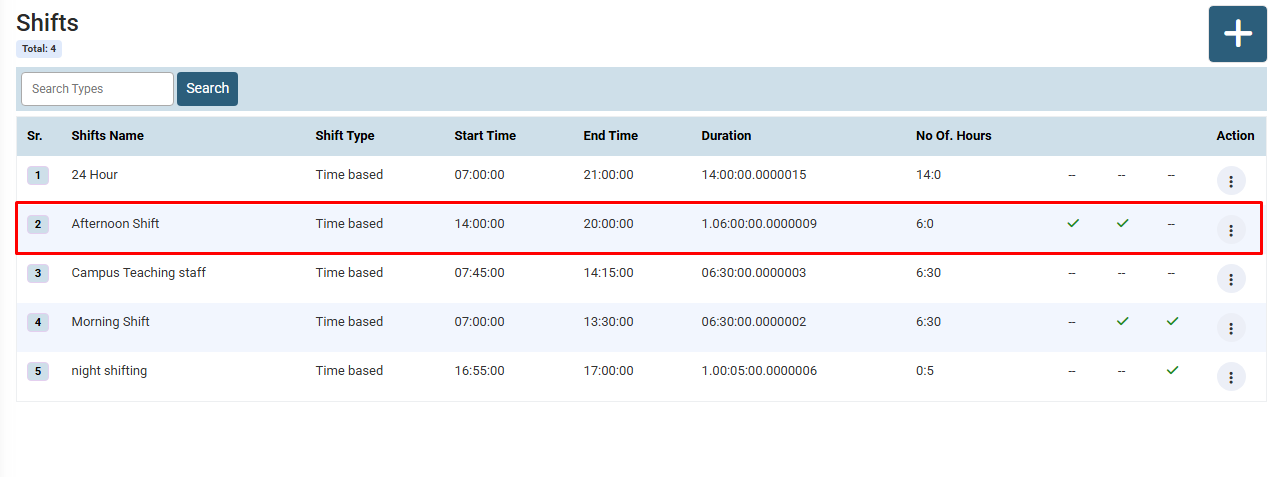
Verify that the newly created shift is successfully added to the Shifts list.
No video tutorial available.
No related articles found in this category.
