
Update Shift allows administrators to modify previously created shift schedules. This is useful for changing start/end times, adjusting break deductions, or renaming shifts to align with company policy changes.
Click on Attendance > Shifts. Identify the shift you wish to modify, click on the Action icon (three dots), and select Edit. Modify the required fields such as Start & End Time and click on the Update Shift button. Verify the updated details in the Shifts list to ensure the changes have been saved successfully.
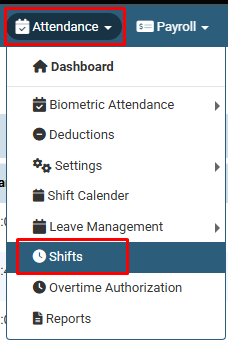
Click on Attendance > Shifts.
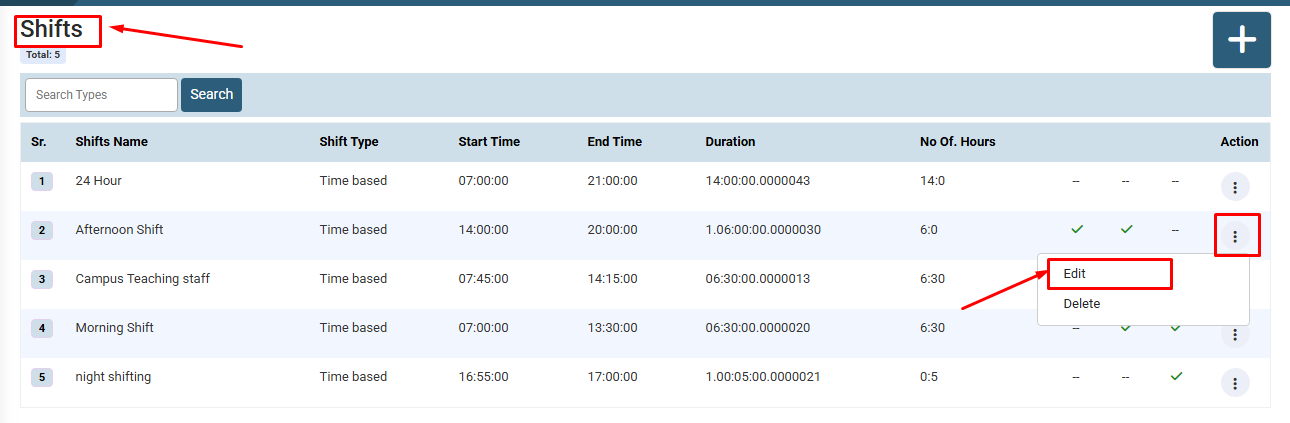
Identify the shift you wish to modify, click on the Action icon (three dots) under the Action column, and select Edit.
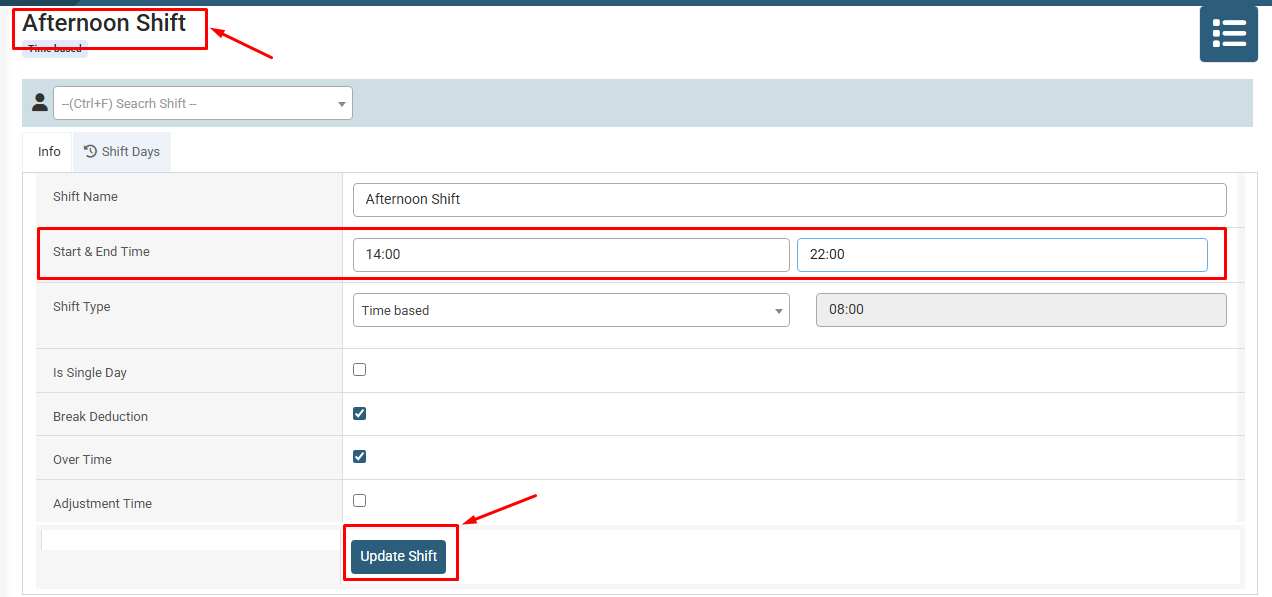
Modify the required fields such as Start & End Time or shift name and click on the Update Shift button.
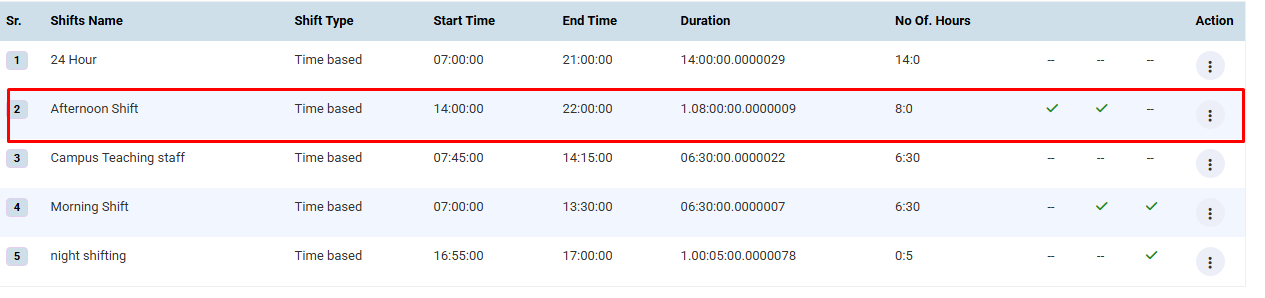
Verify the updated details (e.g., revised hours/timings) in the Shifts list to ensure the changes were saved successfully.
No video tutorial available.
No related articles found in this category.
