
Detailed Description
Add Employee Family Information allows users to record and manage family member details for an employee, including relations, dependency status, and descriptions for HR records.
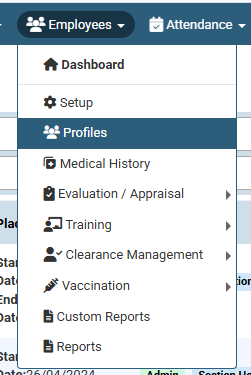
1. Click on Employees > Profiles.
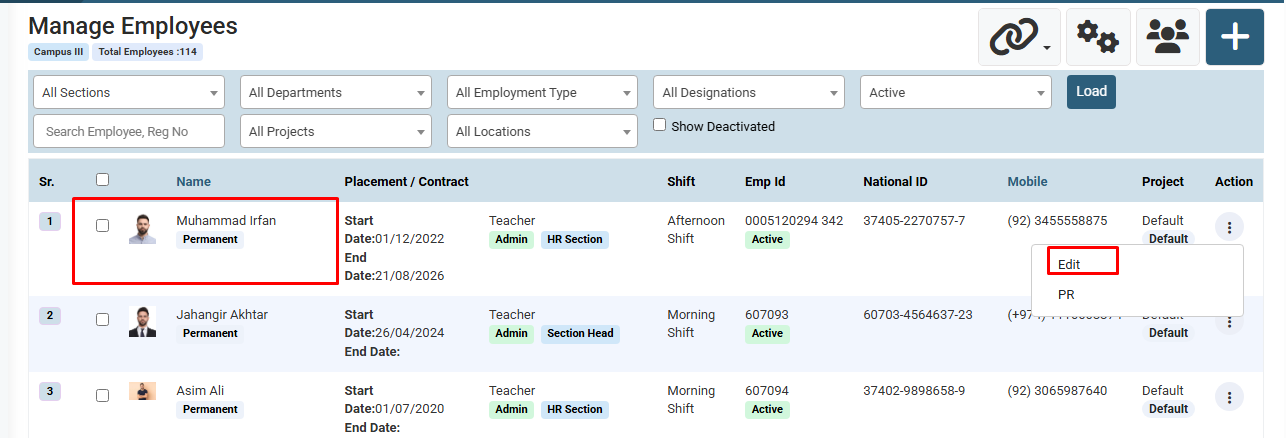
2. Enter Employee Name, Reg No, etc., and click on Load Button. ( You can also use filter for search like Section, Department, Designation, etc. )
3. Click on action next to the employee and click on Edit.
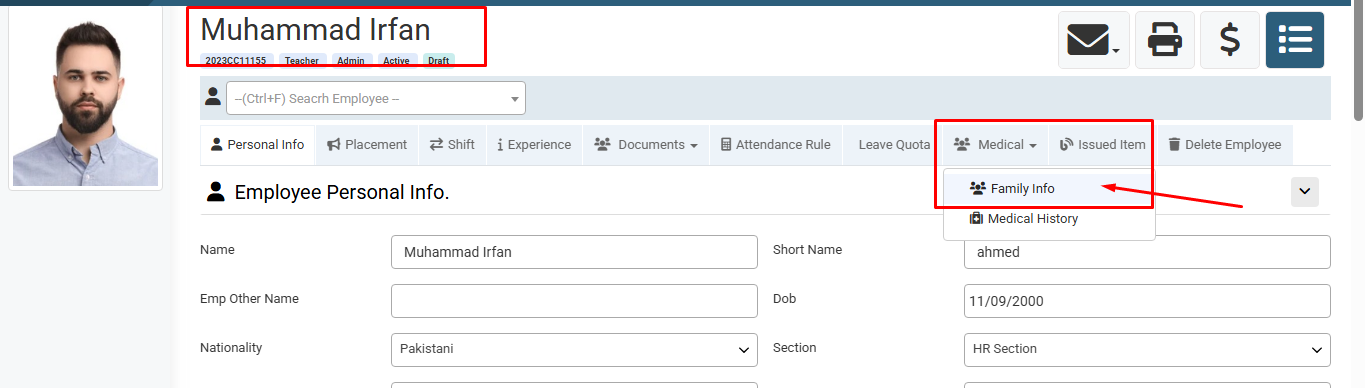
4. Hover over or click on Medical menu and select Family Info.
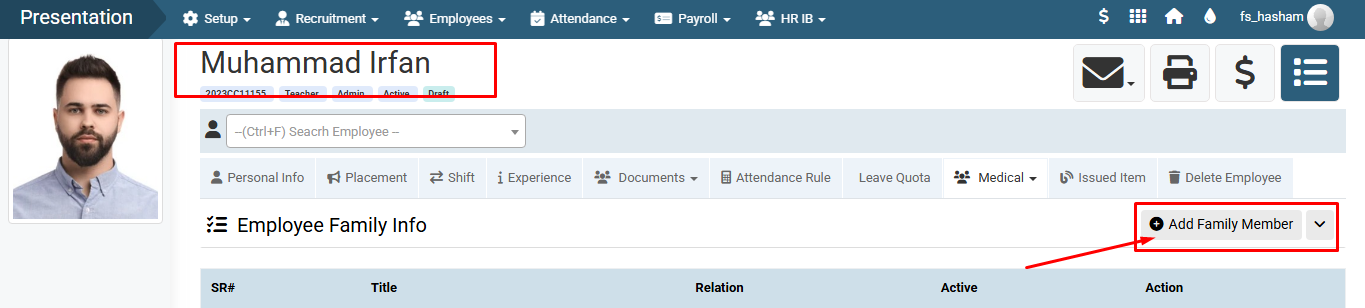
5. Click on Add Family Member button.
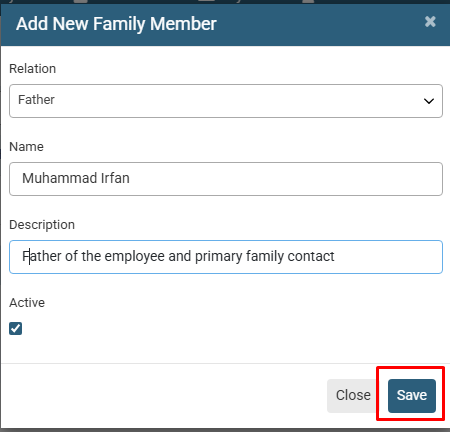
6. Enter Relation, Name, Description, and check Active option, then click on Save Button.
1. Click on Employees > Profiles.
2. Enter Employee Name, Reg No, etc., and click on Load Button. ( You can also use filter for search like Section, Department, Designation, etc. )
3. Click on action next to the employee and click on Edit.
4. Hover over or click on Medical menu and select Family Info.
5. Click on Add Family Member button.
6. Enter Relation, Name, Description, and check Active option, then click on Save Button.
Visual Walkthrough
How to Add Employee Family Information :
Click on Employees > Profiles.
How to Add Employee Family Information :
Enter Employee Name, Reg No, etc., and click on Load Button. ( You can also use filter for search like Section, Department, Designation, etc. )
Click on action next to the employee and click on Edit.
How to Add Employee Family Information :
Hover over or click on Medical menu and select Family Info.
How to Add Employee Family Information :
Click on Add Family Member button.
How to Add Employee Family Information :
Enter Relation, Name, Description, and check Active option, then click on Save Button.
No video tutorial available.
No related articles found in this category.
