
Add New Employee allows users to create a new employee record in CloudCampus ERP by entering personal details and other relevant employee information.
1. Click on Employee > Profiles.
2. Click on the + (Add) button to create a new employee profile.
3. Enter the required Employee Details, including personal information and other relevant information.
4. Complete the necessary employee information.
5. Review the entered details and click on the Save button to add the new employee.
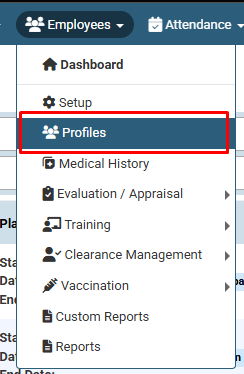
Click on Employee > Profiles.
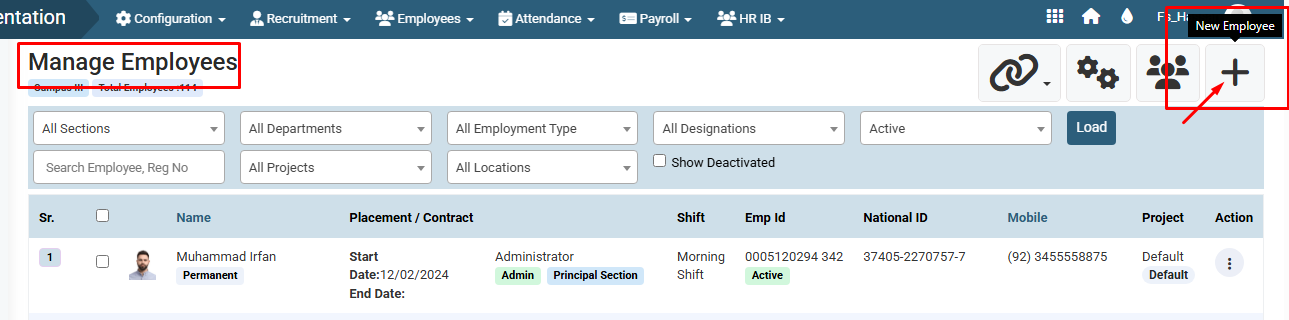
Click on the + (Add) button to create a new employee profile.
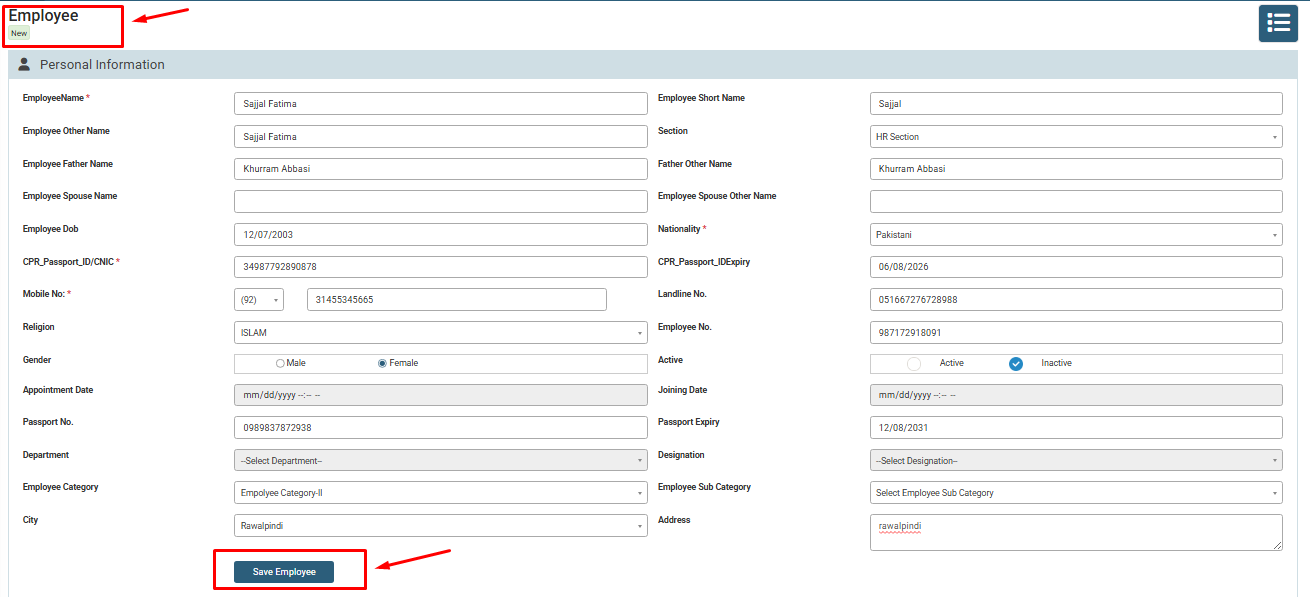
Enter the required Employee Details, including personal information and other relevant information and then click on the Save button to add the new employee.
No video tutorial available.
No related articles found in this category.
