
Manage Employee Experience &
Education allows users to record and update an employee’s professional journey,
including their academic degrees and past work history. This ensures that the
HR system has a complete view of the employee's credentials.
5.
Click on Add Experience (or Add Education), fill in the details like Organization, Designation, Reason for
leaving, Job Type then click on Save.
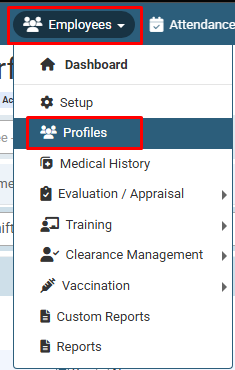
Click on Employees > Profiles.
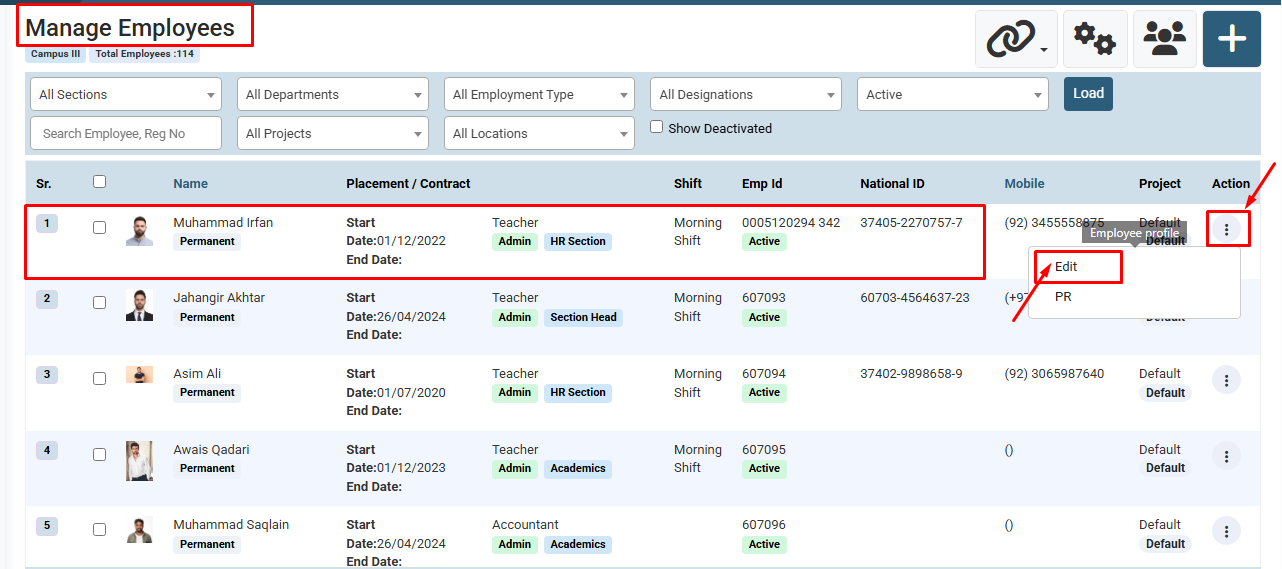
Identify the employee you want to update, click on the Action icon (three dots) under the Action column, and select Edit.
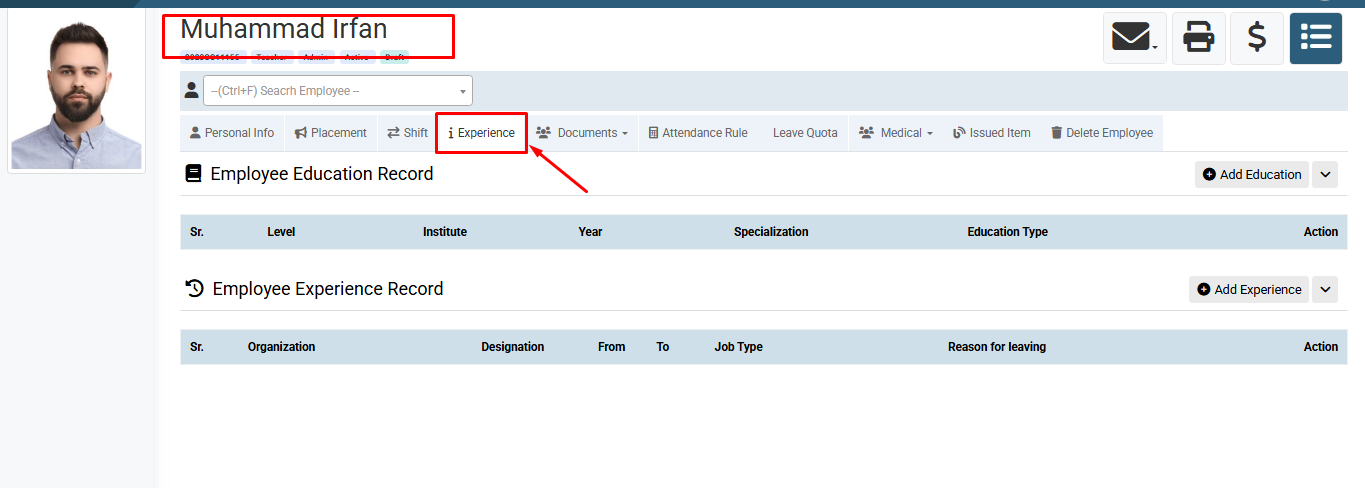
Inside the employee profile, click on the Experience tab from the top menu.
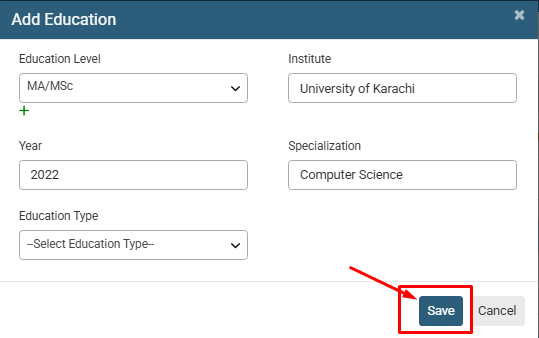
Click on the Add Education (or Add Experience) button, enter the required details (e.g., Level, Institute, Year), and click the Save button.
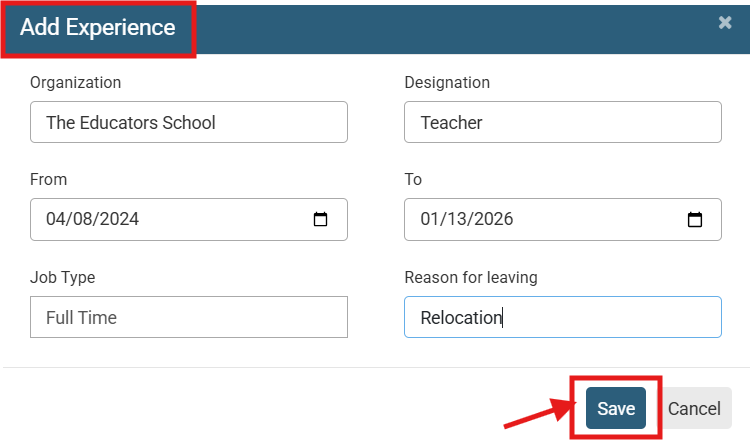
Click on Add Experience (or Add Education), fill in the details like Organization, Designation, Reason for leaving, Job Type then click on Save.
No video tutorial available.
No related articles found in this category.
