
Manage Employee Payroll allows users to view, update, and modify an employee’s payroll record, including salary, allowances, deductions, and other relevant payroll information.
1. Click on Employee > Profiles.
2. Click on the Payroll Manage Employee icon to access the employee payroll management section.
3. Select the required employee and manage the relevant payroll and salary details.
4.Modify an existing allowance or deduction, click on the Add menu and select Edit.
5. Update the required payroll details and save the changes.
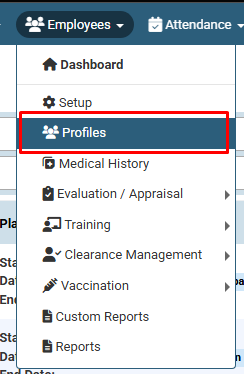
Click on Employee > Profiles.
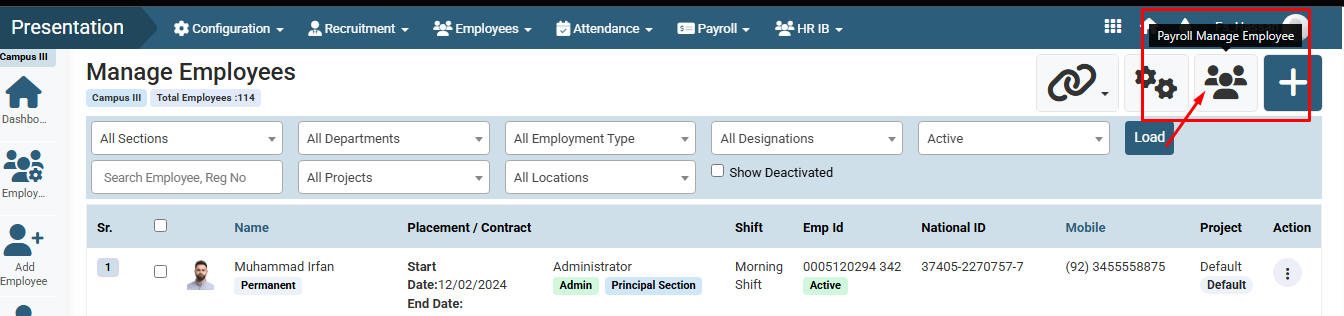
Click on the Payroll Manage Employee icon to access the employee payroll management section.
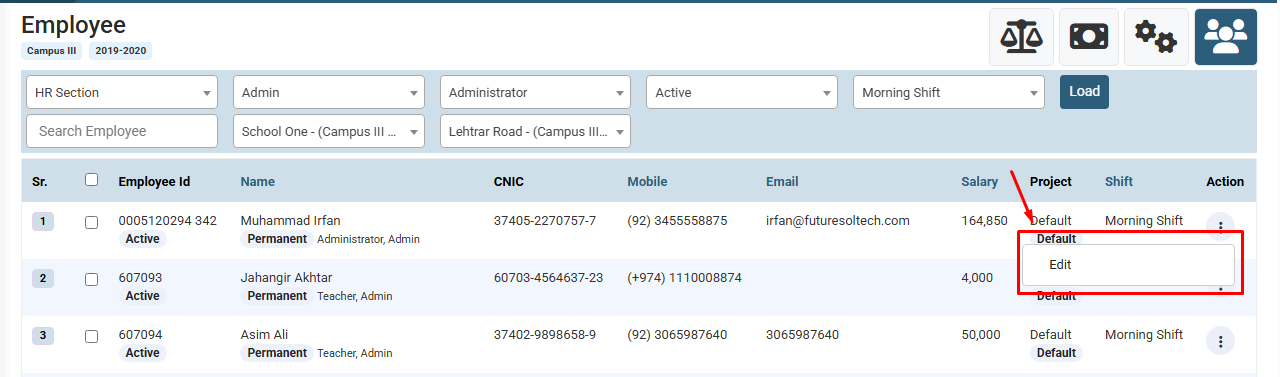
Select the required employee and manage the relevant payroll and salary details by clicking on Edit button.
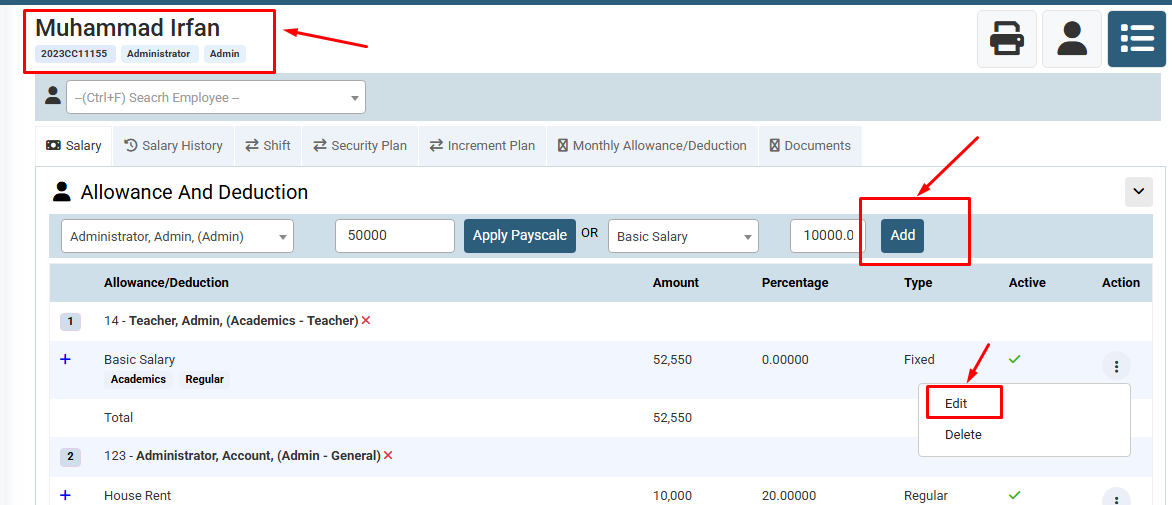
Modify an existing allowance or deduction, click on the Add menu and select Edit.
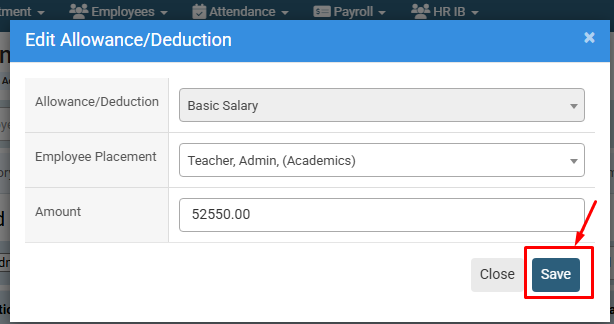
Update the required payroll details and save the changes.
No video tutorial available.
No related articles found in this category.
