
Detailed Description
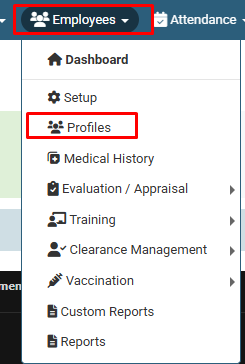
1. Click on Employee > Profiles.
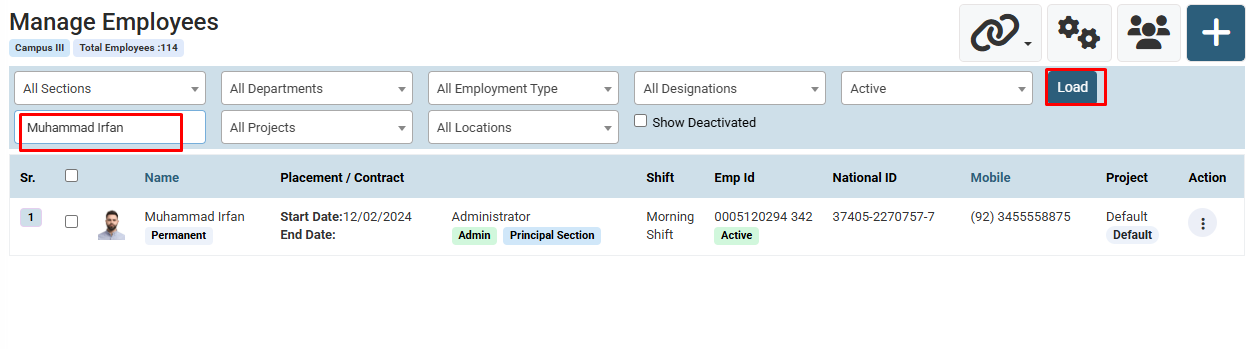
2. Enter Employee Name , Father Name , etc and Click on Load Button. ( You can also use filter for search like Department , Designation etc )
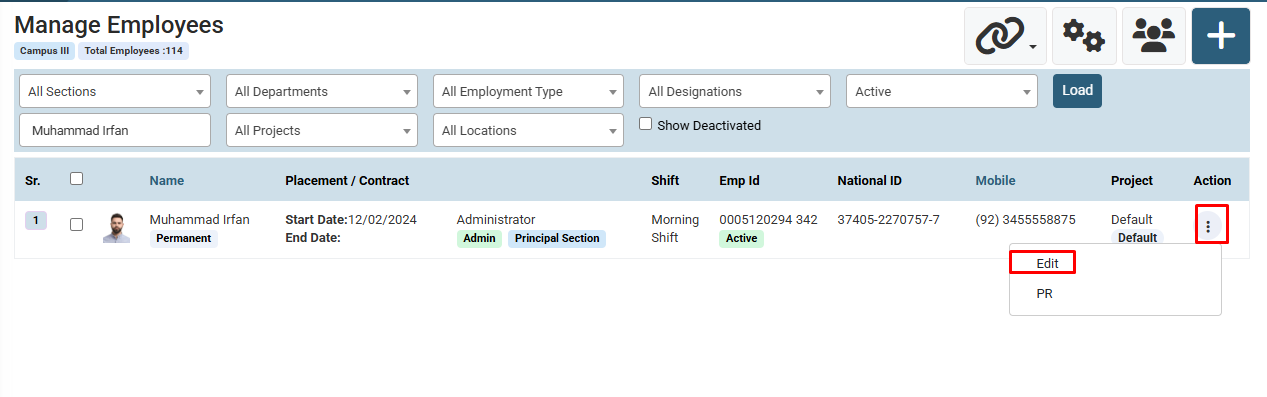
3. Click on action and then click on Edit.
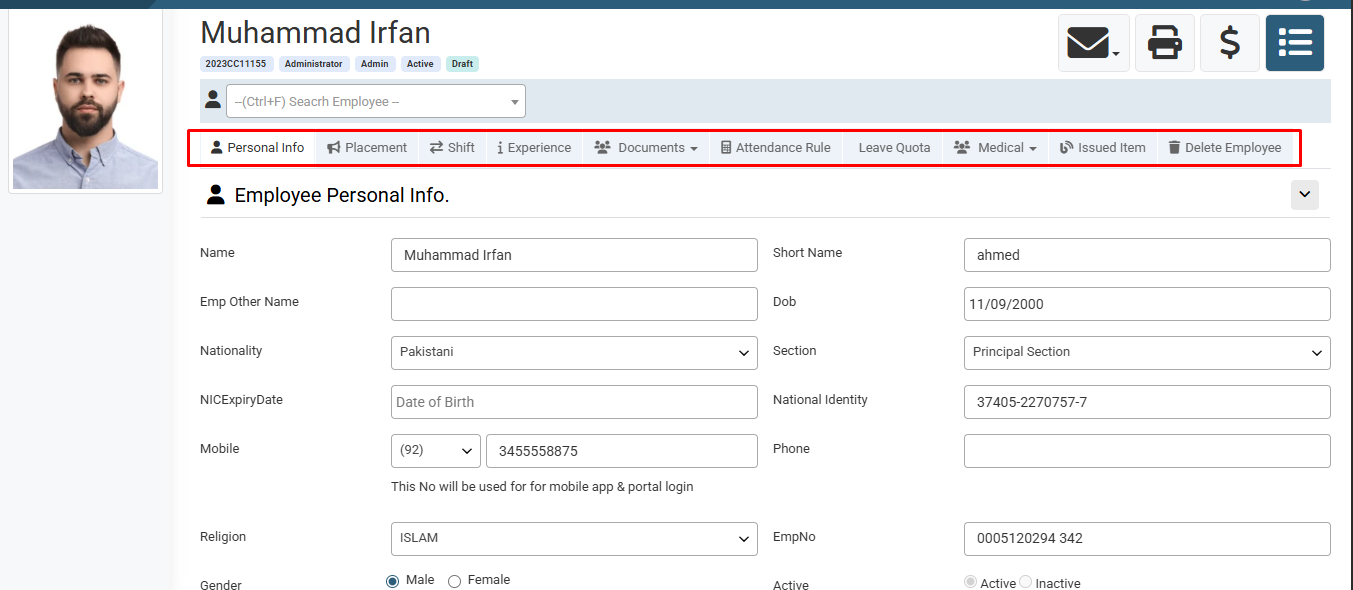
4. Update Employee Details and click on Update Button.
Visual Walkthrough
How to Manage Employee Profile :
Click on Employee > Profiles.
How to Manage Employee Profile :
Enter Employee Name , Father Name , etc and Click on Load Button. ( You can also use filter for search like Department , Designation etc )
How to Manage Employee Profile :
Click on action and then click on Edit.
How to Manage Employee Profile :
Update Employee Details and click on Update Button.
No video tutorial available.
No related articles found in this category.
