
Detailed Description
Reactivate an Employee Profile allows users to restore inactive or deactivated employee records, enabling their return to active status within system placements, records, and organizational workflows.
1. Click on Employees > Profiles.
2. Select the status filter as Inactive and click on Load Button.
3. Click on action next to the inactive employee and click on Edit.
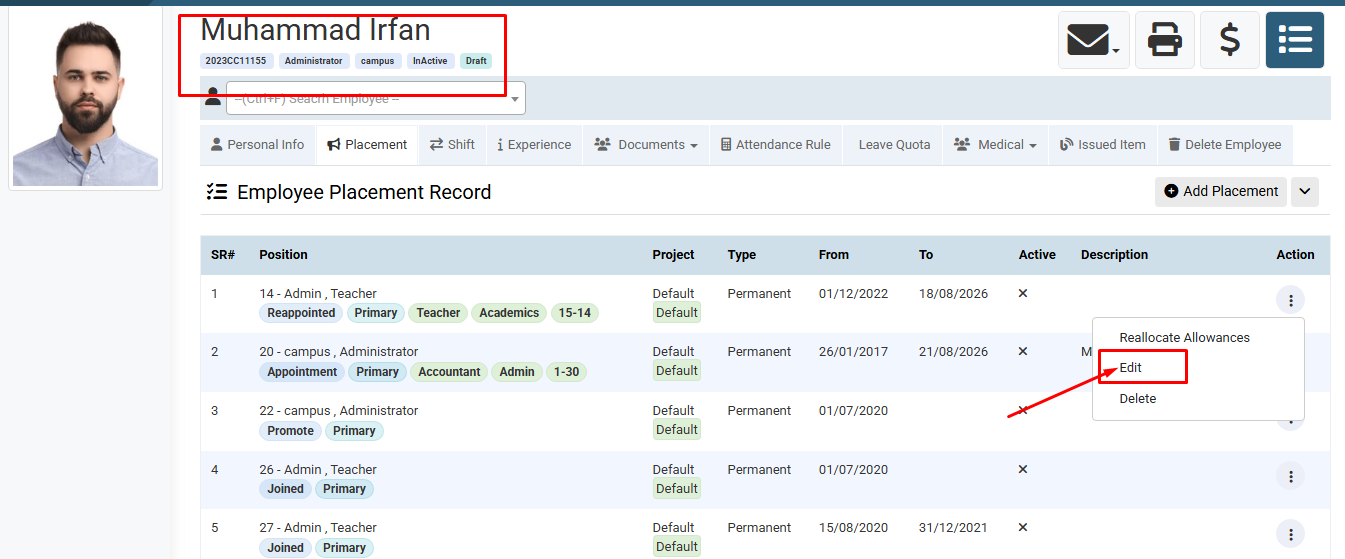
4. Go to Placement tab, click on action next to the placement record, and select Edit.
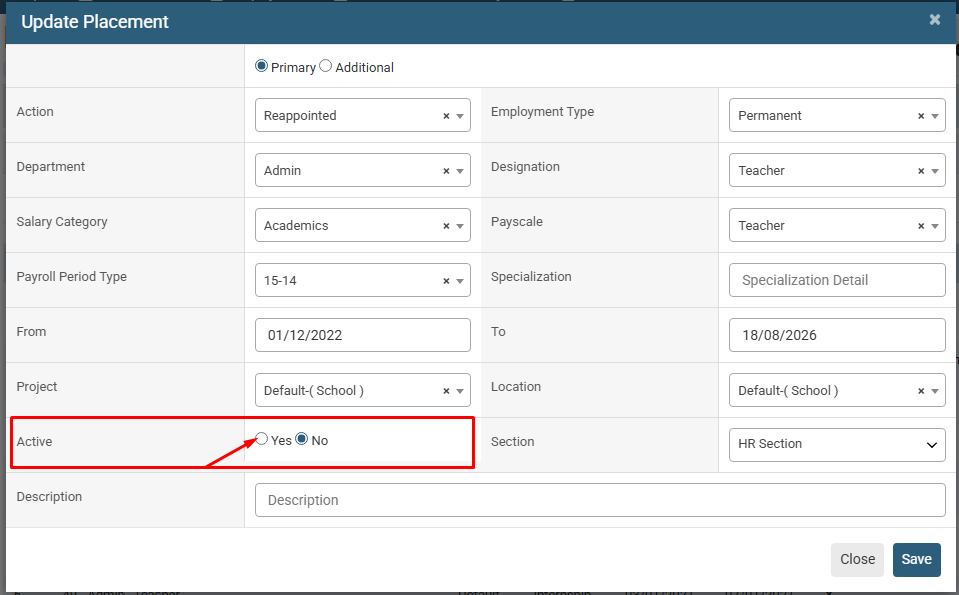
5. Set Active status to Yes and click on Save Button.
1. Click on Employees > Profiles.
2. Select the status filter as Inactive and click on Load Button.
3. Click on action next to the inactive employee and click on Edit.
4. Go to Placement tab, click on action next to the placement record, and select Edit.
5. Set Active status to Yes and click on Save Button.
Visual Walkthrough
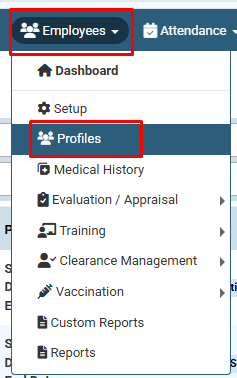
How to Reactivate an Employee Profile :
Click on Employees > Profiles.
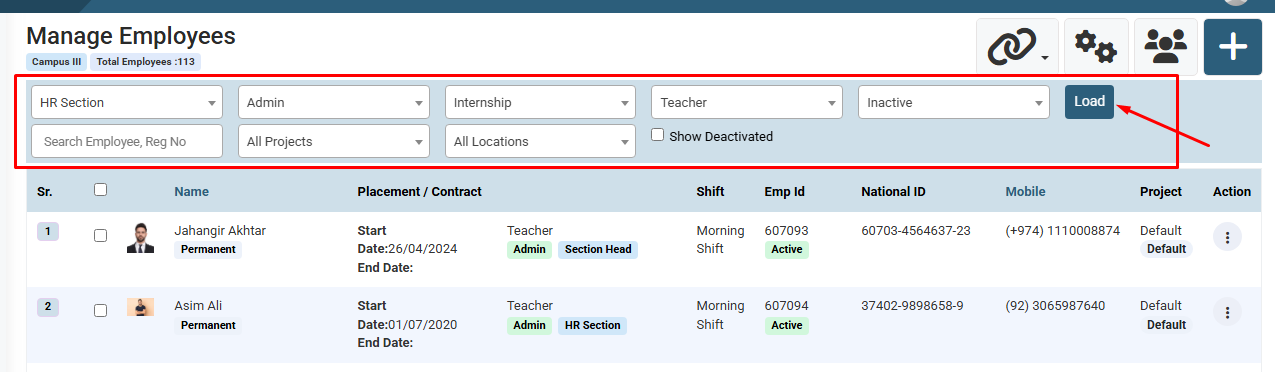
How to Reactivate an Employee Profile :
Select the status filter as Inactive and click on Load Button.You can also use filter for search like Section , Department , Designation etc.
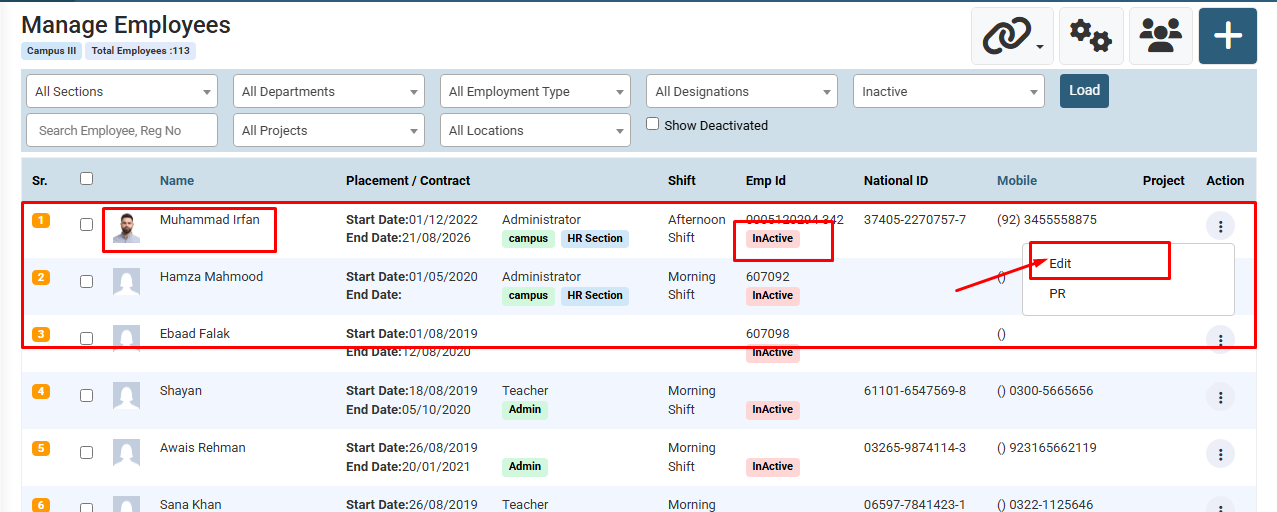
How to Reactivate an Employee Profile :
Click on action next to the inactive employee and click on Edit.
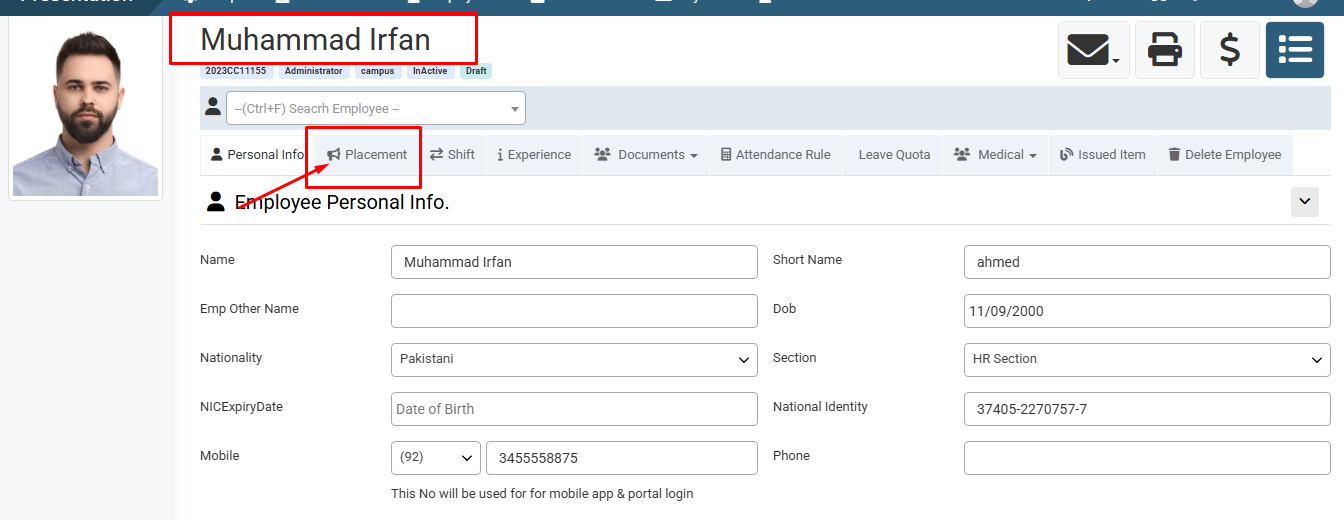
How to Reactivate an Employee Profile :
Go to Placement tab.
How to Reactivate an Employee Profile :
Go to Placement tab, click on action next to the placement record, and select Edit.
How to Reactivate an Employee Profile :
Set Active status to Yes and click on Save Button.
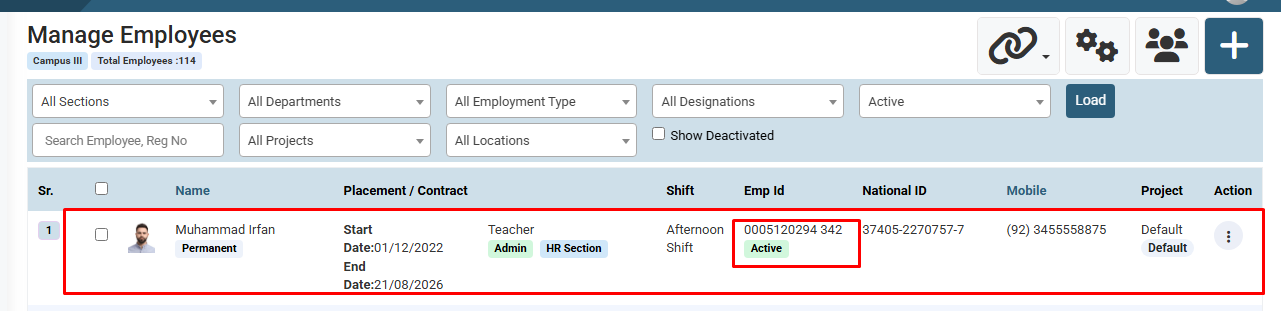
How to Reactivate an Employee Profile : The updated Record will be show.
No video tutorial available.
No related articles found in this category.
