
Detailed Description
Security Plan allows users to configure and manage security deposit deduction schedules for an employee.
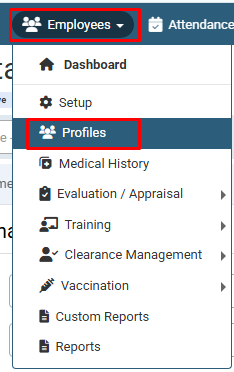
- Navigate to Employees > Profiles.
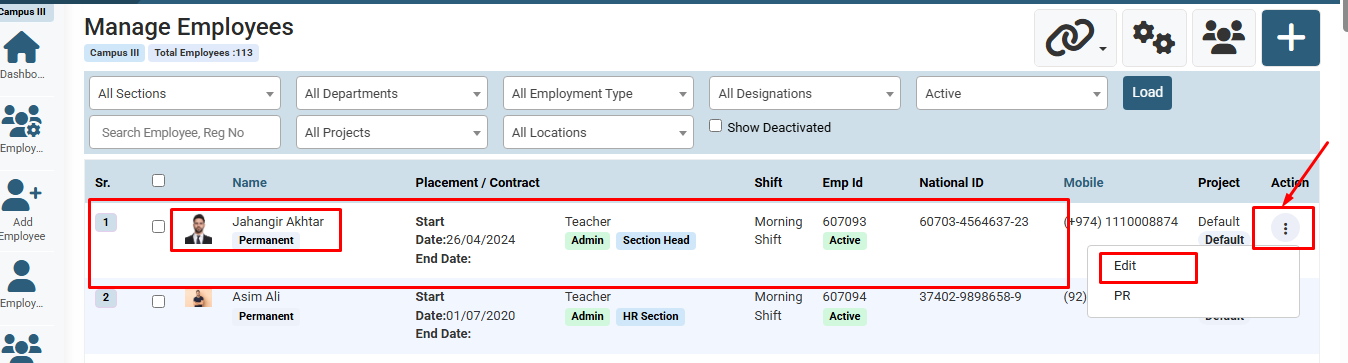
- Locate the target employee in the list, click the three-dot menu icon under the Action column, and click Edit.
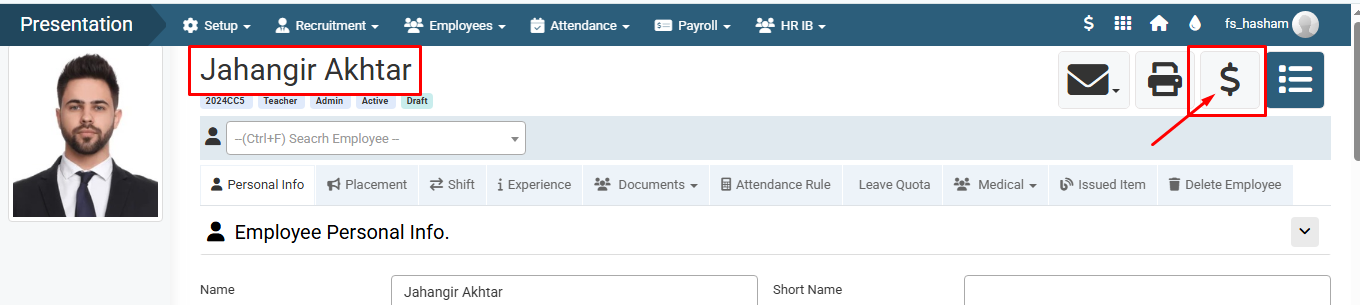
- On the employee profile page, click the $ (Payroll/Financial) icon at the top right.
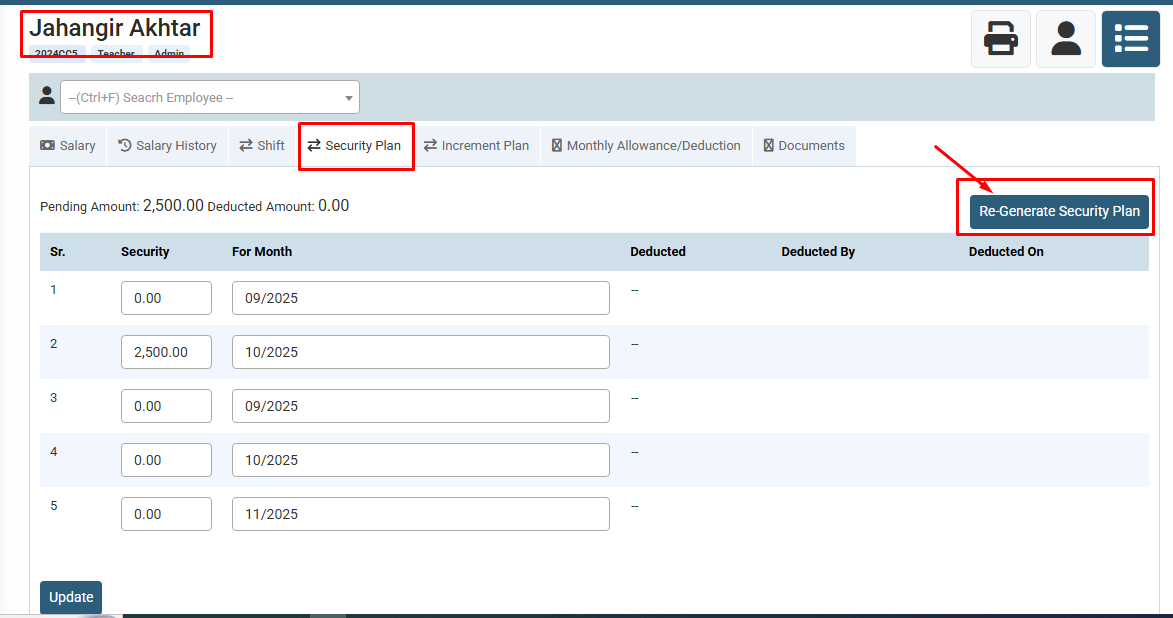
- Select the Security Plan tab and click the Re-Generate Security Plan button.
- In the modal pop-up, specify the Amount, From Month, and Deduction With In Months, then click Generate.
Visual Walkthrough
How to Set Up Employee Security Plan :
Navigate to Employees > Profiles.
How to Set Up Employee Security Plan :
Locate the target employee in the list, click the three-dot menu icon under the Action column, and click Edit.
How to Set Up Employee Security Plan :
On the employee profile page, click the $ (Payroll/Financial) icon at the top right.
How to Set Up Employee Security Plan :
Select the Security Plan tab and click the Re-Generate Security Plan button.
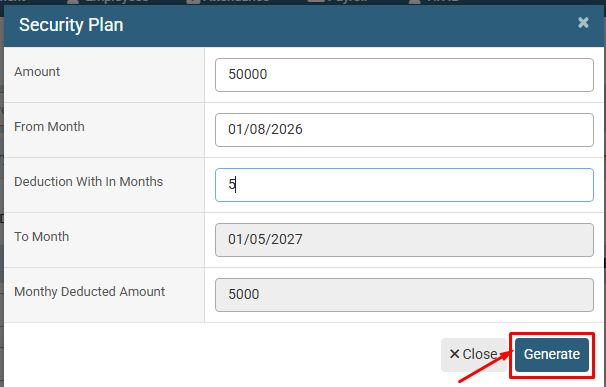
How to Set Up Employee Security Plan :
In the modal pop-up, specify the Amount, From Month, and Deduction With In Months, then click Generate.
No video tutorial available.
No related articles found in this category.
