
Manage Employee Shift allows users to define which shift applies to an employee on specific days of the week. You can enable or disable working days and assign different shifts (e.g., Morning, Afternoon) to ensure accurate attendance tracking.
Click on Employees > Profiles. Find the employee in the list, click on the Action icon (three dots), and select Edit. Inside the employee profile, click on the Shift tab. Select the desired Shift for each day and click the Update Shifts button. Verify that the updated shift is correctly reflected in the Manage Employees list.
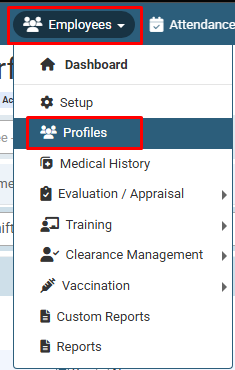
Click on Employees > Profiles.
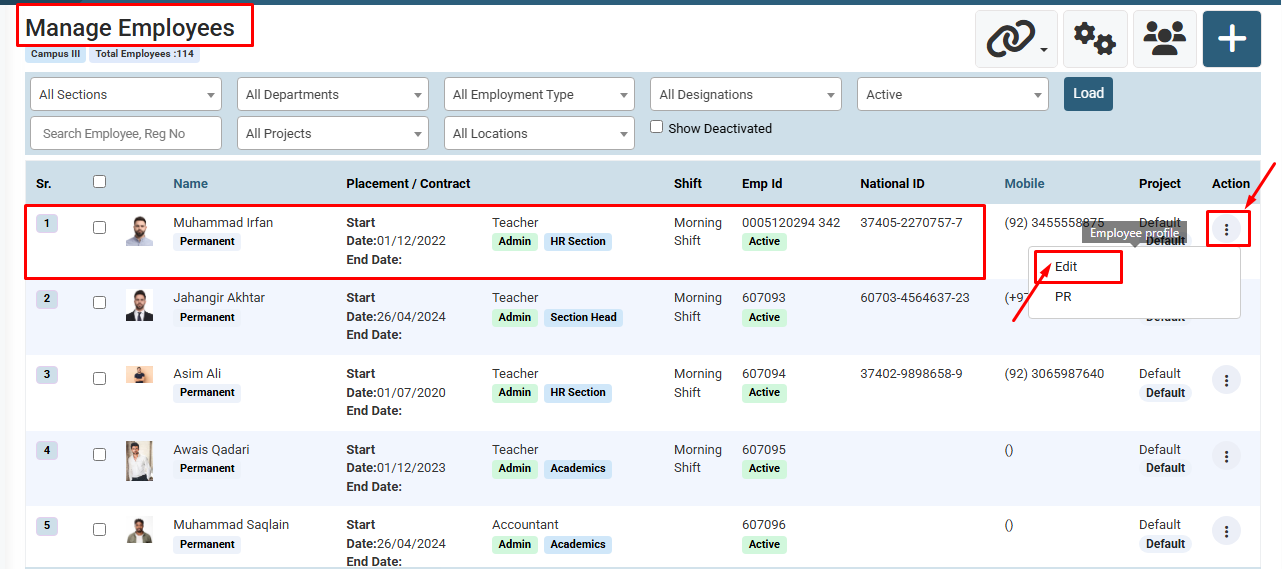
Find the employee you wish to update, click on the Action icon (three dots), and select Edit.
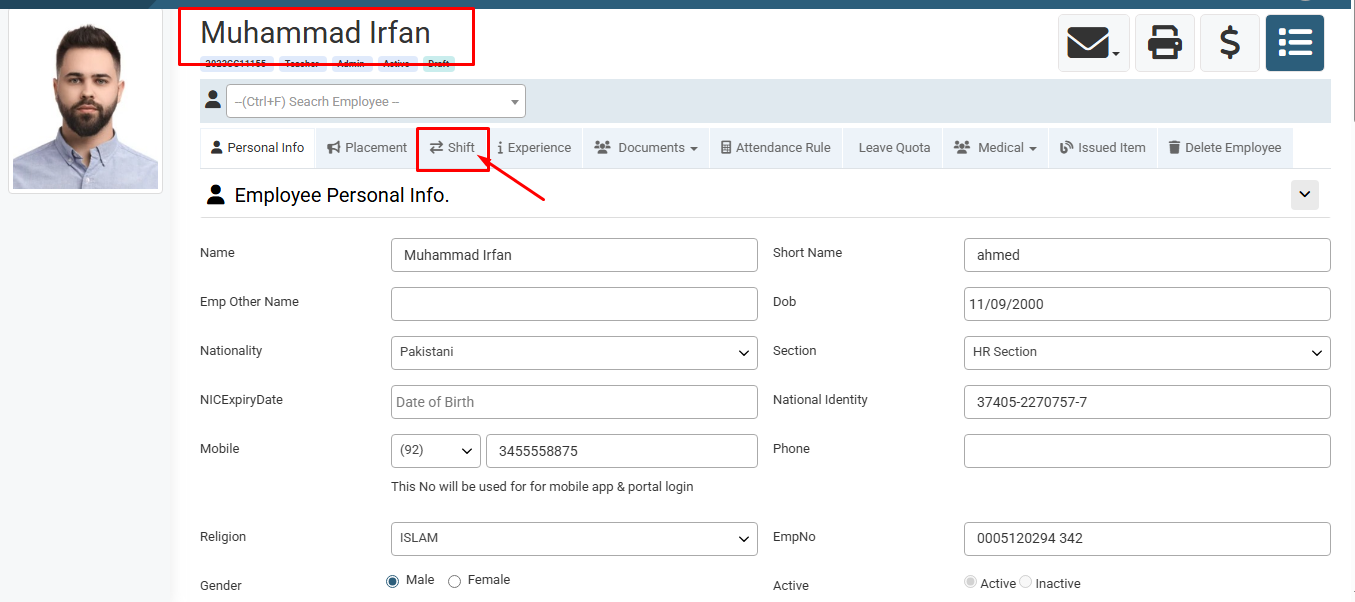
Inside the employee profile settings, click on the Shift tab from the top menu.
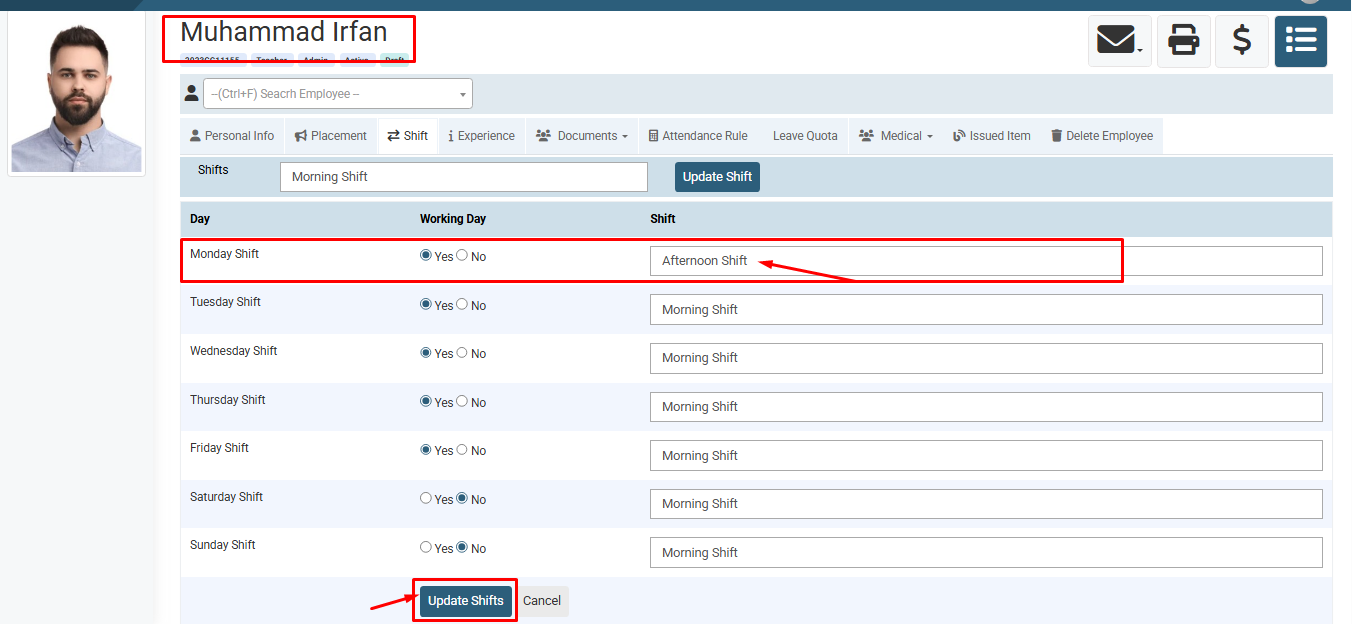
Set the Working Day (Yes/No), assign the desired Shift for each day, and click on the Update Shifts button to save the schedule.
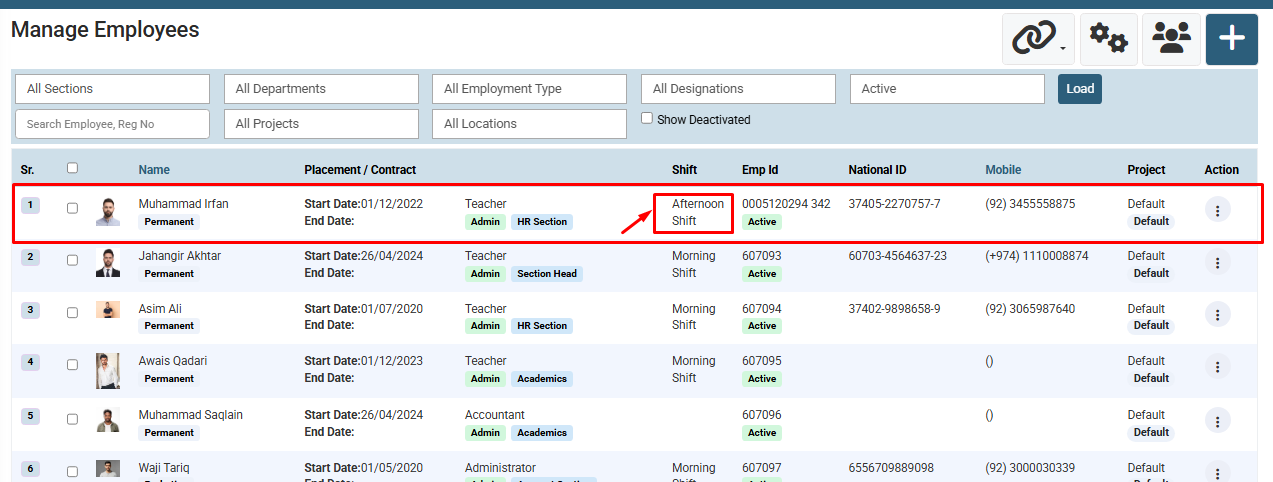
- Verify that the updated shift is correctly reflected in the Manage Employees list.
No video tutorial available.
No related articles found in this category.
