
Detailed Description
Training Attendance allows users to track and record daily attendance for employees participating in training programs.
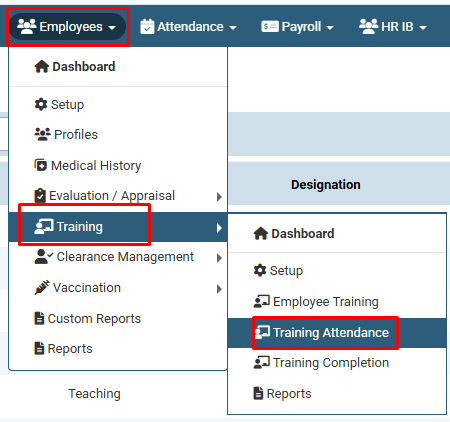
- Navigate to Employees > Training > Training Attendance.
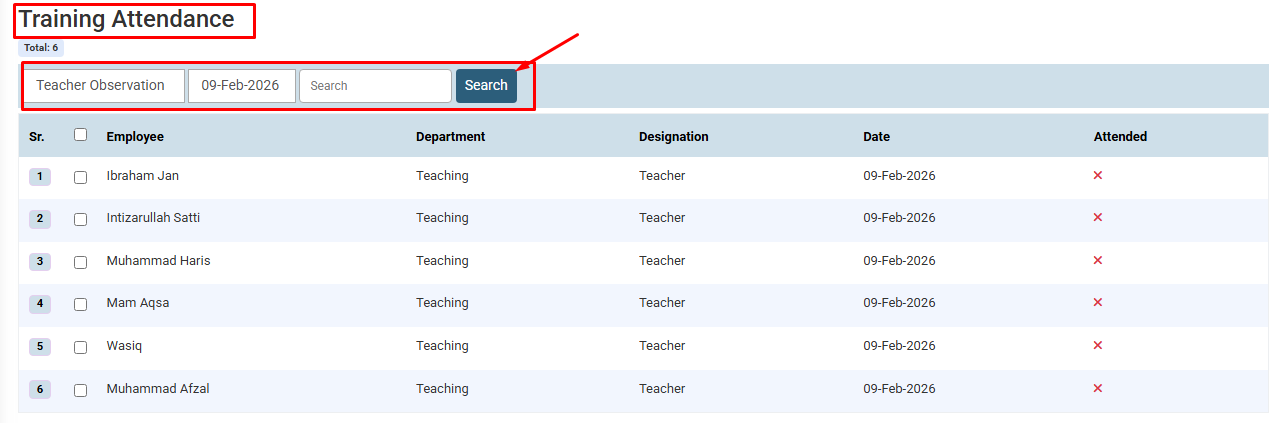
- Select the training program and date, then click Search.
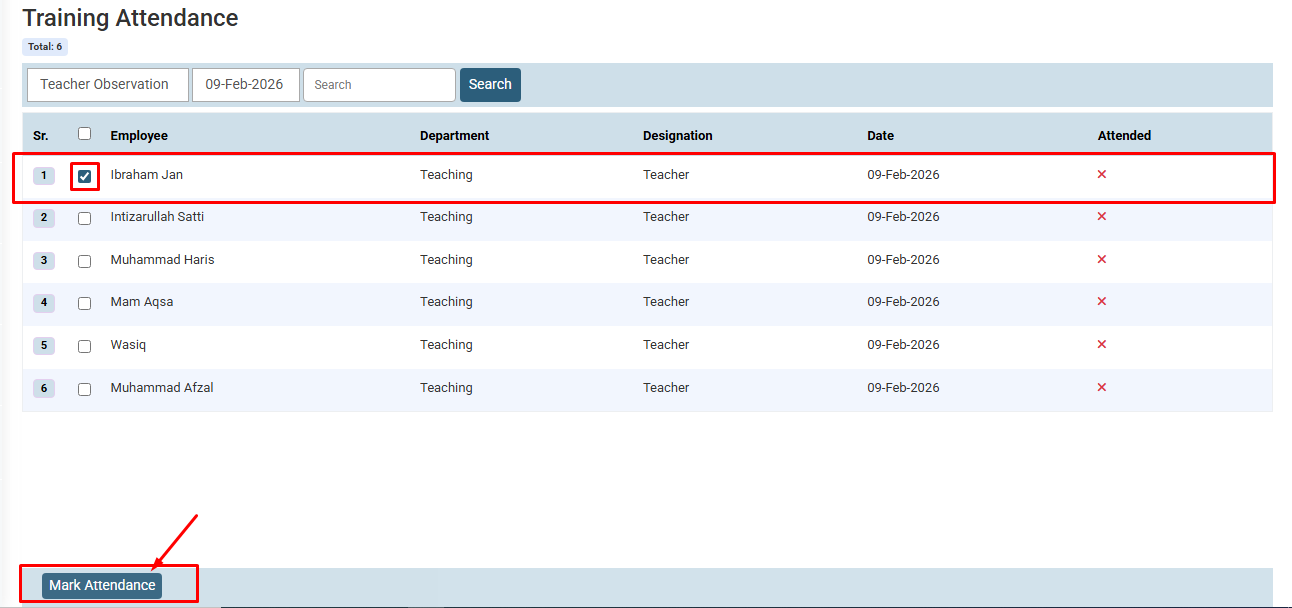
- Select the checkbox next to the employee(s) who attended, then click Mark Attendance at the bottom left.
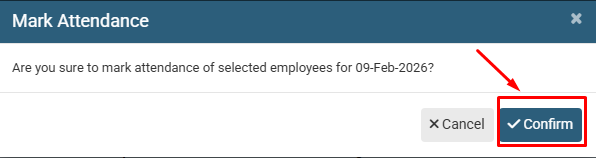
- On the pop-up prompt, click Confirm to save the attendance status.
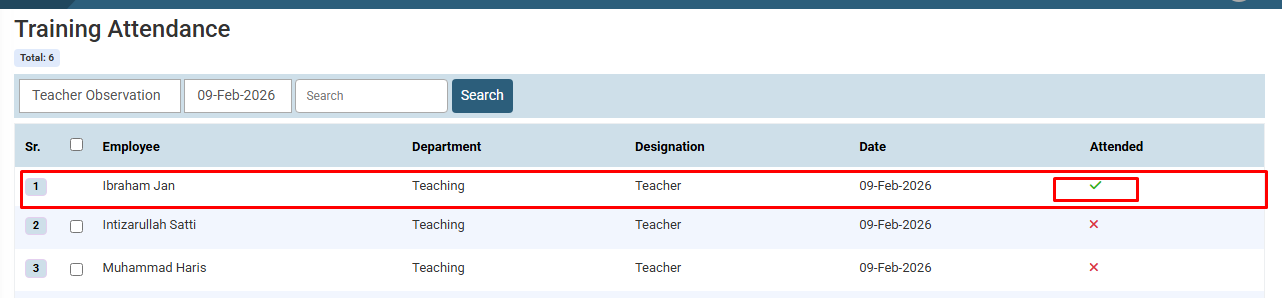
- The updated record will be displayed.
Visual Walkthrough
How to Mark Training Attendance :
Navigate to Employees > Training > Training Attendance.
How to Mark Training Attendance :
Select the training program and date, then click Search.
How to Mark Training Attendance :
Select the checkbox next to the employee(s) who attended, then click Mark Attendance at the bottom left.
How to Mark Training Attendance :
On the pop-up prompt, click Confirm to save the attendance status.
How to Mark Training Attendance :
The updated record will be displayed.
No video tutorial available.
No related articles found in this category.
