
Training Completion allows users to track and update the status of completed employee training programs.
1. Navigate to Employees > Training > Training Completion.
2. Choose the relevant program from the Select Programme dropdown menu and click Search.
3. Select the checkbox next to the employee(s) who finished the program, then click Mark Completed at the bottom left.
4. On the pop-up prompt, click Confirm to save the completion status
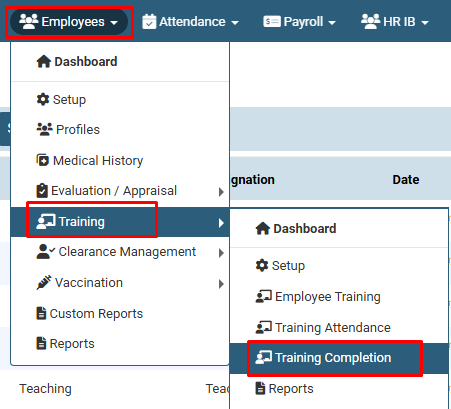
Navigate to Employees > Training > Training Completion.
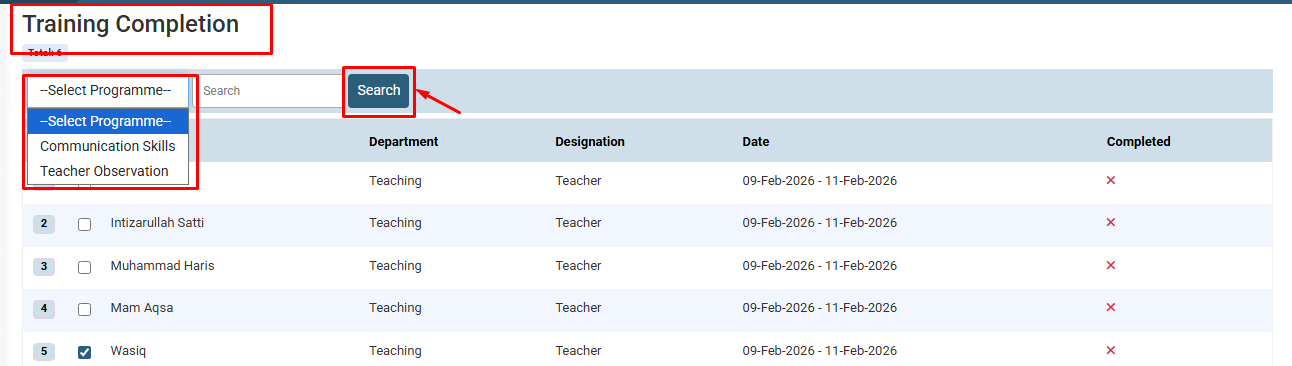
Choose the relevant program from the Select Programme dropdown menu and click Search.
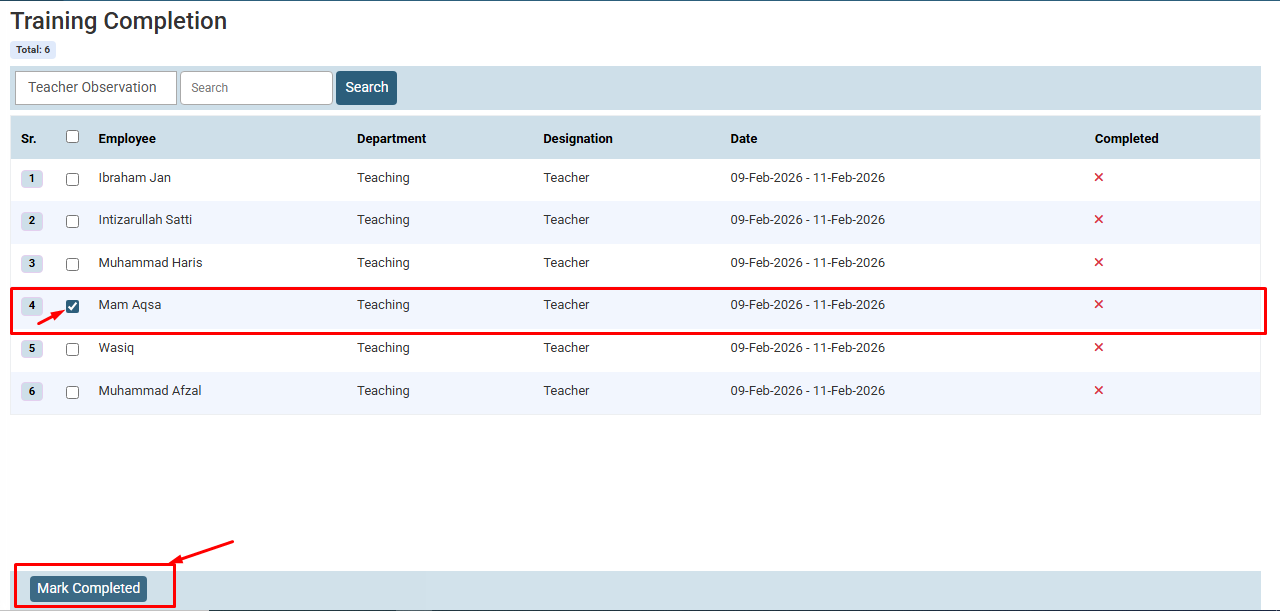
Select the checkbox next to the employee(s) who finished the program, then click Mark Completed at the bottom left.
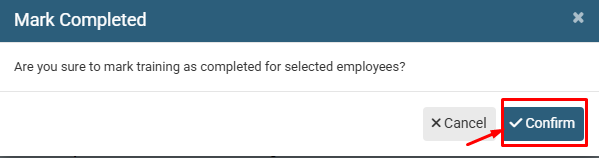
On the pop-up prompt, click Confirm to save the completion status.
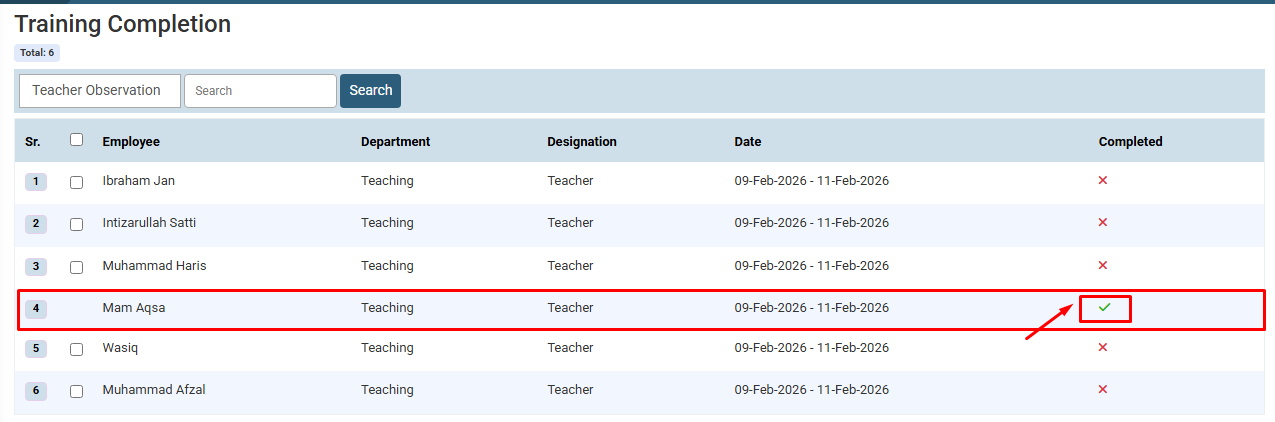
The updated record will be displayed.
No video tutorial available.
No related articles found in this category.
