
Add Employee Sub Categories allows users to create and configure employee sub categories by selecting a global employee sub category, entering a title, and assigning a parent employee category.
1.Click on Setup > Employee Sub Categories.
2. On the Manage Employee SubCategories page, click on the “+” (Add) button.
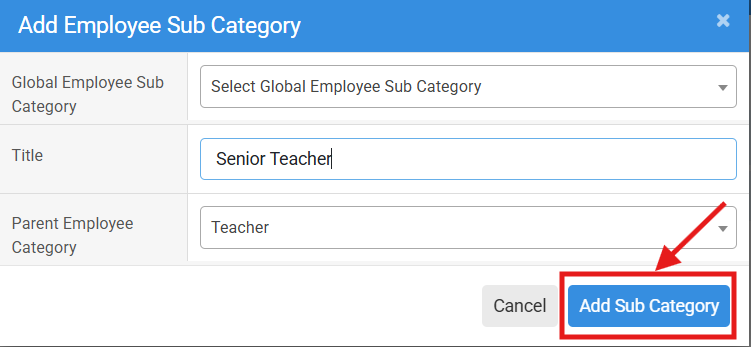
3. In the Add Employee Sub Category window, select the required Global Employee Sub Category from the dropdown list.
4. Enter the required Title for the new employee sub category.
5. Select the appropriate Parent Employee Category from the dropdown list.
6. Review the entered details and click on the Add Sub Category button to save the new employee sub category.
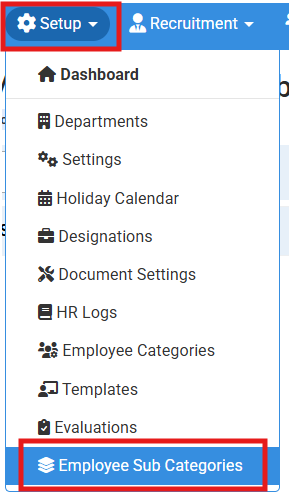
Click on Setup > Employee Sub Categories.

On the Manage Employee SubCategories page, click on the “+” (Add) button
No video tutorial available.
No related articles found in this category.
