
The Pay Salary process in Futex HR follows a secure three-stage confirmation workflow. After filtering the payroll period, the administrator must Submit, Approve, and finally Post the records to ensure accurate salary disbursement and record-keeping.
Click on Payroll > Pay Salaries. Select the Payroll Period, click Filter, and then click the Blue Plane icon to initiate the payment process. On the Submit popup, click Yes to confirm the submission. On the Approve popup, click Yes to authorize the payment. On the Post popup, click Yes to finalise and post the salary record.
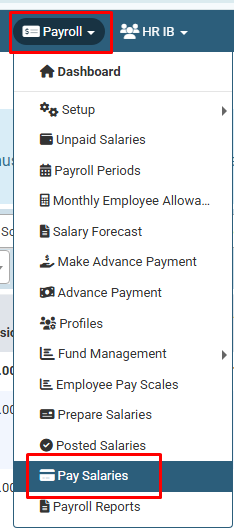
Click on Payroll > Pay Salaries.
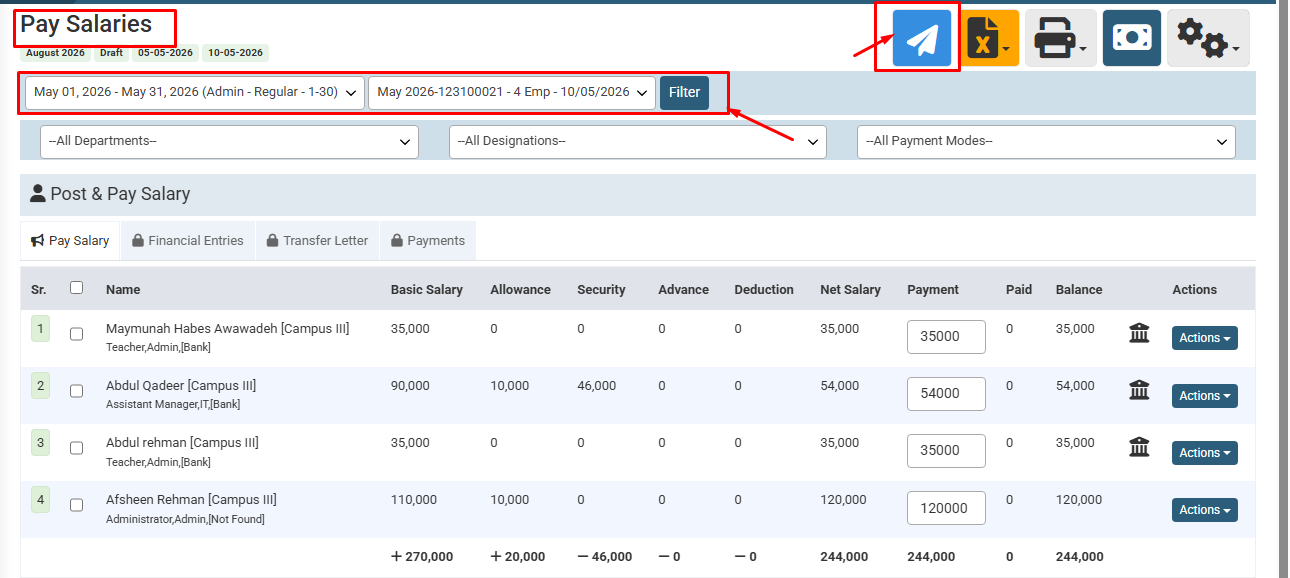
Select the required Payroll Period, use the Filter button, and click on the Blue Plane icon (top right) to start the process.
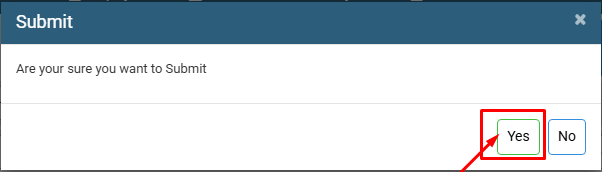
A confirmation box will appear; click Yes to Submit the salary record.
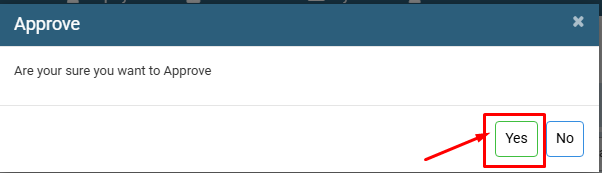
On the next screen, click Yes to Approve the payment.
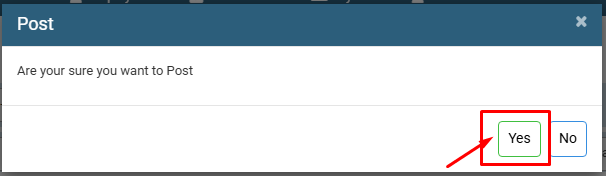
Finally, click Yes to Post the salary, which completes the disbursement process.
No video tutorial available.
No related articles found in this category.
