Detailed Description
No video tutorial available.
No related articles found in this category.

Payroll Period is a defined time range, such as a month or multiple months, for which employee salaries and other payroll activities are prepared and processed. It provides the timeframe used to manage and record payroll-related transactions.
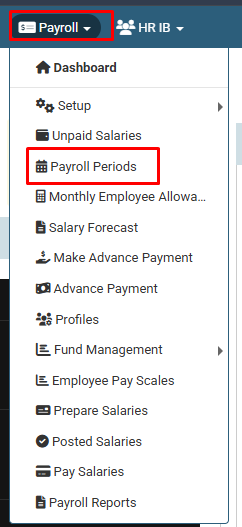
1. Click on Payroll > Payroll Period.
2. Click on + icon.
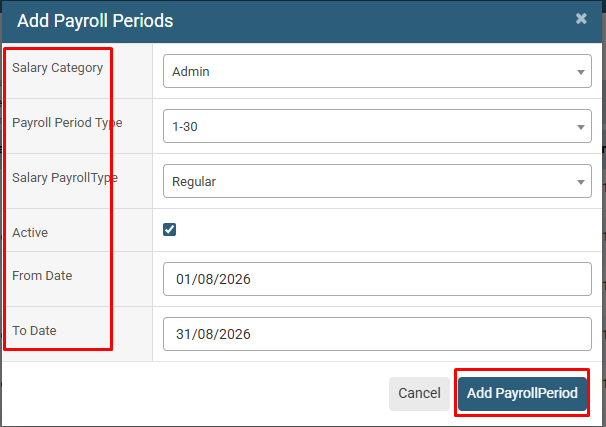
3. Select the Salary Category, Payroll Period Type, Salary Payroll Type, and Dates. Then check the Active option and click the Add Payroll Period button.

Click on Payroll > Payroll Period.

Click on + icon.

Select the Salary Category, Payroll Period Type, Salary Payroll Type, and Dates. Then check the Active option and click the Add Payroll Period button.
No video tutorial available.
No related articles found in this category.