
Manage Payroll Period allows administrators to adjust the specific timeframes for salary cycles. You can update the start and end dates, change the payroll type (Regular, etc.), and ensure the correct salary category is assigned for each period.
Click on Payroll > Payroll Periods. Identify the payroll period you wish to modify, click on the Action icon (three dots), and select Edit. In the Edit Payroll Period popup, update the required fields such as From Date, To Date, or Salary Category, then click on the Update Payroll Period button.
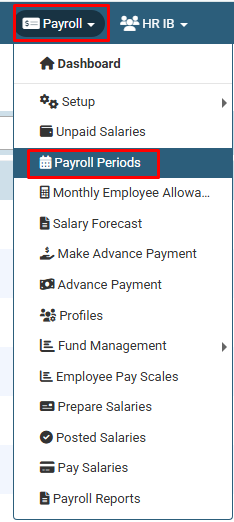
Click on Payroll > Payroll Periods.
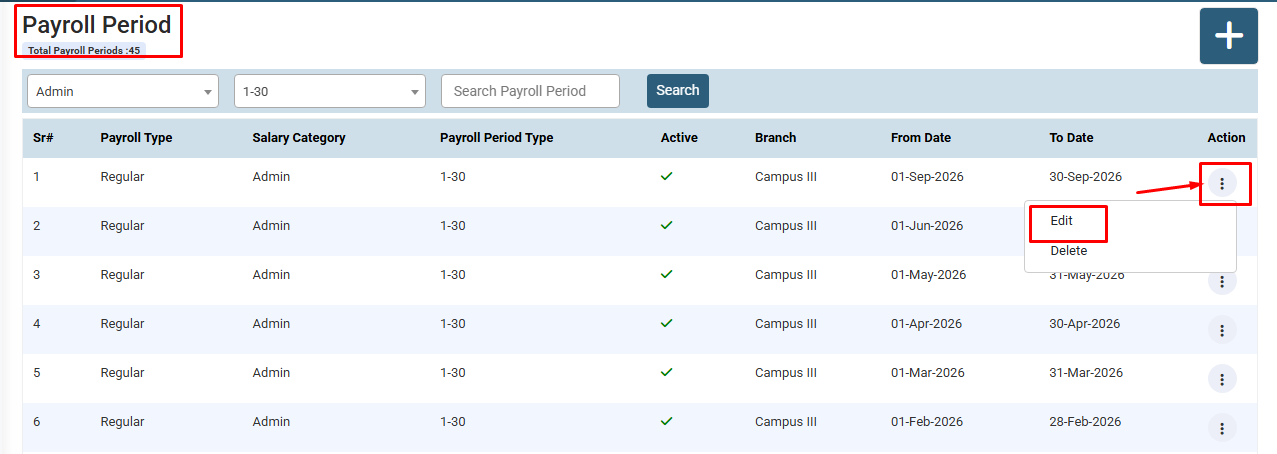
Find the specific payroll period you want to change, click on the Action icon (three dots) under the Action column, and select Edit.
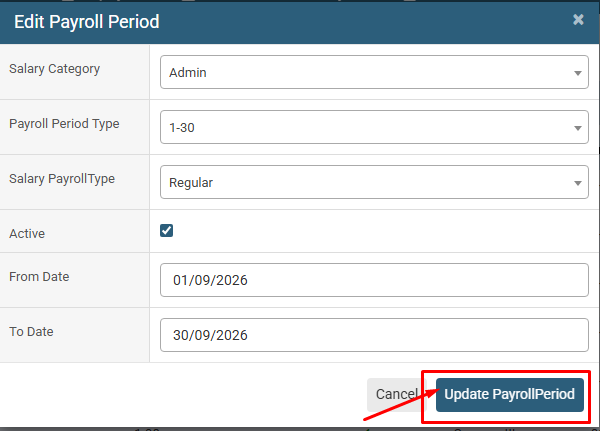
Modify the necessary details such as From/To Dates or Payroll Type and click the Update PayrollPeriod button to save changes.
No video tutorial available.
No related articles found in this category.
