
Detailed Description
Create Batch for Preparing the Salary allows users to group employee records, define payroll periods, and generate batch processing rules to calculate and manage bulk salary payments efficiently across departments or campuses.
1. Click on Payroll > Prepare Salaries.
2. Select the Payroll Period and Click on Filter Button. ( You can also use filter for search like Payment Mode , Section , Department , Designation etc )
3. Select Employee check box to process salaries.
4.Enter Issue Date and Due Date, then Click on Prepare Salaries Button.
1. Click on Payroll > Prepare Salaries.
2. Select the Payroll Period and Click on Filter Button. ( You can also use filter for search like Payment Mode , Section , Department , Designation etc )
3. Select Employee check box to process salaries.
4.Enter Issue Date and Due Date, then Click on Prepare Salaries Button.
Visual Walkthrough
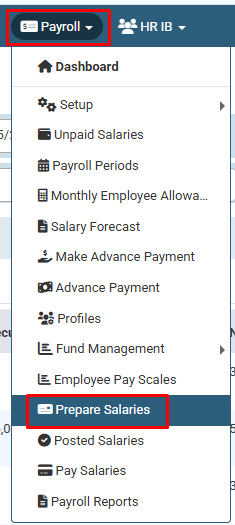
How to Create Batch for Preparing the Salary :
Click on Payroll > Prepare Salaries.
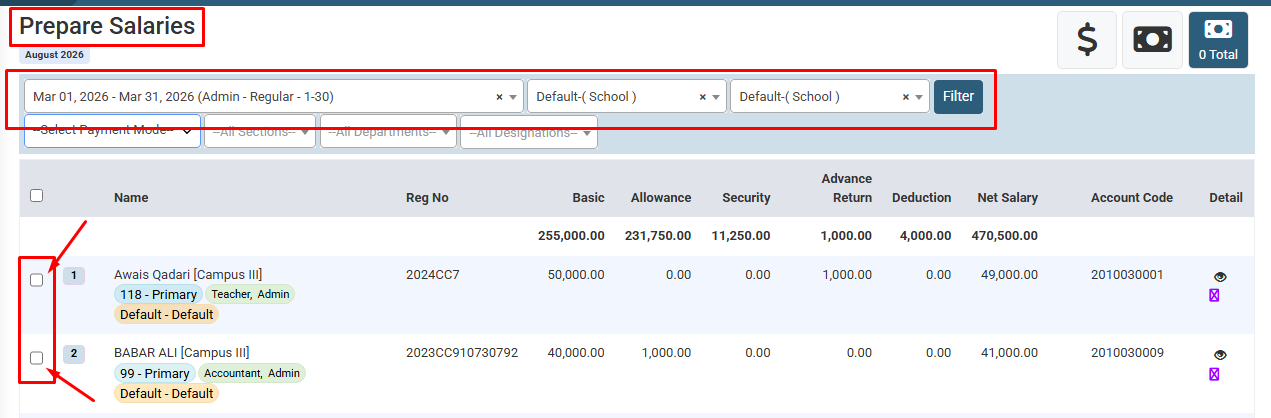
How to Create Batch for Preparing the Salary :
Select the Payroll Period and Click on Filter Button. ( You can also use filter for search like Payment Mode , Section , Department , Designation etc )
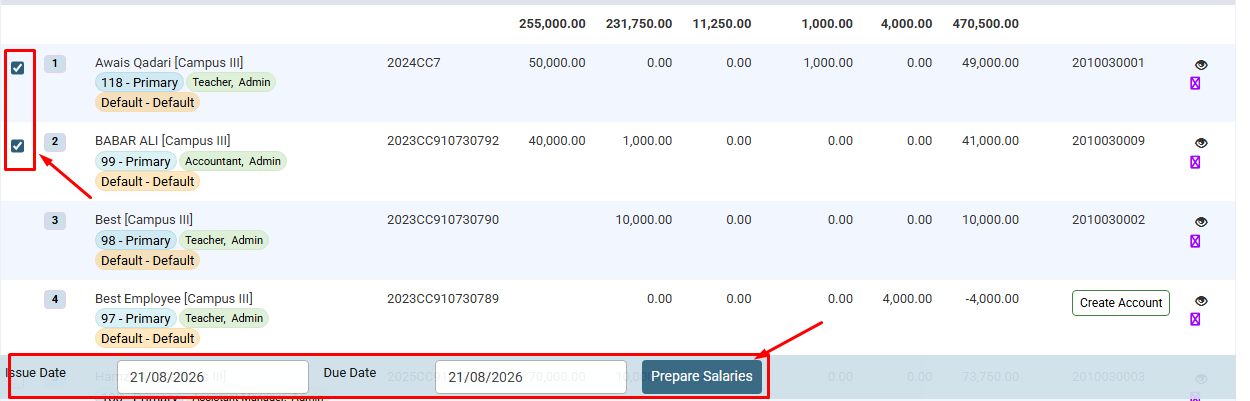
How to Create Batch for Preparing the Salary :
Select Employee check box to process salaries.
Enter Issue Date and Due Date, then Click on Prepare Salaries Button.
No video tutorial available.
No related articles found in this category.
