
Detailed Description
Visual Walkthrough
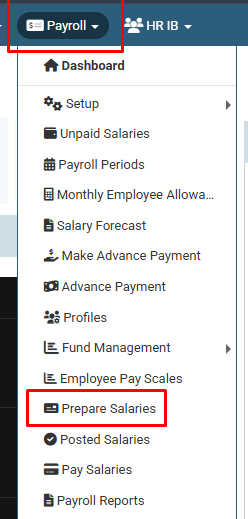
How tp Prepare Employee Salary :
Click on Payroll > Prepare Salaries.
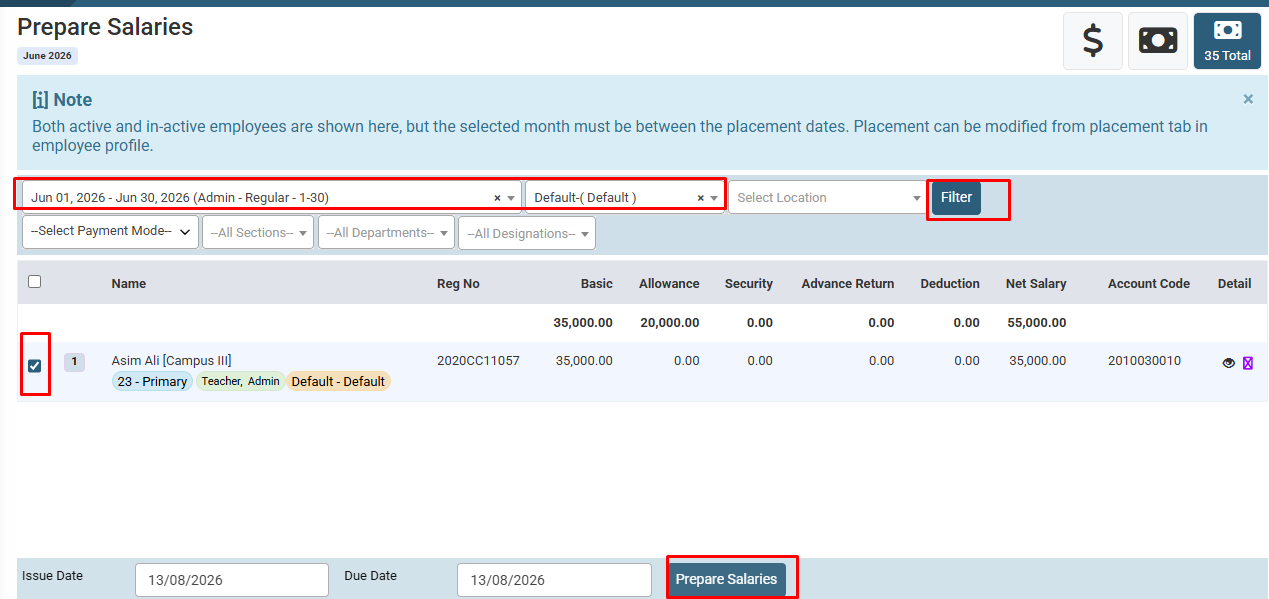
How to Prepare Employee Salary :
Select Payroll Period , Project etc and Click on Load Button. ( You can use Filter Like Department , Designation , Section ). Select Employee and dates and then click on Prepare Button.
No video tutorial available.
No related articles found in this category.
