
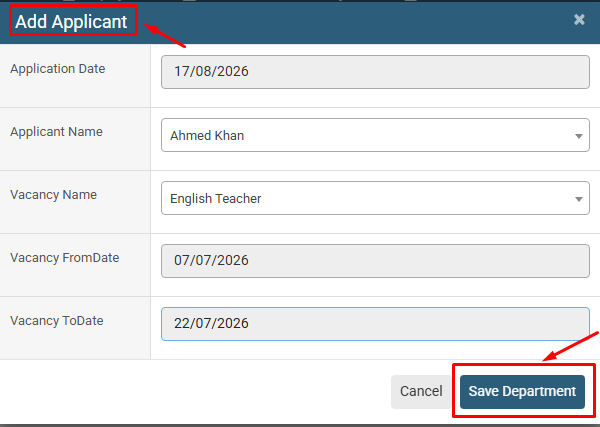
Add New Vacancy Application allows users to create a new application by selecting the application date, applicant, and vacancy, along with the applicable vacancy dates.
1. Click on Recruitment > Vacancy Applications.
2. Click on the + (Add) button to create a new vacancy application.
3. Enter or select the Application Date.
4. Select the Applicant Name from the available applicants.
5. Select the relevant Vacancy Name.
6. Verify the Vacancy FromDate and Vacancy ToDate.
7. Review the entered application details and make sure all information is correct.
8. Click on the Save Department button to save the vacancy application.
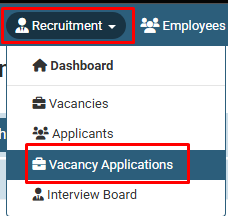
Click on Recruitment > Vacancy Applications.

Click on the + (Add) button to create a new vacancy application.
No video tutorial available.
No related articles found in this category.
