
This Guide & Explain article helps you prepare Assessment Results through the Result Declaration in CloudCampus ERP LMS Academics.
It explains the simple steps for accessing Result Preparation and preparing assessment results.
Follow the steps below to prepare the results successfully.
1- Go to the Results module → Result Declaration.
2- Click the Settings option from the Action section of the selected result declaration.
3- Select Result Preparation from the available settings options.
4- Select the required Stage for which the assessment result needs to be prepared.
5- Select the appropriate Class according to the selected stage.
6- Select the required Assessment for which the result needs to be prepared.
7- Click the Prepare button to prepare the assessment results successfully.
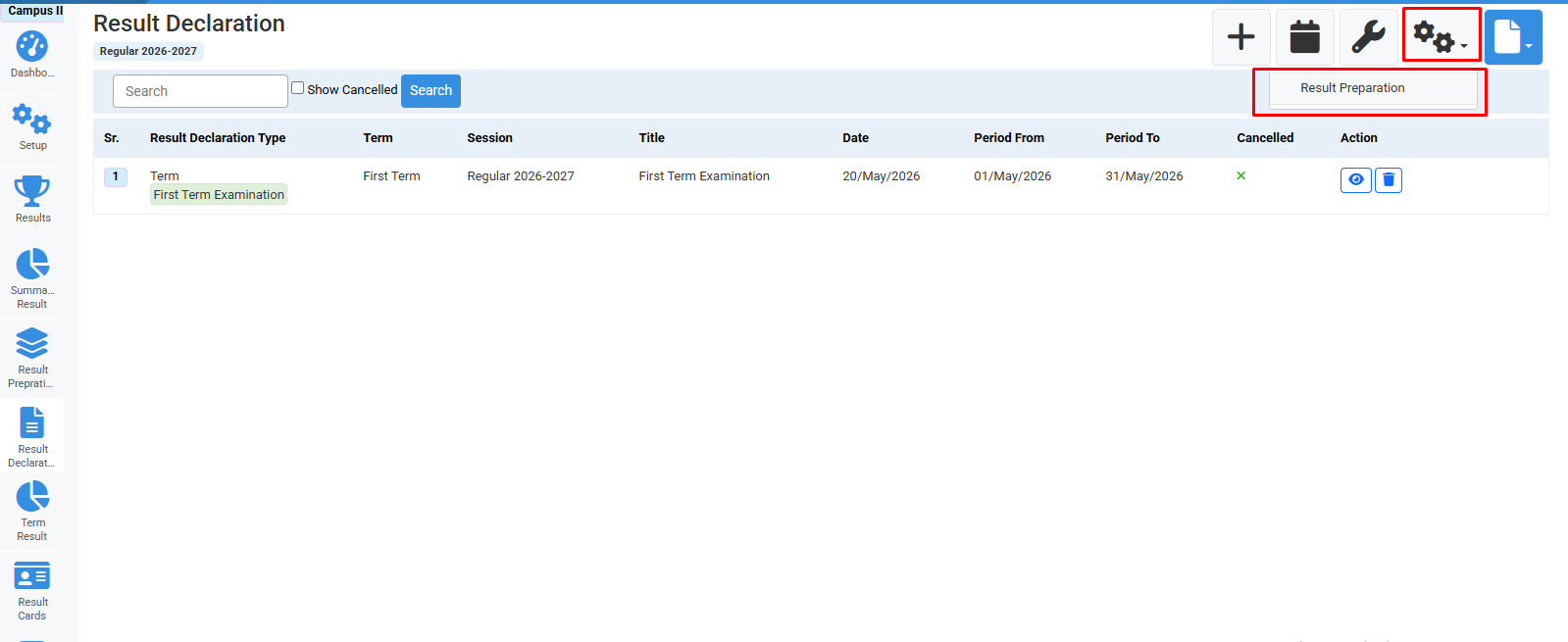
Click on settings>Result preparation.
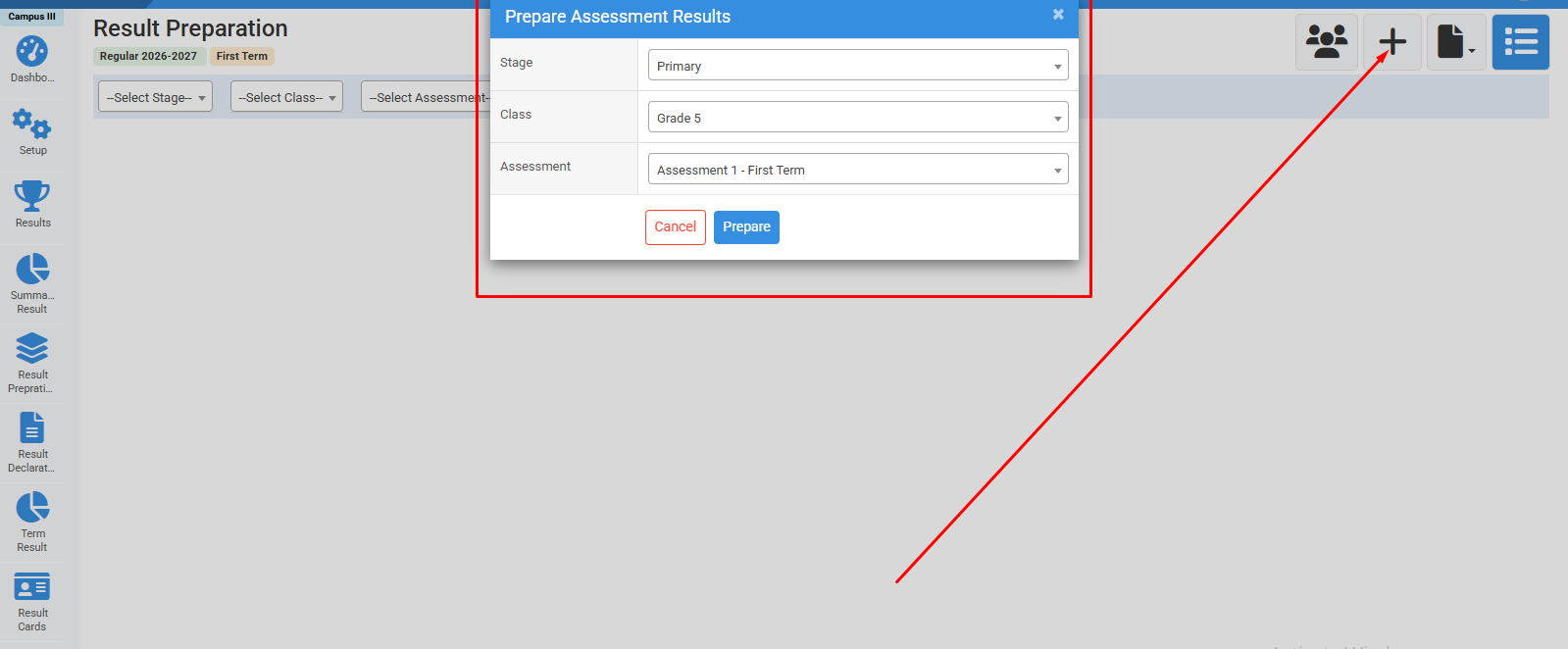
Click on "+" icon>Fill required fields & click prepare.
No video tutorial available.
No related articles found in this category.
