
This Guide & Explain article helps you prepare and finalize a Result Declaration in CloudCampus ERP LMS Academics.
It explains the simple steps for adding assessments, selecting classes, entering subject marks, and finalizing the result.
Follow the steps below to prepare the result successfully.
1- Go to the Results module → Result Declaration and open the required declaration.
2- Go to the Items tab and select the required Assessment for the result.
3- Enter the Title and Short Name for the selected assessment.
4- Enter the required Weightage and make sure the Total Weightage is 100.
5- Go to the Classes and select the required Classes for which the result needs to be prepared.
6- Click Generate Result to generate the result for the selected classes.
7- Click on classes select assessment & enter the required Subject Total Marks.
9- Go to the Finalize Result tab after completing and reviewing all result details.
10- Click Finalize Result to finalize the result and make the Result Declaration ready.
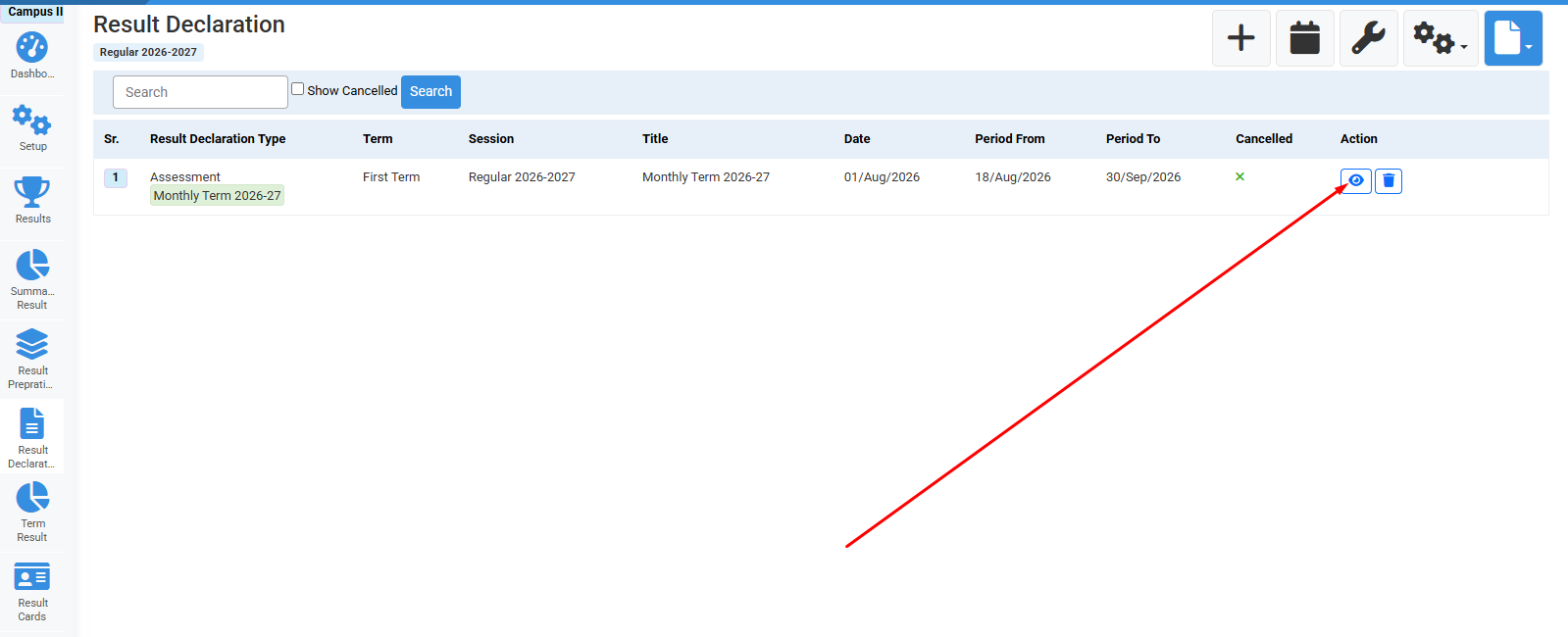
Click on Edit option.
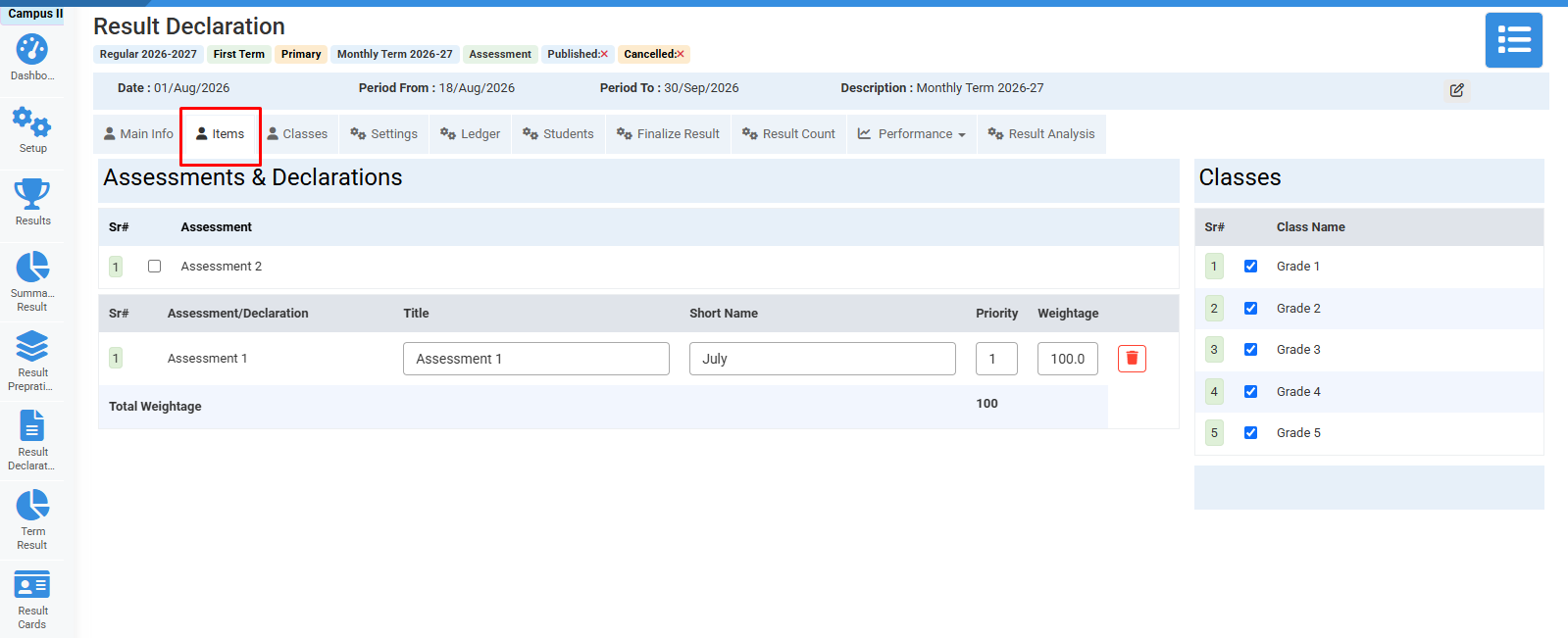
Click on items and select fields.
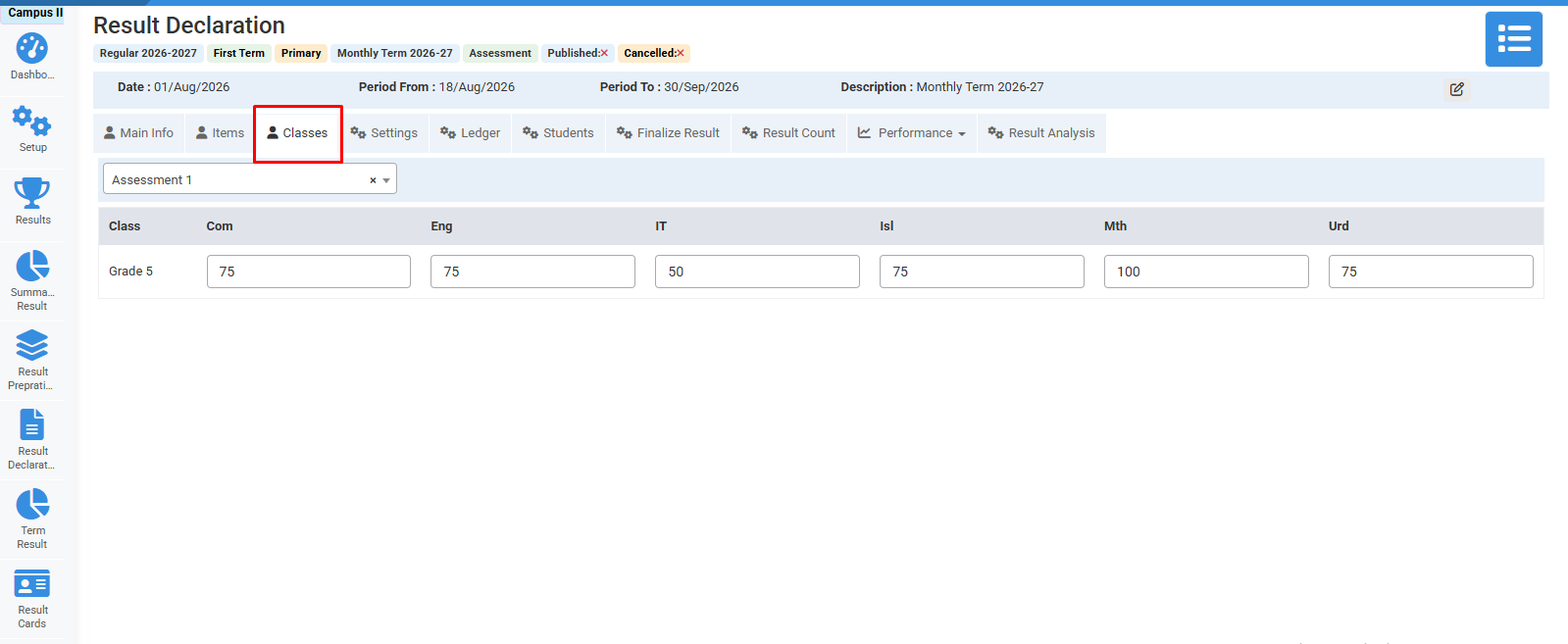
Click on Classes and select subjects total marks.
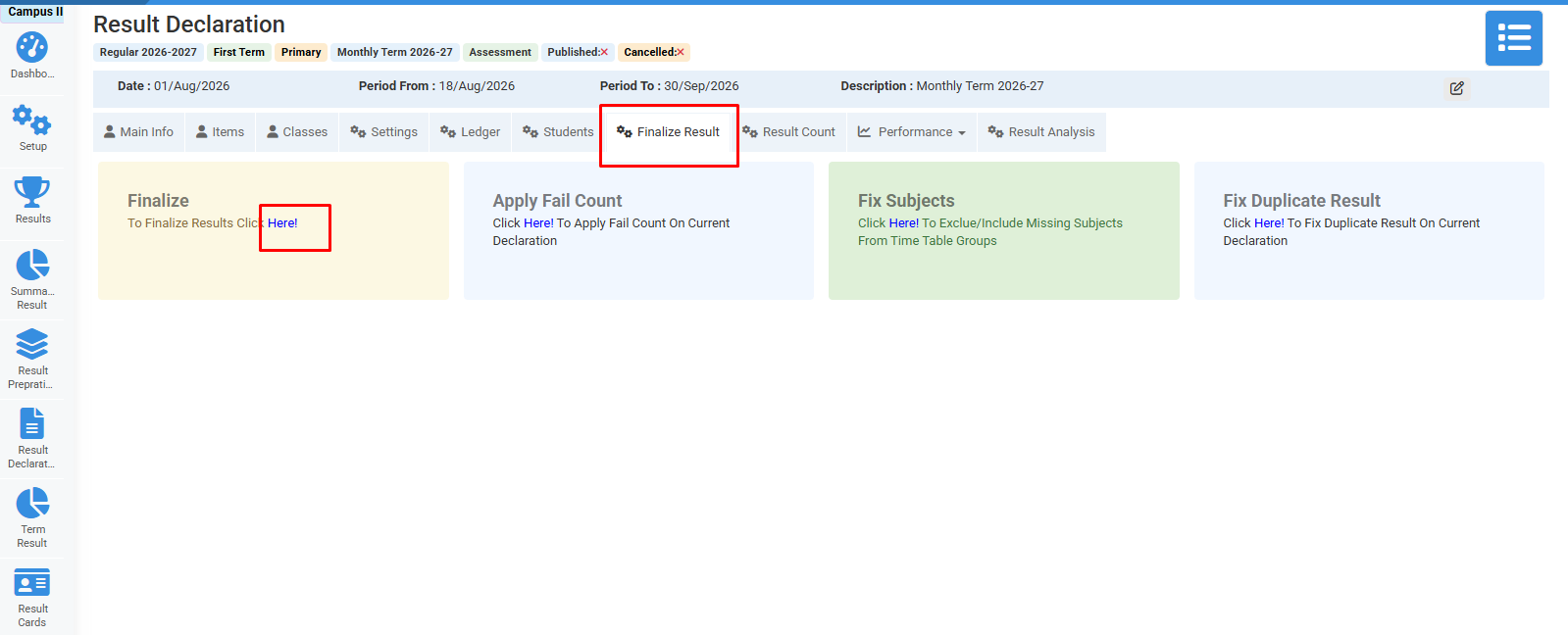
Click on finalize result.
No video tutorial available.
No related articles found in this category.
