
This Guide & Explain article provides a simple step-by-step process for preparing Student Results in CloudCampus ERP LMS Academics. The Prepare Results option allows users to select the required academic information and prepare results for the selected students.
1- Go to the Results module → Results Preparation.
2- Select the required Stage for which the result needs to be prepared.
3- Select the appropriate Class according to the selected stage.
4- Select the required Term for which the result is being prepared.
5- Review the selected Stage, Class, and Term to ensure the correct academic information has been selected.
6- Click the Prepare button to process and prepare the result.
7- Review the prepared Class to ensure the result has been processed correctly.
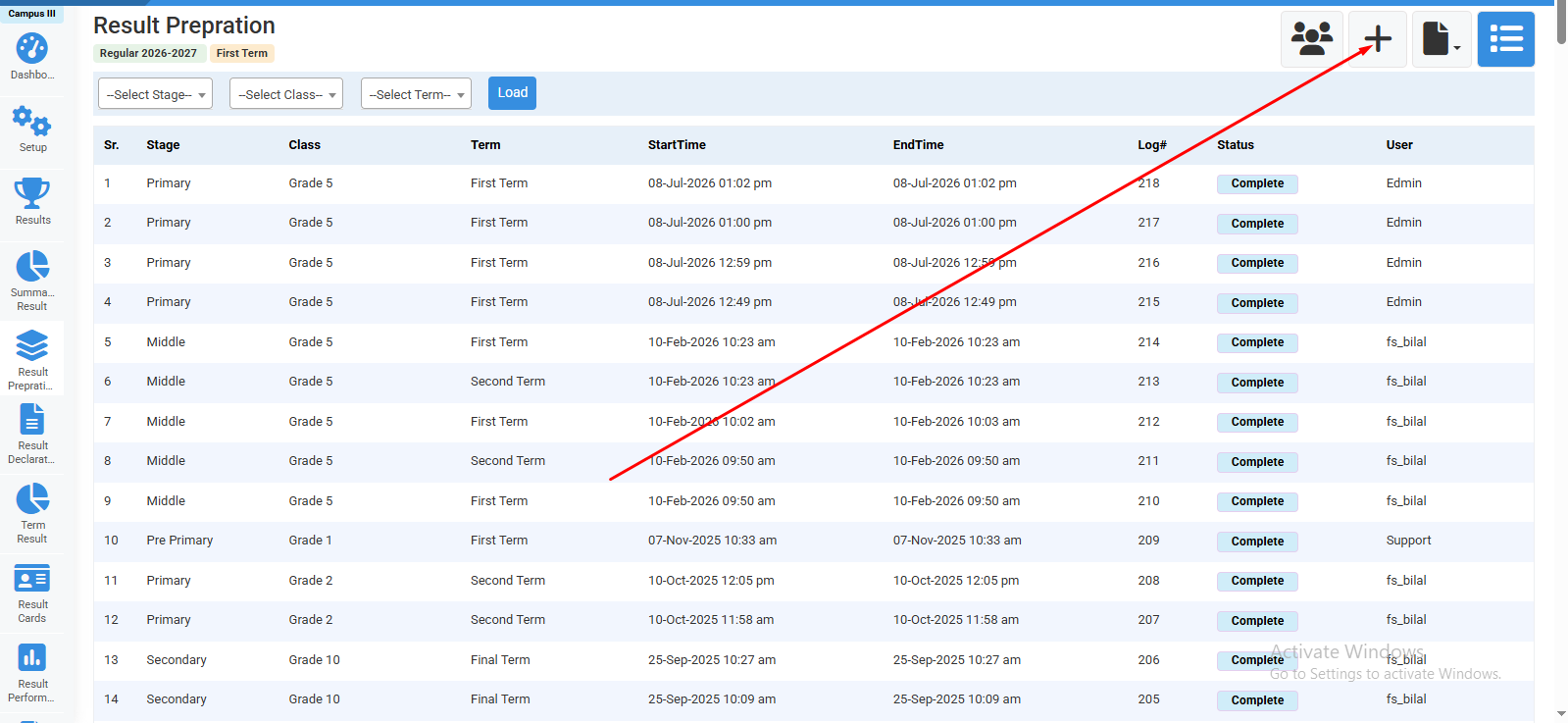
Click on "+" icon to prepare result.
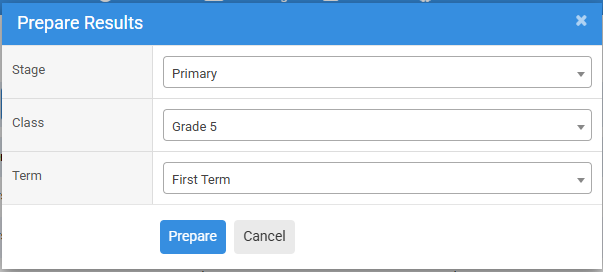
Select Stage,Class,Term and click on prepare.
No video tutorial available.
No related articles found in this category.
