Detailed Description

This Guide & Explain article helps you update Subjects in the Result Setup of CloudCampus ERP LMS Academics.
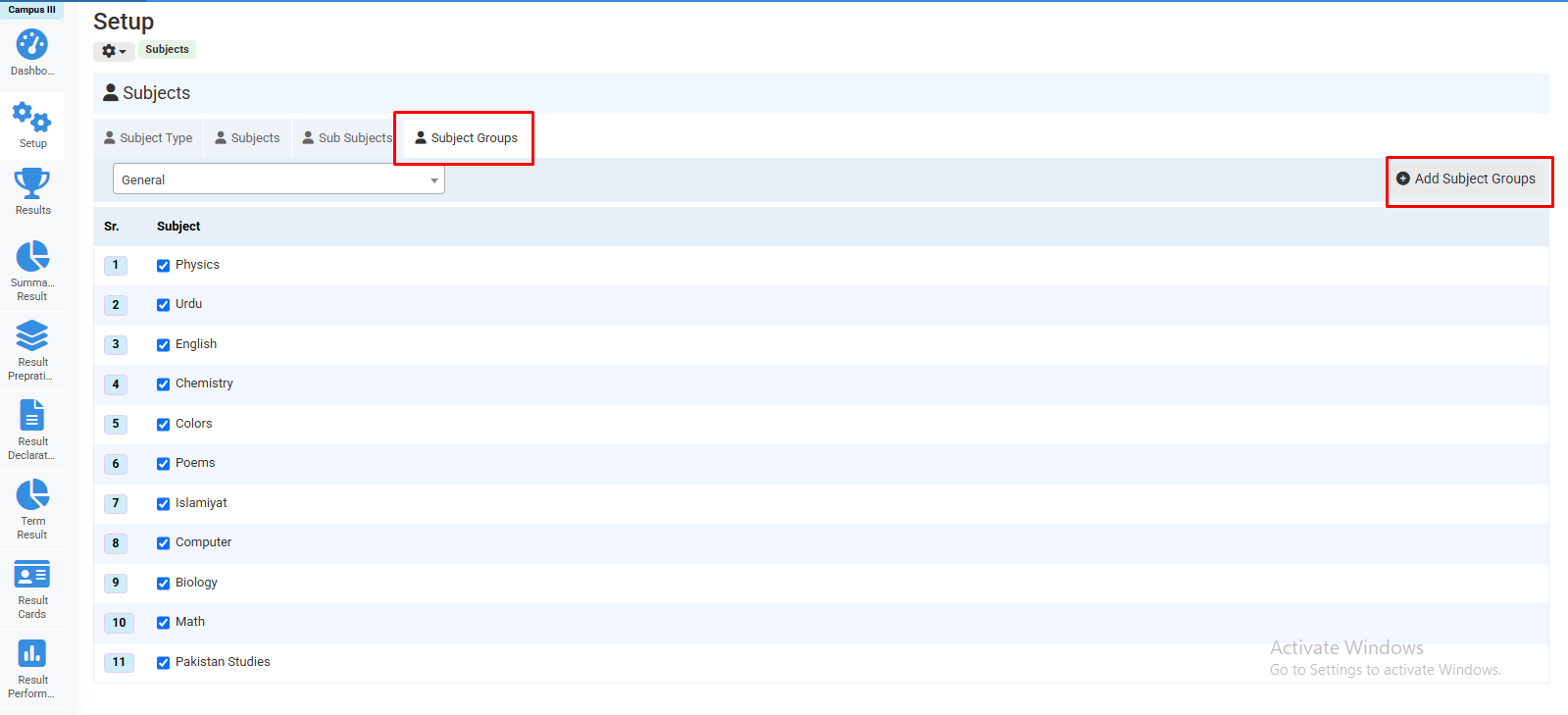
Subject Management provides different tabs to manage subject-related information.
Follow the steps below to access the required tab and update the subject details.

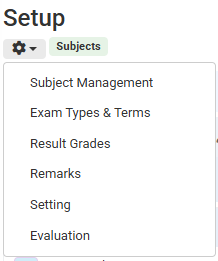
1- Go to the Results module → Setup → Subject Management.
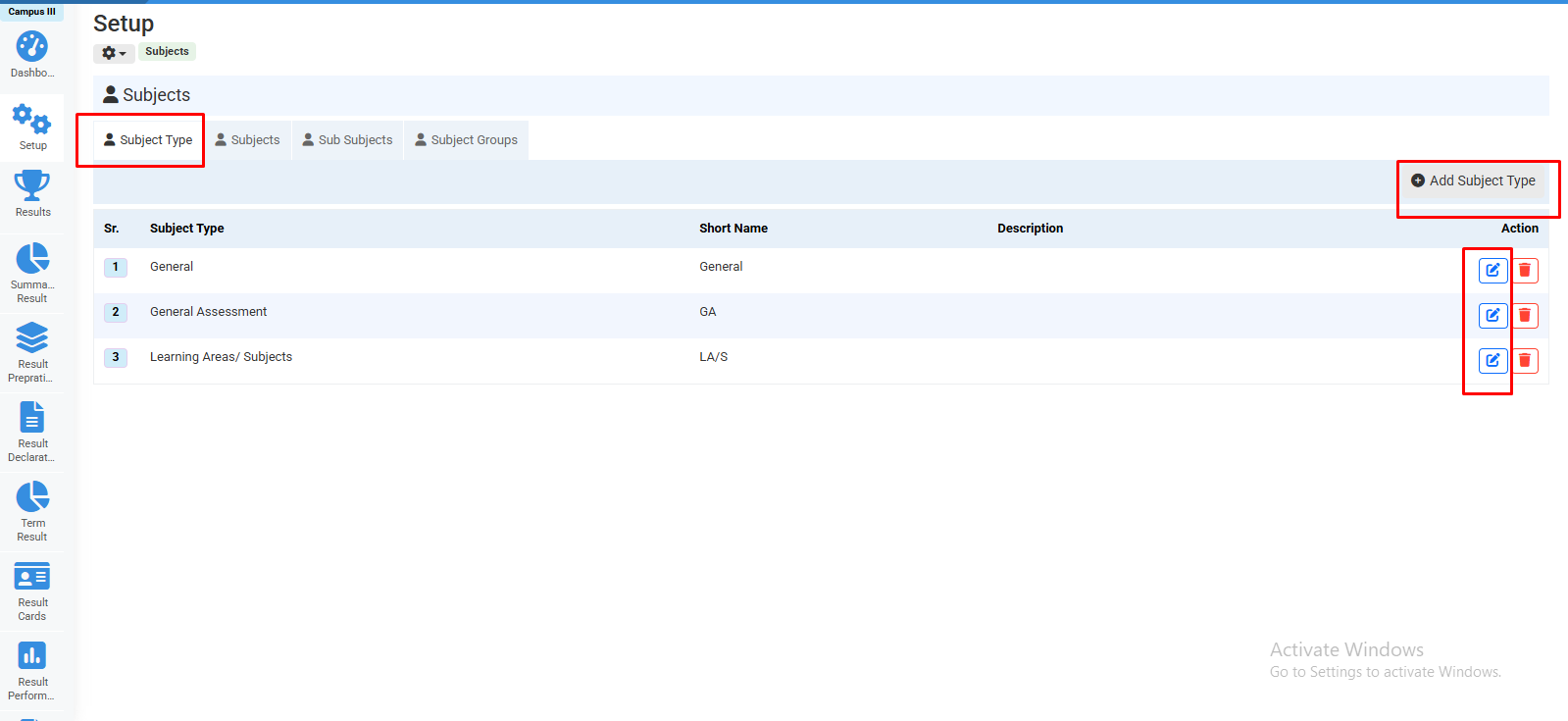
2- Click the Subject Type tab to Add and update the required subject types.
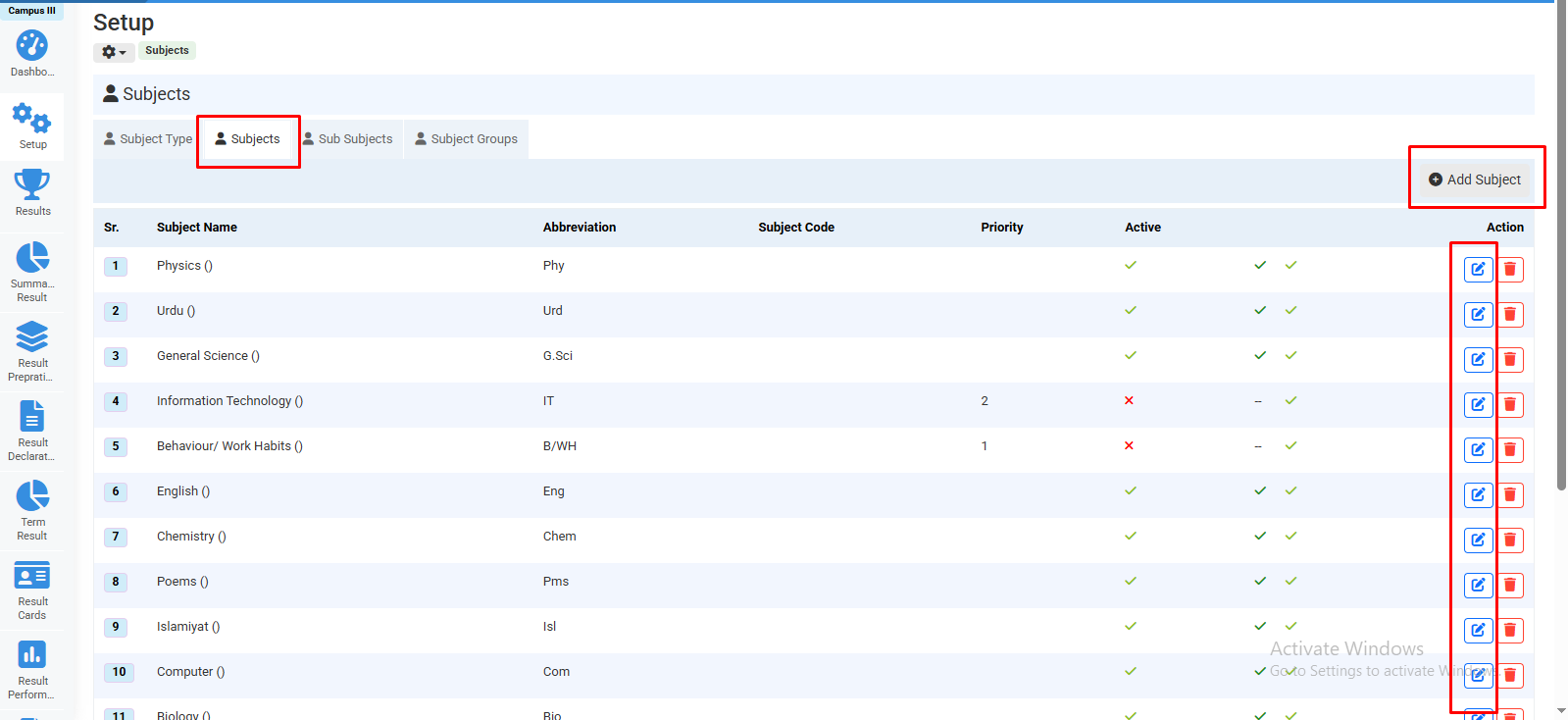
3- Click the Subjects tab to Add and update the required subjects.
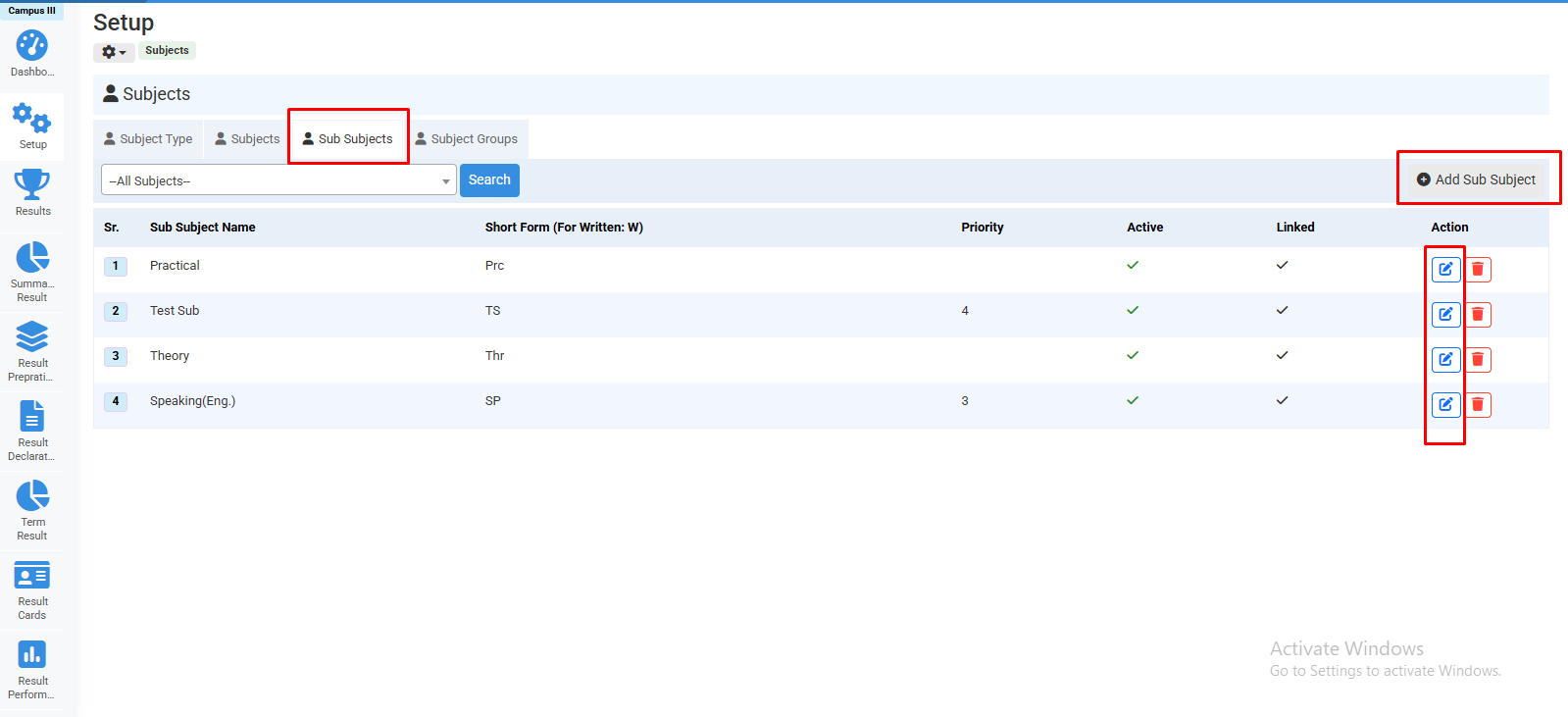
4- Click the Sub Subjects tab to Add and update the required sub-subjects.
5- Click the Subject Groups tab to Add and update the required subject groups.
6- In the required tab, click the Edit icon against the relevant record to update its information.
7- Update the required details and click the relevant Save button to save the changes.

No video tutorial available.

No related articles found in this category.